

Trusted by:
University of Southern California
Warner Bros.
Volvo
Amazon
Stanford University
October 09, 2026
5 min read
Learn what employers check before an operator gets on a machine, and how a verification QR code lets your operator cards pass that check without a call to your office.
Research with AI:
Every operator certification you issue travels from job to job and ends up at a site gate where someone has to verify operator certification before a machine moves.
If all they have is a wallet card, a PDF, or a photo of one, they can't validate it or tell whether it covers the equipment in front of them. They either take it on trust or call your office.
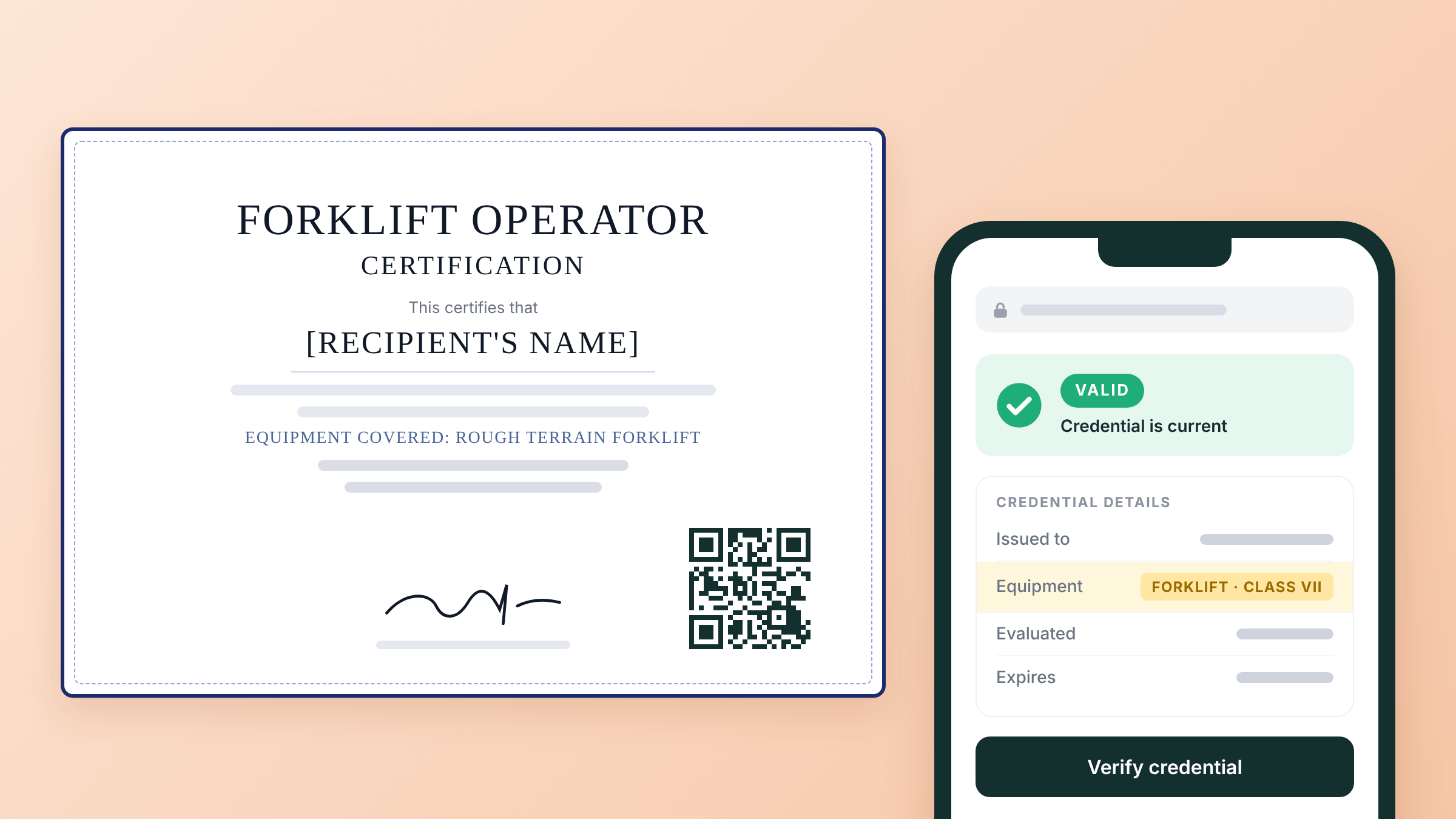
A construction training credential check asks four questions: is the credential real, does it belong to this person, is it still current, and does it cover this machine? A verification QR code on a certificate answers the first and third in under a minute and shows the scope needed for the rest, so the go/no-go decision doesn't wait on a call to you.
This article covers the four questions every employer asks, why cards and PDFs can't answer them, what unverifiable credentials cost you, what to put on a verifiable operator credential, and how to set it up in Certifier.
Employers can't confirm a card, PDF, or screenshot is current, so they either trust it or contact you.
A verification QR code answers the employer's check with a live page you control, so status and scope stay accurate after the card is printed.
A verifiable operator credential needs scope fields, training and evaluation dates, a credential ID, and an expiry date where a rule sets one.
In Certifier, you can issue these from the sign-off data you already keep, review them as drafts, and add a unique verification QR code to each one.

Whoever checks an operator credential, whether a site supervisor, an EHS manager, or a principal contractor running subcontractor pre-qualification, needs a yes to four questions.
Question | What Theyre Confirming | What Answers It |
|---|---|---|
1. Is it real? | The record came from the organization named on it and hasn't been altered | A page hosted by the issuer, or by the credential platform the issuer uses, opened from a link or QR code, not an image |
2. Is it this person? | The name on the record matches the person in front of them | The name on the verification page, matched against photo ID |
3. Is it current? | The credential hasn't expired or been withdrawn | A live status on the verification page |
4. Does it cover this machine? | The training and evaluation apply to the equipment and task assigned today | Scope fields: equipment type or class, capacity where it matters, and make, model or configuration where a rule requires it |
There's also a fifth question that no credential can answer: is this person authorized to operate this machine on this site today? That decision stays with the employer.
Example: OSHA's crane standard says the employer must ensure each operator is trained, certified/licensed, and evaluated before operating covered equipment, and that a certificate cannot prove qualification on its own.
Most credentials fail the check because of their format, not because they're fake. Here's how common formats hold up when an employer tries to answer the four questions:
Evidence Format | Real | This Person | Current | Covers This Machine | What The Employer Does Next |
|---|---|---|---|---|---|
Wallet card or site ticket (no QR) | Can't tell by looking | Name only; photo if printed | Shows the print date, not today's status | Only if the card lists scope | Trusts it or contacts you |
Emailed PDF certificate | Can't tell as PDFs are easy to edit | Name only | Frozen at issue date | Only if the certificate lists scope | Trusts it or contacts you |
Phone photo or screenshot | Can't tell | Name only | Frozen when it was taken | Rarely legible | Trusts it or contacts you |
Phone or email to the issuer | Yes, if they reach the right person | Yes | Yes | Yes, if you check your records | Waits for your answer |
Live verification page (QR or link) | Yes, if it opens on the issuer's or platform's page | Yes, with photo ID | Yes | Yes, if you include scope fields | Answers it in under a minute |
Certifying bodies already work this way:
NCCCO, the US crane operator certification body, runs an online lookup and adds QR codes to cards issued from 2022. It tells employers that a printout shouldn’t be accepted without online verification.
OSHA doesn’t provide or acknowledge any national database websites to verify plastic or paper cards. For plastic Outreach cards, anyone can scan the QR code on the back of the card.
Without a central database, the credentials you issue are the only source of truth an employer has. If a credential can't be checked, this ultimately impacts both you and the employer.
Every credential that can't be verified on its own can trigger a phone call or email to your office. Someone has to find the record, confirm the dates and scope, and reply, usually while a crew waits. The more operators you certify and the more employers they work for, the more of these requests you field.
This impacts issuers who certify people for other companies hardest:

Training providers whose graduates move between contractors.
Industry associations that certify professionals and trades against an industry standard, and whose certificate holders change employers.
Equipment manufacturers (OEMs) that train dealer technicians and customers' operators on their own machines, often across several proficiency levels.
Multi-site employers whose own safety tickets must be accepted on client sites and by principal contractors.
Each request is small on its own. Yet, when taken together, they become a recurring support job, and the program's credibility rests on how fast and how consistently you answer.
The employer pays too. A QR check usually takes under a minute, while a call or email depends on your office hours and callbacks. A crew can stand idle in the meantime, which can cause project delays.
A verification QR code turns a printed card into a link to a record you control and that changes what the credential can prove.

Employers stop calling you. The verification page answers questions one, three, and four without your office. Gate staff, EHS teams, and pre-qualification reviewers can open the link from a phone without an account.
Status stays live after printing. A card can't change once it's printed. A verification page can show whether the credential is valid and until when, or expired.
Scope stays attached. Equipment class, capacity, make and model, and the certification or proficiency level sit on the verification page next to the status. Employers don't have to rely on a line of small print or a separate letter.
Corrections reach every copy. If you fix a misspelled name or a wrong equipment class, the public page updates straight away. Every QR code already printed points to the corrected record.
Your name is on the check. The verification page names you as the issuer, so every check reinforces the standard behind your program. You can serve credential pages from your own domain and get a verified-issuer badge that shows Certifier has verified your organization. Both make your credentials harder to imitate than a PDF template.
It works across employers and borders. A certification recognized across a dealer network, a membership, or a national industry standard is only as portable as it is checkable. One credential can carry more than one design, so you can issue the same operator card in several languages.
Create and Send Digital Credentials
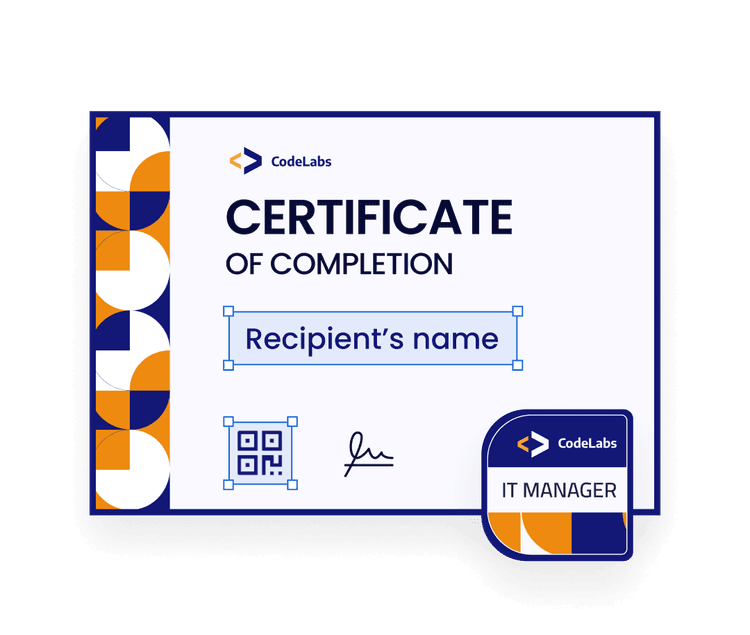
Edit in Certifier

A QR code is only as useful as the certification behind it. Give the employer what they need to answer questions one to four:
Operator name, matching their ID.
Equipment covered: type or class, capacity where relevant, and make, model or configuration where a rule or your program requires it.
Certification or proficiency level, if your program has more than one (for example, Level 1 and Level 2).
Training date and evaluation date.
Evaluator or trainer, and the issuing organization.
Credential ID, which Certifier generates automatically.
Expiry date, only where a rule or your program sets one.
A Verification page QR code, unique to that credential.
Which fields a regulation requires depends on the equipment. For example, OSHA's forklift rule requires the operator's name, training date, evaluation date, and trainer or evaluator.
Scan the QR code on the card or certificate with a phone camera or open the credential link.
Check where it lands. The page should belong to the issuer or the credential platform it uses and should name the issuer on the card.
Match the name to the photo ID.
Read the status: valid or expired.
Compare the scope to today's assignment. A valid forklift credential doesn't cover a telehandler.
Record the check: who checked, when, the credential ID, the equipment, and the result.
What The Employer Sees | What It Likely Means | Action At The Gate |
|---|---|---|
Unfamiliar domain, or the issuer isn't named | Possible spoof or a copied link | Don't accept it; contact the issuer through its official website |
Name doesn't match photo ID | Wrong person or a borrowed credential | Don't accept it; escalate to the site safety lead |
Expired | Training or evaluation has lapsed | Don't assign the machine; ask about renewal |
404 "page doesn't exist" | Deleted by the issuer, or a damaged or wrong link | Don't accept it until the issuer confirms |
Valid, but scope doesn't match | Trained for different equipment | Don't assign this machine |

Issue directly from your sign-off data: Connect the spreadsheet, form, or LMS where approved results land. An automation picks up each new entry and creates the credential. Set it to save credentials as drafts so a safety manager or program lead can review each one before it's issued.
Put the scope on the credential: Add custom attributes for equipment type or class, capacity, make, model or configuration, training date, evaluation date, and evaluator. They appear on the credential and its verification page.
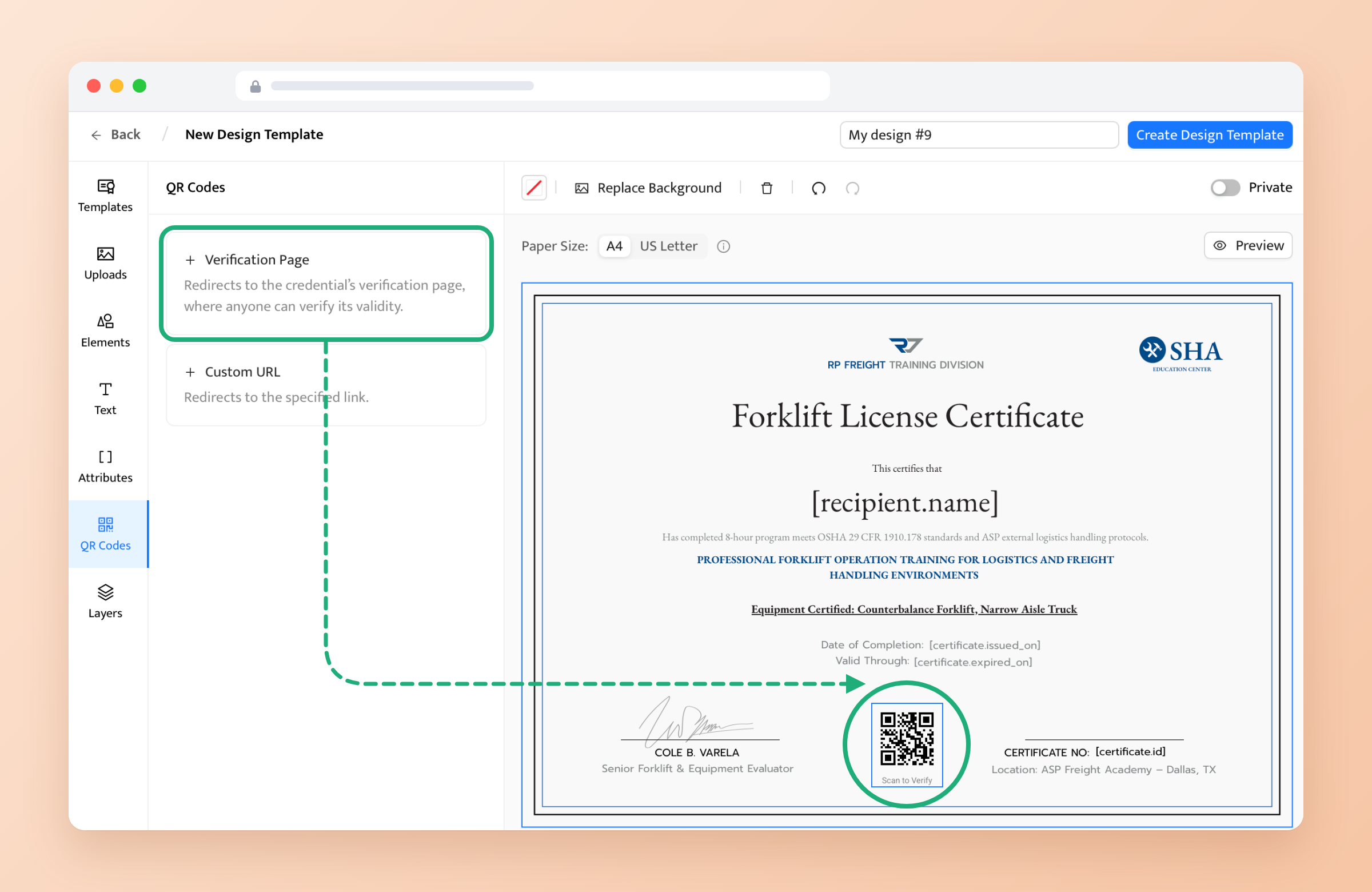
Add a verification page QR code to the design: In Certifier’s design builder, look for the verification page QR type in the left-side menu and select it to add it to the certificate. Each operator gets a unique code that opens their own credential. QR codes are available on the Professional and Advanced plans.
Set expiry where a rule applies: Set an expiry period on the credential template or map a date for each operator. Operators get an email reminder two weeks before expiry and another on the day, with a Contact Issuer option to request renewal. Expiry dates are available on the Professional and Advanced plans.
Fix or withdraw a record: Edit a field on an issued credential and the public page updates straight away. Deleting a credential is irreversible, and its QR code then leads to a 404 page. Deleted credentials still count toward your limit, which is another reason to review drafts first.
Keep evaluation details private: Attach the detailed evaluation, such as a filled-in forklift operator evaluation form, as a private design on the same credential. Anyone who scans the QR code sees a locked placeholder, while the card design stays visible. The operator unlocks it with a confirmation code Certifier sends to their email, and it stays verified for 72 hours.
Certifier manages the credential after your evaluator approves the operator, but it doesn't run the evaluation, judge competence, or authorize anyone to operate equipment.
Your operator certifications are judged at site gates you’ll never see, by people under schedule pressure who can’t afford to wait for your office to verify them.
A verification QR code shows who the credential belongs to, whether it’s still current, and which equipment it covers in under a minute.
Start with the certificate fields employers need, then add a unique Verification page QR code on every card, and issue from the sign-off data you keep. Your evaluators still decide who is qualified, and employers still decide who operates.
See how construction training providers issue QR-verifiable operator credentials with Certifier.
An ID number helps only if the employer has somewhere to look it up and the time to do it. A verification QR code takes them straight to the live record, so they see the current status and scope without searching or contacting you.
No, each certifying body or training provider is the source of truth for its own credentials.
The QR code keeps working. On Certifier, an expired credential's page shows it's no longer valid, while a deleted credential's link opens a 404 page. Either way, an employer scanning an old card sees that it no longer passes.
No, it shows that your training or evaluation record exists, is current, and covers specific equipment. The employer's evaluation and site rules still decide who operates what.
Yes. Anyone who scans the QR code or opens the link sees the public verification page. Only private designs and owner-only actions require the operator to verify their email.

- copywriting
- B2B content marketing
- content strategy
- on-page SEO
- storytelling
Growth Marketer (Freelance)
Anita Coltuneac is a freelance B2B SaaS marketer with 5+ years helping tech companies grow organic visibility, build authority, and support pipeline. She uses storytelling to turn product expertise into useful content.


