
Workplace Violence Prevention Training Badge
Issue this badge to every employee who finishes your annual workplace violence prevention training, all in one run. Each badge links to a credential page that shows the completion year and your organization as the issuer.
Customize this template for free
Email and export in bulk
Track recipient engagement
Download in
Don't have Certifier account? Sign up
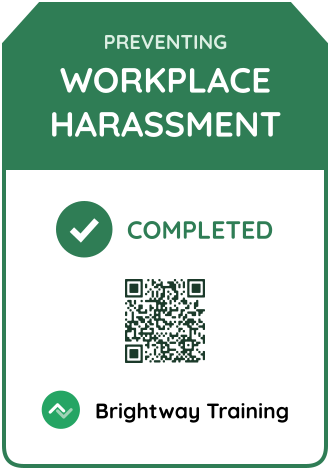
Simple teal workplace violence prevention training badge template
HR teams that train the whole workforce can use this workplace violence prevention training badge to show who finished this year's course. Employees add it to LinkedIn or their email signature, and each badge links back to a credential page with the completion date and your organization as the issuer. The badge shows an employee finished the course, but it doesn't prove compliance on its own.
The design is a tall card with rounded corners and a dark navy border. A teal header holds the issuer logo and name (e.g., Northline HR Academy). Below it, the white body shows the course title "Workplace Violence Prevention" in bold navy capitals, the year (e.g., 2026), a teal "Completed" pill, and a QR code. You can edit the issuer name and logo, course title, year, status label, and colors.
Key features
- Annual reissue with expiry: Upload the new completion list and issue a fresh badge with the new year, so the year on each badge shows who completed the current course.
- Pair it with a safety certificate: Add a certificate from the OSHA certificate templates to the same credential, and both arrive on one credential page.
- Whole-workforce issuing: Import completions from a spreadsheet, and Certifier emails each person their badge.
- Shareable and verifiable: Every badge has a credential ID and a verification link, so a manager or auditor can open the record and see who issued it and when.
With Certifier, you can edit this badge online, connect your HR or learning system, and issue badges to every employee who finished the course in one run. Badge your workforce for free on the Starter plan.
Featured fonts
- This template uses Lexend in Bold and Regular, a highly legible single-family setup that keeps the title and completion label easy to read at small sizes.
Important: We use fonts from the Google Fonts collection to ensure your badges look their best without any extra cost.
Free badge file formats available
- Certifier: Edit the badge online, issue it in bulk, and let recipients download it as a PNG from their credential page.
- Badge template Word: Simple customization in Microsoft Word.
- Badge template Photoshop: Advanced editing in Photoshop.
- Badge vector (Illustrator): Scalable artwork for high-quality printing.
Please note that the redistribution of these templates for commercial purposes is strictly prohibited.