

Trusted by:
University of Southern California
Warner Bros.
Volvo
Amazon
Stanford University
Updated: July 03, 2026
7 min read
Canvas Badges let instructors award digital badges in Canvas courses. But with the shift to Parchment Digital Badges and the end of free issuing, many programs must rethink their workflow.
Research with AI:
Canvas Badges began as a straightforward way for instructors to award digital badges to learners inside their Canvas course, giving a lightweight credentialing path with minimal setup.
However, the tool is being rebranded under Parchment Digital Badges and the free-issuing plan is sunset. If you rely on Canvas Badges, you need to review what’s changing and consider alternatives like Certifier before the transition affects your issuing workflows.
Canvas Badges (formerly via Badgr/Canvas Credentials) allowed educators to award digital badges for course completion or skill demonstration inside a Canvas LMS course.
From October 31, 2025, Canvas Credentials is officially rebranded as Parchment Digital Badges–branding changed, platform remains part of the official credential network.
But free issuing under Canvas Badges/Credentials is being phased out–after December 31, 2025, free-issuers lose the right to award badges and data export may be disabled for free plans.
For small or budget-conscious programs, the sunset removes a reliable free path for issuing credentials–prompting a need for alternative badge platforms.
For those cases, platforms like Certifier can provide a more flexible, transparent and modern digital badging platform–ideal for issuing certificates, badges or micro-credentials.

Canvas Badges emerged from Badgr's integration into Canvas LMS–giving institutions a way to create and award digital badges tied to learner progress or achievements.


Instructors could enable a “Credentials” or “Badges” tab in course navigation, then create badges, define criteria (e.g., module completion, assignment grades, participation) and either manually or automatically award badges when learners meet the conditions.
Learners received badges to their “Backpack” (badge-wallet): a Canvas-linked account where they could view, download or share earned badges. A single growable Canvas badges account aggregated credentials from multiple courses if the same email address was used.
Badges served as digital credentials (“digital badges”) that learners could show on social media platforms or personal portfolios, giving a simple, micro-credentialing option integrated into their LMS experience.
Because this setup lived inside the LMS, it required no external systems, no complex workflow and made it easy to create badges and award badges within the same course interface: a low-friction entry into credentialing.
Two major updates now define the future of Canvas Badges: a full rebrand and the end of free issuing.
On October 31, 2025, Canvas Credentials (the tool behind Canvas Badges) was officially renamed Parchment Digital Badges. The change aligns the tool with a larger credential network, positioning it as part of a broader credential ecosystem.
From the user side, only the branding and product name change: the badge-issuing, “backpack” wallet and badge-award workflows remain operational—no immediate shift in functionality.
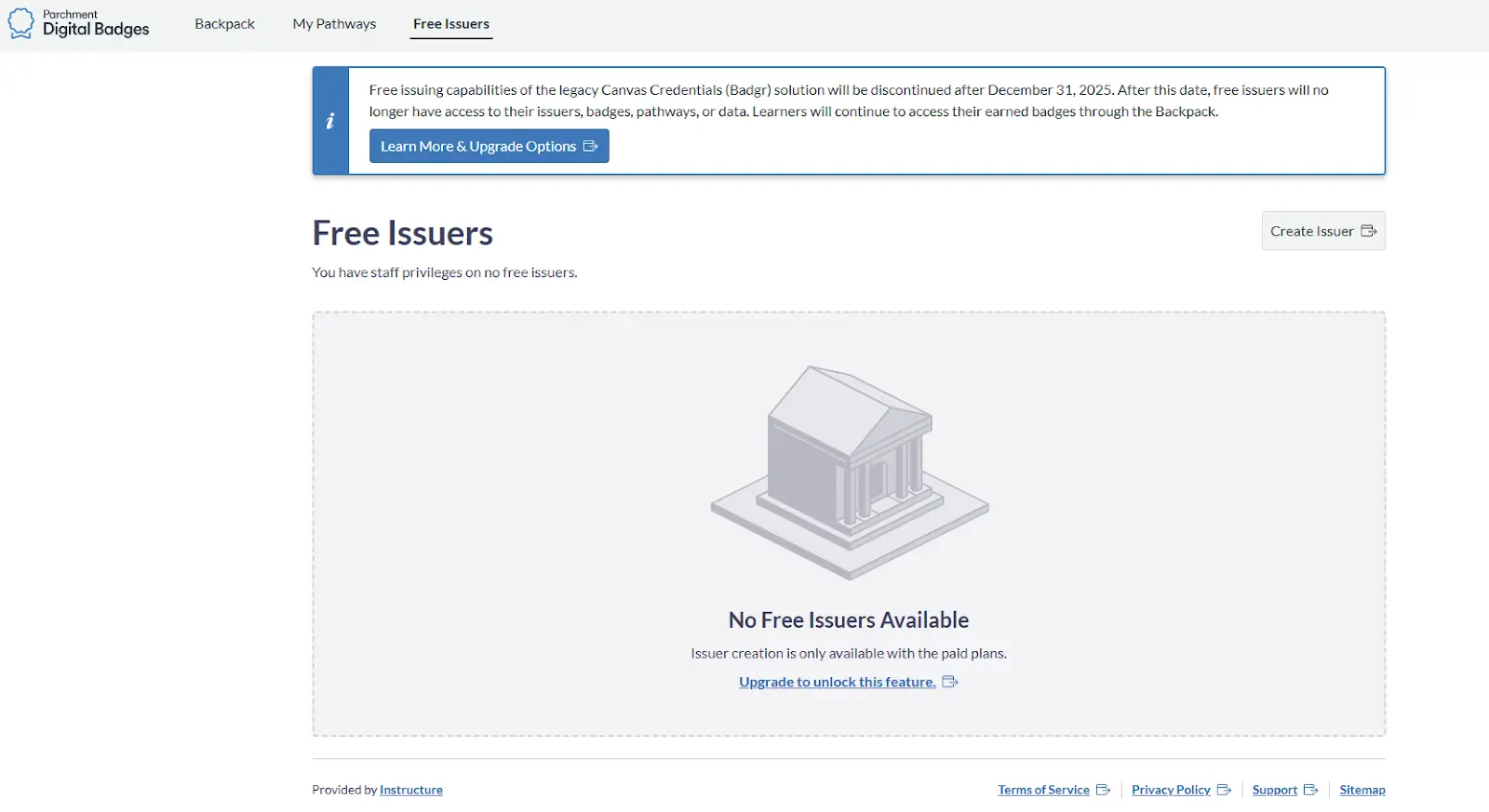
The critical change: free issuing under Canvas Badges/Credentials is being phased out. Institutions cannot create new free-issuer accounts after June 30, 2025; and after December 31, 2025–free issuing and data export privileges end.
Existing free issuers are downgraded to “backpack only”: learners keep access to past badges, but no new issuing or export is allowed.
For courses or institutions that relied on Canvas Badges’ no-cost offering, this marks the end of a free, lightweight issuing path.
Before deciding whether to keep using Canvas Badges, it helps to look at where the tool originally worked well and why those strengths don’t hold up as the platform changes.
Canvas Badges was well suited for:
Small-scale courses or workshops: module/assignment-based badge awarding without full credentialing overhead
Pilot or informal learning experiences (e.g. skill modules, short-term training) where a simple “badge icon” or certificate was sufficient
Educators or institutions testing digital badging for the first time, using badges as a low-commitment way to reward learner progress or engagement
Because it was embedded in Canvas course navigation (just a few clicks under the course menu), setup was easy and instructors could manage badge awarding without external tools or heavy administrator involvement.
With free issuing gone:

Budget-sensitive programs (volunteer trainings, non-credit workshops, small cohorts) lose their no-cost badge option
Canvas Badges (or now Parchment Digital Badges) lacks advanced features many credentialing workflows require—e.g. robust metadata, exportable credential records, versioned credentials, sophisticated tracking or verification code workflows, so having a Parchment digital badges account might be no longer enough
For long-term programs requiring external recognition (on resumes, LinkedIn, external verification), the limitations become more pronounced
If your courses currently rely on Canvas Badges/Credentials:
Audit your existing badges and “past badges”. How many you issued, which modules/courses, how many learners and how many might need export or migration.
Decide on the future of your credentialing workflow. If you just need occasional badges or informal credentials → start evaluating lighter badge platforms. If you need stackable credentials, certificates or long-term credential management → look for a more feature-rich, future-proof solution.
Communicate changes to stakeholders (learners, instructors, admin). Explain that after the sunset date issuing/new credentials will stop under free plan.
Export and backup data if possible, especially if you rely on badge export or offline storage of credentials.
Now that Canvas Badges’ free path is closing, many educators are looking for alternatives. Among the options, Certifier emerges as a top candidate, especially when you want flexibility, clarity and control.


Transparent free plan: unlike Canvas Badges pricing, Certifier offers a clear free tier for badge or certificate issuance, allowing programs to start without financial commitment.
Full digital badging support: you can create badges or certificates using templates or from scratch, embed metadata and verification for authenticity, let learners download or share credentials on social media sites or professional networks.
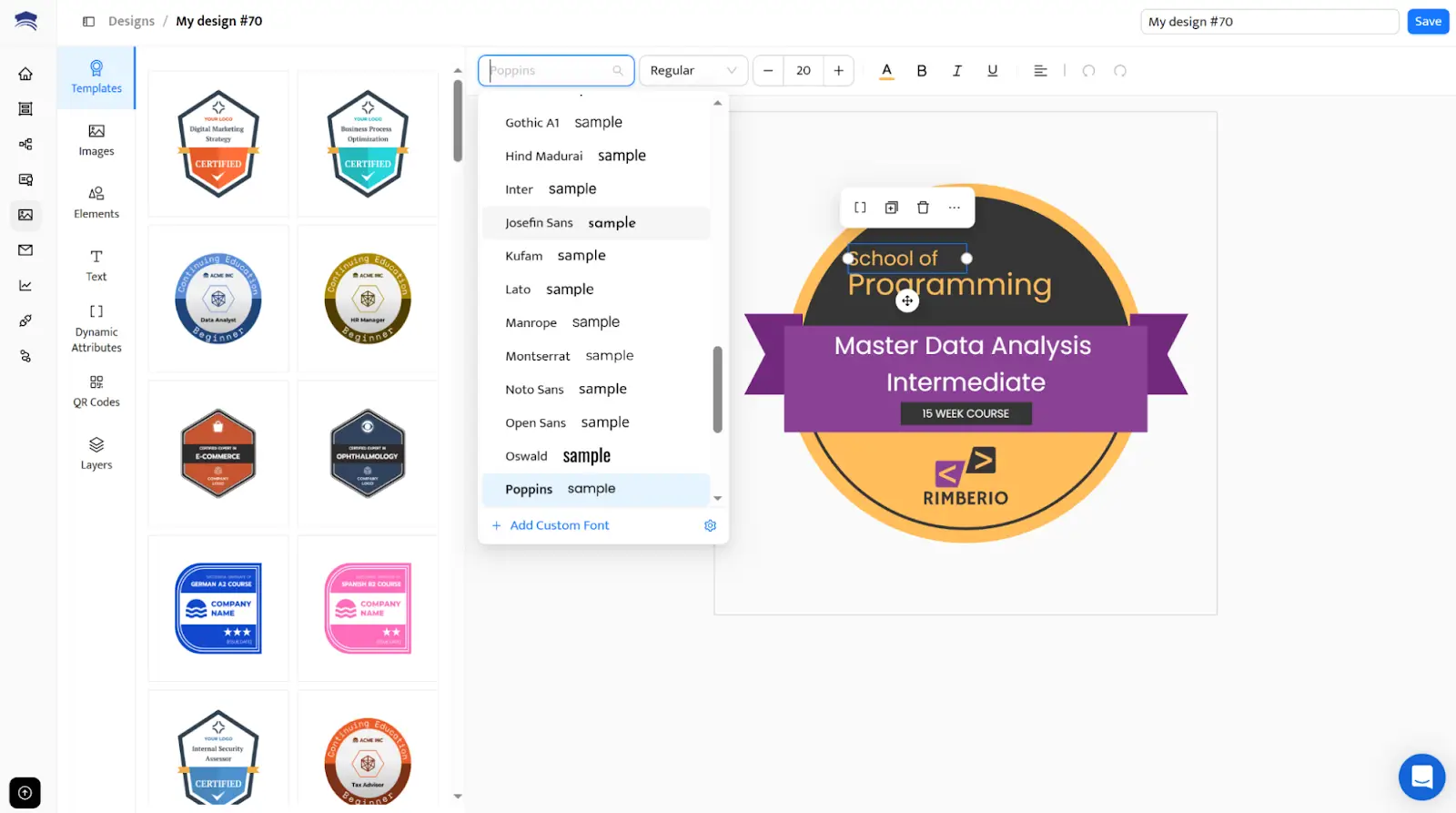
Platform-agnostic and independent setup: You can manage credential issuing outside a course context, useful for non-course-based trainings, community programs or small initiatives, but also connect it to Certifier using the native Canvas integration to reduce manual workload.
Portability and learner-centric credentials: recipients retain control over their credentials, enhancing value, verification and long-term usefulness.
Scalable over time: as your credentialing needs grow, you can upgrade plans; but you’re never locked into enterprise-scale licensing for modest volumes.
Select the perfect subscription tier for your needs. Upgrade anytime or stick to the free plan.
For course creators, organizers of volunteer trainings, workshops or micro-credential programs that need flexibility and affordability, Certifier gives many of the benefits of a full certification management software without the complexity or cost that free Canvas Badges once had.
See how Canvas Badges compares to Certifier:
Need | Canvas Badges | Certifier |
|---|---|---|
Cost | Free issuing discontinued; requires paid Parchment plan | Transparent free plan; issue badges & certificates at no cost |
Badge & certificate design | Basic badge setup; limited customization | Full visual builder + templates, fonts, branding, custom backgrounds |
Issuing workflow | In-course issuing only; no bulk automation | Issue individually or generate certificates in bulk using spreadsheets or integrations |
Verification | Limited verification options | QR code verification, UUID verification, metadata-rich credentials |
Data export & management | Export restricted under free plan | Easy data export, updates, expiration management, bulk edits |
Scalability | Designed for simple, lightweight use cases | Fits small programs → large credentialing workflows; grows with your needs |
Platform flexibility | Tied to Canvas LMS | Platform-agnostic—use with any LMS, event tool, CRM, or no LMS at all |
Learner experience | Basic “backpack” badge storage only | Branded recipient portal, social sharing, LinkedIn adding, downloadable PDF/PNG |
Want to see a deeper feature-by-feature breakdown? While Canvas Badges moves into a more complex enterprise structure under Parchment, you might be looking for something more agile.
You can see how the two platforms compare in design, automation, and recipient experience in our Parchment Digital Badges vs. Certifier comparison.
Canvas Badges served as a useful, lightweight digital badging tool during its run, offering educators a simple way to reward learners inside Canvas courses. But with the 2025 sunset of free issuing and rebrand to Parchment Digital Badges, the free badge-issuing path is closing.
If your program issues a few badges now and then or your trainee volume is small, continuing under a paid plan may not make sense. In those cases, a platform like Certifier presents a viable, future-proof alternative: a modern, transparent and flexible digital badging solution.
Whether you opt for Parchment Digital Badges (for full ecosystem needs) or switch to Certifier (for flexibility and affordability), the key is to match the tool to your credentialing needs, budget and long-term vision.
Learn more about the topic by reading the answers to the most commonly asked questions.
Canvas Badges was a credentialing tool in Canvas LMS that let instructors award simple digital badges for course progress. Badges were stored in a learner’s “backpack” for easy sharing. In 2025, the tool was rebranded as Parchment Digital Badges, though the core issuing workflow remains the same.
If you're new to digital credentials, this guide on what a digital badge is and how digital badges work can give you additional context.
Canvas Badges were used to motivate learners, track micro-achievements and offer quick recognition inside a Canvas course. Instructors awarded them for module completion, participation or short learning tasks where a full certificate wasn’t needed, making them an easy entry point into digital credentialing.
For creating updated designs post-Canvas, you may want to explore ready-made digital badge templates.
Canvas Badges was the free, basic version of Badgr after it was acquired by Instructure. It allowed simple badge issuing inside Canvas LMS.
Canvas Credentials was the paid upgrade that added advanced features such as analytics, learning pathways, bulk issuing and institution-level credential management. In short, Canvas Badges = free badge issuing, while Canvas Credentials = full credentialing suite.
For organizations comparing broader options, including enterprise-level tools, you may also find it helpful to explore how platforms structure their pricing, such as in this overview of Credly pricing.
Under the 2025 changes, the Canvas Badges free issuing model ends. New free-issuer accounts stop on June 30, 2025 and all free issuing fully shuts down on December 31, 2025. After that, free plans become “backpack only,” so you can’t issue or export badges unless you upgrade to paid Parchment pricing.
If you still need a no-cost way to issue badges or certificates, Certifier offers a transparent free plan with easy design, personalization and sending, without hidden limits.

- Content Strategy
- Content Writing
- Digital Credentialing
- Keyword Research
- Content Editing
Senior Content Specialist
Valerie leads Certifier's content strategy, creating SEO-optimized guides and resources on digital credentialing best practices for educators and training providers.


 Most popular