Trusted by:
University of Southern California
Warner Bros.
Volvo
Amazon
Stanford University
Updated: October 19, 2026
14 min read
Setting up credentials for association programs can involve a lot of guesswork. This guide gives you an editable decision matrix to easily map out your certificate and badge strategy, alongside clear rules to streamline your issuing process.
Research with AI:
Managing association credentials isn’t always (or usually!) straightforward. As your portfolio grows, you may end up juggling everything from recurring annual memberships to one-off continuing education credits.
Different programs represent different achievements or milestones, so forcing everything into a single set of rules generates instant friction — like accidentally expiring permanent completion records or leaving outdated statuses active long after they lapse.
To build a program that scales effectively, you need clear rules for validity, workflows, and tracking before you even touch a design template.
This guide provides the association credentials framework to audit your portfolio, define issuing rules, and save hours of administrative cleanup.
If you're looking into professional solutions to simplify this process, we’ll also look at how Certifier automates credential delivery and management.

Most credentialing “debates” get stuck on format, pitting digital badges against PDF certificates as if one is inherently superior. In reality, these are simply different delivery vehicles for the same information.
The right choice depends on how your members use that information. In other words, the use case determines the format, not the other way around.
For example, someone submitting compliance hours to a regulatory board needs a formal document with credit breakdowns, while someone networking on LinkedIn needs a more compact asset that’s readable at a glance.
Digital certificates and badges can carry the same underlying data, but they’re designed for different visual environments and use cases.
A digital certificate replicates the traditional, page-shaped layout of a paper document. It’s typically delivered as a printable PDF and/or a dedicated webpage, complete with signatures, logos, and specific accreditation seals.
Because they provide plenty of page space, they’re ideal for displaying comprehensive records — think multi-line course descriptions and specific credit counts or compliance codes.
You’d typically use a digital certificates format to issue:

Major organizational awards (for high-profile honors);
Continuing education (CE/CPE) (for detailed state licensing records);
Official membership recognition (for traditional onboarding documents);
Training programs and professional certification (for employment audits).
Create and Send Digital Credentials
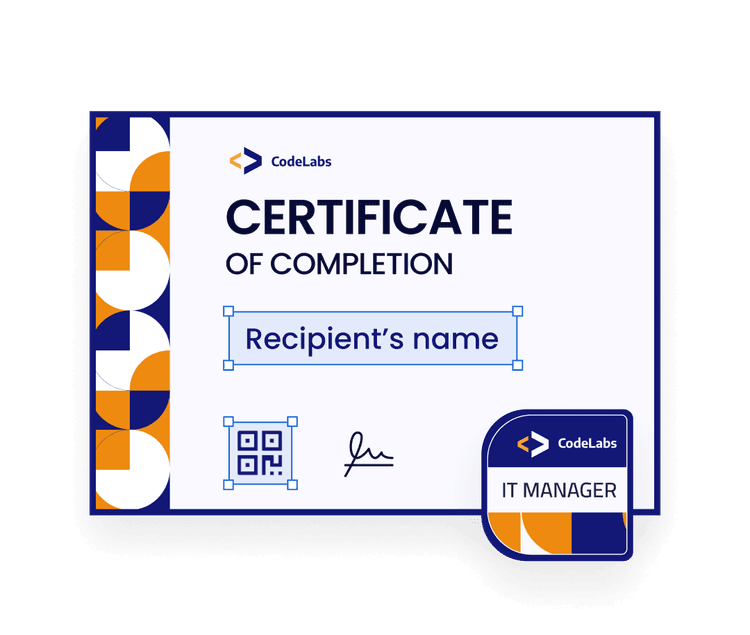
A digital badge is a compact image, usually a small square or circular icon. Because the graphic itself can only show a tiny amount of text — typically just your association’s logo and the program title — it relies on the Open Badges standard to embed the rest of the information directly into the image file.
You only see a graphic on screen, but when an employer or client clicks on the badge online, it instantly opens a web page showing the earner's name, the achievement criteria, and other issuing details.
Since badges are lightweight and optimized for use on modern social profiles and email signatures, they’re the ideal format for driving visibility and engagement for your association and programs.
Common use cases include:
Micro-credentials and skills verification (for quick proof of competencies);
Participation and milestones (for conference or webinar attendance);
Shareable membership status (for public proof of active affiliation);
Committee and leadership roles (for term-bound board positions);
Volunteer contributions (for service and active community roles).
Before sketching out a template, you must know who you’re certifying and what they need from your credential. Run your program through these five questions to decide on a format:
01What information should be visible? Comprehensive records like credit breakdowns, course codes, and exec signatures require the room of a certificate. If you only need to show a title and a logo, a badge fits the limited space perfectly.
02What milestone earns the credential? Simple entry requirements like a casual webinar attendance pair well with a quick digital badge. High-effort requirements like passing a final exam or completing a multi-week course need a formal certificate.
03Should the credential expire? Permanent achievements like passing a training class belong on a dated certificate. Limited statuses like an active board seat or a rolling annual membership work a lot better with a minimalist badge that can be updated with less data to sift through.
04Who needs to audit the record? Use a certificate if the primary audience consists of corporate HR and compliance managers or licensing boards expecting a standardized document. Choose a badge for casual validation by peers and clients.
05Where will the member display it? Certificates are built for formal environments like job applications or professional portfolios. Badges are web-native graphics optimized specifically for constricted interfaces, often online profiles and signatures.
Note, you don’t always have to choose just one. You may find that your program benefits from both formats.
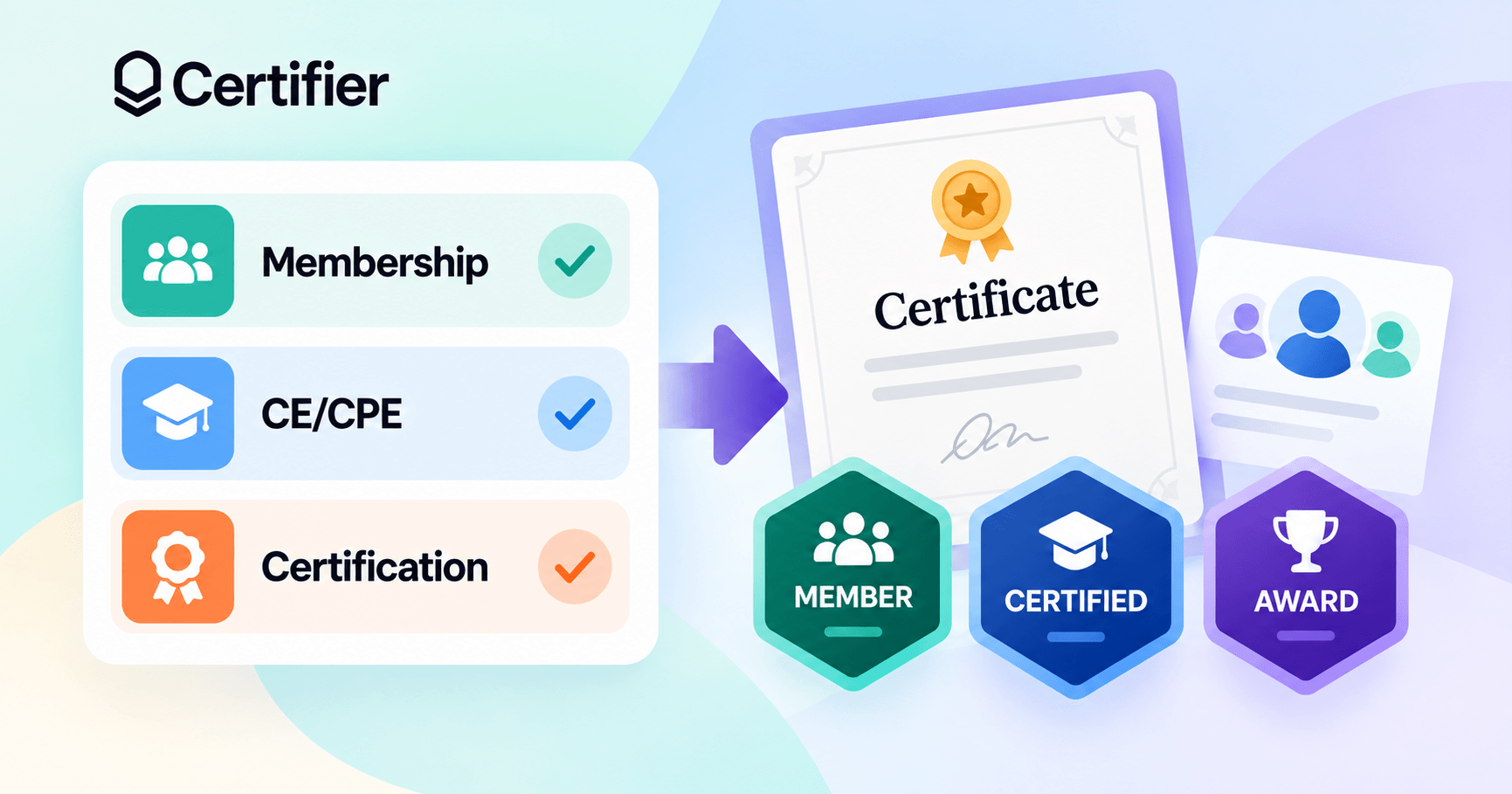
A professional certification is a perfect example. A regulatory board might require a formal digital certificate to audit continuing education hours, while the certified member wants a digital badge for their LinkedIn profile.
Both assets point back to the same achievement, but they give your members more options for convenience.
📜 Example of a Mixed Format Portfolio
An association can also run multiple programs with different credential formats and lifecycles. The ASAE (American Society of Association Executives) is a good example.
The ASAE Academy offers standalone micro-credentials for individual modules. Meanwhile, their flagship CAE (Certified Association Executive) certification is an entirely separate track that requires passing a formal exam and follows a strict three-year renewal cycle.
Your portfolio can follow the same logic. You can easily issue an expirable digital badge for a rolling board membership alongside a permanent, dated certificate for a completed CE course. It all comes down to having clear rules for each credential.
Deciding on a format is just the first step in planning your program. For a growing portfolio, you need a centralized framework to track every policy decision affecting how your credentials are to be issued and managed.
A credential matrix standardizes your program logic upfront. It aligns your team on how every certificate and badge should behave, saving you the manual troubleshooting later.
Use this framework as a starting point to map out your plan. Note this is just an example of how a program might look:
Specification | Cecpe Completion | Board Role | Professional Certification |
|---|---|---|---|
Format | PDF certificate | Digital badge | Both (certificate + badge) |
Record source | LMS (e.g., Moodle, Canvas) | AMS / CRM (e.g., Salesforce) | CMS / EMS (e.g., CertMetrics) |
Eligibility condition | Course finished + 80% quiz score | Term start date reached | Passed exam + fee paid |
Intended viewers | Employers, state licensing boards | Peers, professional networks | Industry recruiters, HR |
Mandatory fields | Course code, issuance date, credit hours | Active role status, term dates | Certification ID, expiration date |
Validity | Permanent (Never expires) | 1-year term (Expires automatically) | 3-year cycle |
Renewal | N/A | Manually update term in AMS | Automatically extend expiration date upon CE completion |
Issuing method | Automated webhook trigger | Spreadsheet batch upload | API integration with exam database |
Workflow admin | Education department | Member services team | Certification committee |
Important! Pay close attention to ongoing management after issuing. Your workflow must also clearly account for three main scenarios.
Settle how you’ll fix typos or outdated information. Will you regenerate and re-send files from scratch? Can you update the record centrally without having to create duplicate records? Should you archive the previous record for audit purposes or simply overwrite it?
Define what happens when a member hits a new milestone. Does the upgraded credential replace the old asset under the same ID, or does it generate a distinct, standalone record? Is the original issue date preserved for seniority tracking, or does the clock reset completely?
Since you cannot forcibly “return” a member’s certificate, decide how to revoke or pause their credential if it lapses or they violate association policy. Do you want their credential to display a "Revoked" status, or would you prefer the display page no longer loads at all?
Your answers to these certificate specifications and lifecycle questions will directly dictate how you need to distribute your credentials in the first place.
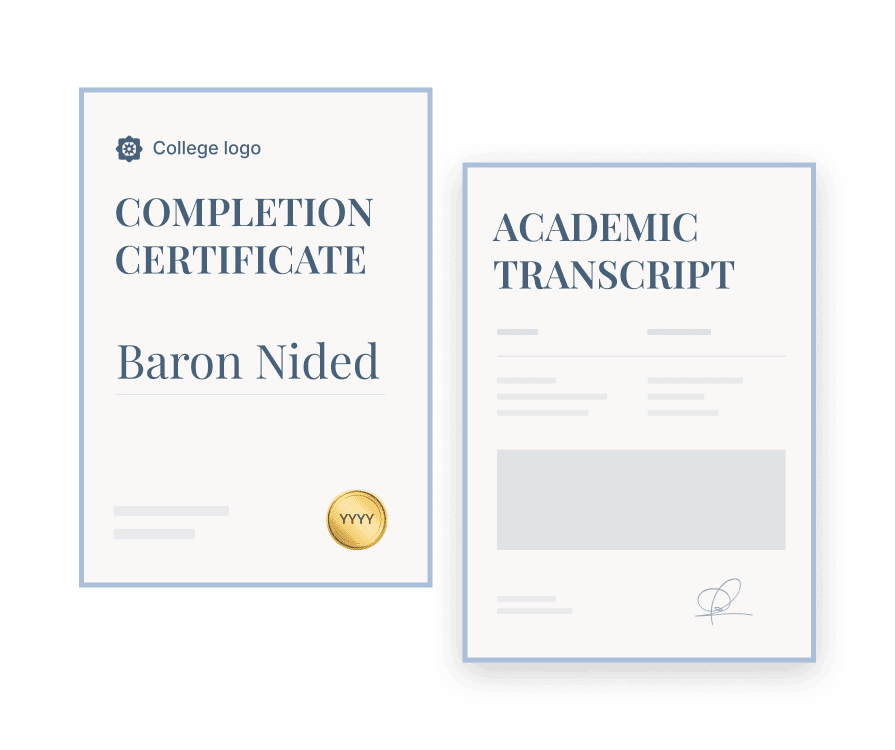
ONE CREDENTIAL, MULTIPLE DOCS
Create both designs in one go and issue credentials in bulk.
No matter how big your program gets, your certificate or badge tools shouldn't replace your main database. If you use an AMS or an LMS to track your members and courses, let those systems handle the records as usual.
Your issuing method just needs to fit your main apps, your expected volume, and the specific formats and lifecycle rules you’ve chosen.
Usually, your options fall into three main approaches.
It involves manually entering recipient and program details into a design tool or a basic PDF generator to create and send credentials one by one.
Pros | Cons |
|---|---|
Ideal for unique awards and exceptions requiring custom signatures and fields. | Hard ceiling on volume. |
Supports standard PDF certificates without complex tech setups. | Usually doesn’t support web-native digital badges with embedded metadata. |
Inconvenient manual updates and reissuance; must restart from scratch. | |
Hard to manage withdrawals or retract a static file once shared online. |
For this approach, you export a CSV spreadsheet from your main app and upload it into a credential platform to generate credentials in batches.
Pros | Cons |
|---|---|
Speeds up delivery tasks. | Adds software costs with an extra credential platform subscription. |
Great for periodic milestones like cohort completions or annual renewals. | Changes in your AMS still won’t update issued credentials automatically. |
Can issue both certificates and badges simultaneously (depending on platform). | Spreadsheet errors or exceptions need manual cleanup before or after issuing. |
Effortlessly standardises data fields across the entire batch. |
You connect your main AMS directly to a compatible credentialing platform, usually via webhooks or an API (Application Programming Interface). Both act as digital bridges, passing data between your apps in near-real time.
The moment a member hits a specific eligibility criteria inside your main app, the bridge passes their data to the certificate platform, which generates and delivers the credential instantly without any direct intervention.
Pros | Cons |
|---|---|
Total hands-off scalability with fewer daily delivery tasks for your team. | Highest overall cost due to platform subscriptions and workflow maintenance. |
Live data triggers expirations and renewals automatically. | Requires upfront technical setup and dev resources to build custom workflows. |
Expiring or deleting a certificate reflects on the online credential page immediately (depending on the platform). | Mistakes in your main app could still accidentally generate incorrect credentials. |
No matter how you choose to issue certificates and badges, a specialized credential platform simplifies the process.
Multi-purpose software like an LMS or CRM often treats credentials as an afterthought — if the feature is included at all. A dedicated platform is built specifically to fill in the gaps, unifying professional branding, flexible delivery, and lifecycle tracking into a single workflow.
Certifier is an integration-ready platform built to manage this downstream workflow without needing to overhaul your current software stack.
Certifier provides a simple, browser-based platform where you can design white-label credentials and automate delivery based on your own rules.
It’s cross-platform compatible out of the box, offering a range of native integrations, webhooks, and connections through tools like Zapier.
This lets you connect directly to various enterprise systems your association might already be using, like:

CRMs: HubSpot, ActiveCampaign, Salesforce;
AMSes: Wild Apricot, iMIS, Novi AMS;
LMSes: LearnDash, Canvas, Moodle;
Event software: Cvent and Eventbrite;
Webinar systems: Zoom and ClickMeeting.
As a result, Certifier manages issuance without forcing a data migration. Once connected to your primary software, your live data maps straight to a Certifier template to automatically populate and deliver badges or certificates based on your existing eligibility conditions.
A central dashboard helps you handle your day-to-day administrative tasks and program requirements across four key areas.
You can build custom layouts from scratch using the drag-and-drop visual editor. This lets you remove all third-party branding — the final credential features only your association’s official logos, colors, and typography.

Once designed, you choose how to package the delivery. You can issue a badge only, a high-resolution certificate only, or bundle both formats together from a single record.
For complex compliance tracking, you can also attach up to 10 multi-page documents to the main credential, appending official training transcripts or course breakdowns directly to the credential package.
Every credential is backed by a Universally Unique Identifier (UUID) displayed on its hosted page next to a “Verify Credential” button.
Clicking it runs an automated checklist that instantly confirms the recipient's identity, your association's status, and the credential's validity.
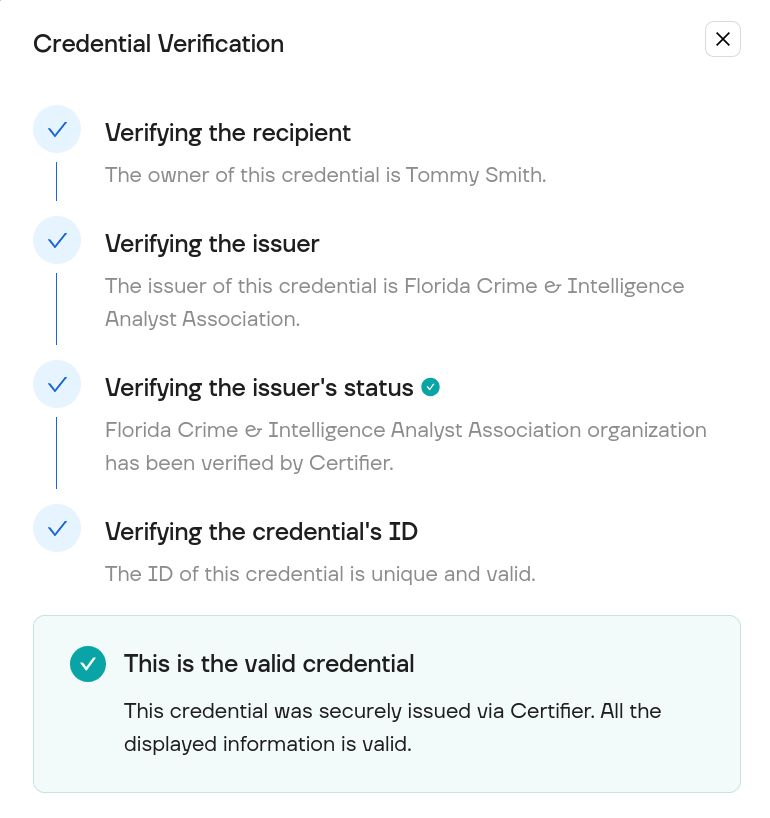
This secure verification builds professional trust among third-party employers and regulatory boards, ensuring your assets carry official authority and cannot be easily faked.
For recurring or time-limited programs, setting an expiration date on your design templates automates the renewal workflow. Certifier handles the follow-up independently, emailing recipients two weeks before a credential lapses and once again the day it expires.
If needed, recipients can request updates or typo corrections directly through their hosted pages. Approving the request in the central dashboard applies the updates to the live page instantly, eliminating the need to retract or reissue files.
You also retain the flexibility to extend expiration dates or delete records entirely. This updates the public validation checklist in real time and, in the case of a deletion, instantly revokes credential access.
Managing a diverse portfolio requires clear operational boundaries. In Certifier, you enforce these boundaries by organizing separate credential programs into dedicated Groups.
A Group isolates its own unique:
design templates,
recipient databases,
email distribution rules,
expiry and renewals,
workflow triggers.
Thanks to this, your training division can restrict its Group to issue only CE certificate formats, while your membership team maintains a separate Group for active annual badges, for example.
For organizations with separate entities or chapters, Certifier adds isolated Workspaces. Each Workspace maintains its own team permissions and custom admin roles, clearly segmenting your association’s operations from a single account dashboard.
Once your matrix is ready, setting up a Certifier automation takes just a few steps. Pick a single row from your plan and follow this four-step guide to build your first workflow.
01Pick a clear pilot. Choose a program with unambiguous eligibility rules and clean records. You want a clear milestone (like passing a specific quiz) and a reliable list of recipient names and emails that doesn't need manual cleanup. A simple training certificate is usually easier to test first than a multi-tiered annual membership.
02Build your credential template. Open Certifier’s drag-and-drop editor to design your asset or customize a free pre-made template. Drop dynamic text attributes — like [recipient.name] and [course.name] — onto your design where the member data belongs. You’ll need these to automatically map your records to the credential.
03Connect your platform to Certifier. Link your main app to Certifier through a native integration or Zapier; you’ll need admin access and your API keys. Set up a trigger to kickstart certification — like your member hitting a specific milestone. Then, map the name, email, and custom fields from your app to your Certifier template attributes.
04Run a test. Use a test account with an inbox you can access, then manually trigger the milestone event. Verify that Certifier pulls the correct recipient data, the formatting looks clean on the final asset, and the email actually delivers.
When you’re sure the pilot workflow runs smoothly, repeat this setup for the remaining rows in your matrix.
If full automation doesn't make sense for certain programs, you can also upload a CSV or spreadsheet to issue credentials in batches.
Need more setup guidance? Check Certifier for memberships and associations, or book a demo for complex workflows.
Associations typically issue credentials for membership status, continuing education, professional certifications, leadership roles, and volunteer service.
Depending on how your members use the information, these can take the form of a formal PDF certificate, a digital badge for social media, or a bundle containing both assets.
A membership certificate is ideal when your members need a formal document with detailed information on their achievement. Choose badges if they want a compact image to share online or show off their active status on LinkedIn.
You can also issue both simultaneously, but avoid time-limited credentials if you cannot revoke them when memberships lapse.
Automate expiry for credentials tied to current professional standing or recurring programs (e.g., active memberships, term-based board seats, or safety-critical certifications).
Permanent records — like course completion, volunteer service, or awards — should never expire since they document dated historical achievements.
No, an external credential platform builds on top of your current setup without replacing your AMS or your record-hosting apps.
A credential solution simply plugs into your existing systems to handle the downstream design work, automated delivery, and secure online verification that core databases aren't built to do.
Certificate programs recognize the completion of specific education or training, sometimes testing if participants met immediate learning objectives.
Professional certification is a stricter, separate process that evaluates whether an individual meets industry-wide competency requirements for an entire role or profession.
The Institute for Credentialing Excellence (I.C.E.) maintains distinct standards for both models.

- Content Strategy
- SEO & AEO/GEO strategy
- Conversion Rate Optimization
- Organic Growth
- Buyer Psychology
Head of Content
Vlad Melnic leads content at Certifier, bringing 10+ years of experience in SEO content marketing and conversion-focused content. His focus is turning complex product value into clear benefits.