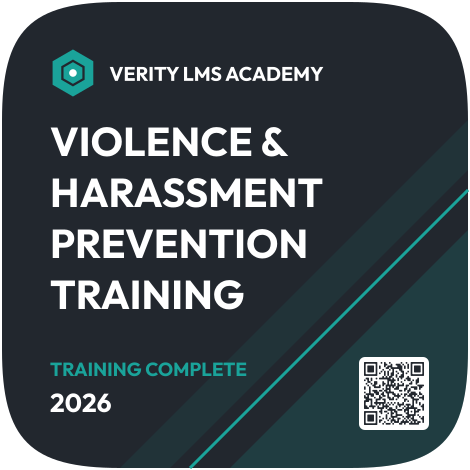

Violence and Harassment Prevention Digital Badge
Connect your LMS and this badge goes out the moment a learner completes your violence and harassment prevention course. No exports, no manual sends, and each badge links to its own credential page.
Customize this template for free
Email and export in bulk
Track recipient engagement
Download in
Don't have Certifier account? Sign up
Modern charcoal violence and harassment prevention training badge template
Teams that deliver training through an LMS can issue this violence and harassment prevention digital badge automatically when a learner completes the course. Learners share it on LinkedIn or in their email signature, and each badge links to a credential page with the completion date and the issuer. The badge is what the learner sees and shares and doesn't prove compliance on its own.
The design is a rounded square in charcoal, with diagonal teal stripes and a darker teal panel in the lower right. A teal hexagon logo sits beside the issuer name (e.g., Verity LMS Academy). The bold white title reads "Violence & Harassment Prevention Training", followed by "Training Complete" in teal, the year (e.g., 2026), and a QR code on a white tile. You can edit the logo, issuer name, title, status text, and year.
Key features
- Issued from your LMS: Use Zapier, Make, or the API to issue a badge when a course is marked complete.
- Pair it with a certificate: Learners who also want a certificate can get one. Choose one from the sexual harassment certificate templates or the OSHA certificate templates. Each learner who finishes the course then gets both on one credential page.
- Learner data filled in for you: The learner's name and completion date come from the LMS record, and Certifier adds the credential ID, so nobody types them by hand.
- Shareable and verifiable: Each badge has a credential ID and verification link, so managers can confirm completion without logging in to the LMS.
With Certifier, you can edit this badge online, connect it to your course, and issue badges to every learner as they finish, with no batch runs to schedule. Test this badge for free before you connect your LMS.
Featured fonts
- This template uses Outfit Bold throughout, a bold geometric single-font setup that stands out on the dark tile.
Important: We use fonts from the Google Fonts collection to ensure your badges look their best without any extra cost.
Free badge file formats available
- Certifier: Edit the badge online, issue it in bulk, and let recipients download it as a PNG from their credential page.
- Badge template Word: Simple customization in Microsoft Word.
- Badge template Photoshop: Advanced editing in Photoshop.
- Badge vector (Illustrator): Scalable artwork for high-quality printing.
Please note that the redistribution of these templates for commercial purposes is strictly prohibited.