Certificate of Attendance Templates
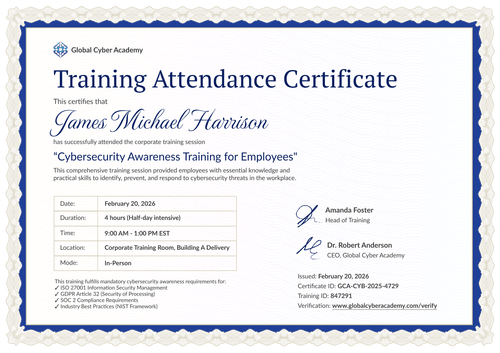
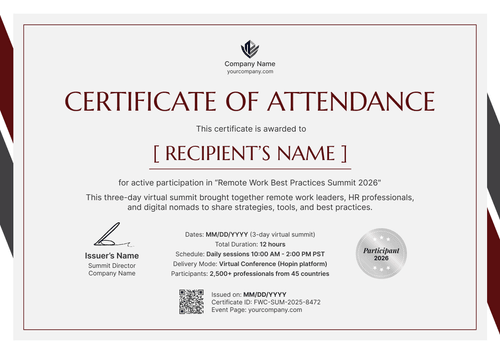
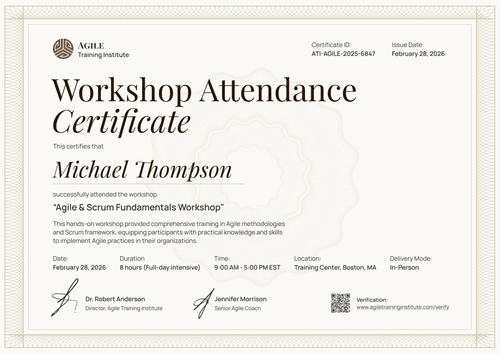
Confirm participation in any event or session with these versatile attendance certificate templates. Designed for high-volume needs, these editable designs are ready to document presence at webinars or internal corporate trainings.
Every attendance certificate template allows for rapid customization, so you can easily insert specific event titles or course durations. Open one in the Certifier’s editor and include all the details. Every attendee will walk away with a credential they can share on their professional networks.
Confirm participation in any event or session with these versatile attendance certificate templates. Designed for high-volume needs, these editable designs are ready to document presence at webinars or internal corporate trainings.
Every attendance certificate template allows for rapid customization, so you can easily insert specific event titles or course durations. Open one in the Certifier’s editor and include all the details. Every attendee will walk away with a credential they can share on their professional networks.
Read more







FAQ on attendance certificate templates
Any questions? Check out the answers to the most frequently asked questions about certificate of attendance templates.
An attendance certificate is a document that confirms someone took part in an event, workshop, webinar–you name it. It is often used by schools, training providers, HR teams, and event organizers.
With Certifier, customization is super simple. Once you select a template, open it in Certifier’s certificate template editor, where you can:
Upload your logo and branding elements
Change fonts and colors to match your organization’s identity
Adjust text to match event details
Insert dynamic attributes (like [recipient.name], [certificate.id]) that automatically pull data from your attendee list
Yes. All certificate of attendance templates in Certifier’s template library are free to use. Sign up, pick a template, and edit it online. A free account lets you issue and send up to 250 certificates at no cost. Need a higher limit? You can upgrade at any time.
Use a certificate management tool that handles bulk creation and sending. With Certifier, you upload a CSV file with recipient details like name, certificate ID, and event information. Certifier then creates personalized attendance certificates automatically and sends them by email. Each participant receives a custom message with a link to their digital credential wallet, and they can also download the certificate as a PDF.
Of course. Attendance certificate templates work well for webinars, online events, virtual workshops, and remote training sessions. You can customize the certificate to match your event, then send digital certificates to participants by email. You can also automate this process with Certifier integrations. Connect your event tool to Certifier to send attendance certificates right after the event.
Choose an attendance certificate template from Certifier’s template library that best matches your event style. Then, change colors–you can paste exact HEX codes to keep your branding consistent. Add your logo in a visible spot, ideally near the top. You can also place a QR code on the certificate–the best option is to link it to the verification page, where anyone can verify it, but you can also use a custom URL that leads to your event page. A smart tip is to use both: verification for credibility and the event page for extra traffic.