
Authorized Training Partner Badge
Award this badge to approved training centers so they can show their tier on course pages, booking sites, and email signatures. Swap the Silver label for Gold or Platinum as centers move up.
Customize this template for free
Email and export in bulk
Track recipient engagement
Download in
Don't have Certifier account? Sign up
Professional dark teal and silver authorized training partner badge template
Vendors issue this authorized training partner badge to training centers approved to deliver their courses, alongside the center's certificate. Centers display it on their course catalog, booking pages, and email signatures so learners know they're booking with an approved provider. Each badge links to a credential page that names your organization as the issuer.
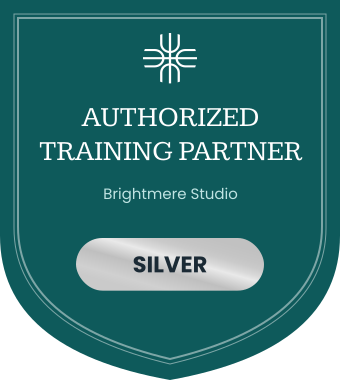
The dark teal shield has a thin light border and a white logo mark at the top. "Authorized Training Partner" sits in white serif capitals above the center's name (e.g., Brightmere Studio) and a metallic silver pill with the tier (e.g., Silver). You can change the logo, partner name, tier label, and colors.
Key features
- Tier on the badge: The silver pill holds the tier label, so one design covers Silver, Gold, and Platinum when you fill it from a spreadsheet column.
- Pairs with the certificate: Match the tier on this badge to the tier on the professional teal green authorized training partner certificate template, and issue both to one credential page.
- For course listings: Centers can place it next to course dates and booking buttons, where learners decide where to train.
- Shareable and verifiable: When a center shares it on LinkedIn or in an email signature, the badge still links to its credential page so learners can check it.
With Certifier, you can fill the tier pill for each center, import your training centers and tiers from a spreadsheet, and issue badges to every center in one run. Set up training partner badges free on the Starter plan.
Featured fonts
- This template pairs Kameron Regular with the strong geometric Poppins Bold, keeping the training partner title prominent and the tier label easy to read.
Important: We use fonts from the Google Fonts collection to ensure your badges look their best without any extra cost.
Free badge file formats available
- Certifier: Edit the badge online, issue it in bulk, and let centers download it as a PNG from their credential page.
- Badge template Word: Simple customization in Microsoft Word.
- Badge template Photoshop: Advanced editing in Photoshop.
- Badge vector (Illustrator): Scalable artwork for high-quality printing.
Please note that the redistribution of these templates for commercial purposes is strictly prohibited.