

Trusted by:
University of Southern California
Warner Bros.
Volvo
Amazon
Stanford University
June 29, 2026
14 min read
Tired of emailing PDFs that learners lose and employers can't verify? Here's how to issue digital badges to learners that prove themselves and handle renewal, from planning to delivery.
Research with AI:
Knowing how to issue digital badges to learners who are working professionals takes more than a polished design. An adult learner needs a credential that verifies itself to an employer and survives the renewal cycles that continuing education programs run on. Those needs are exactly what most badge tutorials skip.
This guide explains how to issue badges to learners who are professionals, not schoolchildren. It walks through the planning decisions that determine a badge's value, then the step-by-step issuance process.
After that, it covers the management layer that keeps credentials valid over time. Certifier shows up throughout as one platform that supports this workflow, but the process applies whichever tool you use.
By the end, you'll know what to decide before issuance and how to make sure learners use the badge once it lands.
Adult-learner badges have to be portable and verifiable, which makes Open Badges 3.0 the practical default.
Most issuance problems are planning problems, so five decisions come before any design work.
The issuance itself is six repeatable steps, with an AI-assistant option for ad-hoc and cohort work.
A badge only returns value once the learner shares it, so prompting and tracking matter as much as sending.

A useful digital badge is a verifiable credential with embedded metadata that identifies the recipient and issuer. It also records what the learner did to earn the achievement.
Unlike a static PDF, the badge gives direct access to that information. But it’s not the end of the list.

Portability lets the credential work beyond the platform that issued it. A badge compliant with the Open Badges 3.0 standard can move with the learner across professional profiles with all the important data. You can enable your learners to share their credential with one click, boosting visibility of your training center.
Verifiability allows an employer or regulator to confirm its authenticity without contacting the issuer.
Professional context gives the achievement meaning within the learner’s field. The metadata can include continuing education credit units and, where relevant, the accreditation body.
Lifecycle awareness accounts for the fact that many professional credentials expire. Renewal rules and expiration dates should form part of the badge from the start, not appear as later additions.
For school-age or college audiences, see this guide to digital badges for students.
The steps below cover all four qualities, starting with the decisions that shape the badge’s value before issuance.
Most badge programs fall down on decisions made before issuance, not on the issuance itself. Settle these five points first, and creating digital badges becomes mechanical.
Open Badges 3.0 is the open standard for portable credentials, maintained by 1EdTech and built on the W3C Verifiable Credentials model.
For adult learners whose credentials need to move across employers and digital wallets, it's the default choice. A proprietary badge can work for short-term internal recognition, but it fails the moment a learner wants to prove the credential somewhere else.
If you want the full background, see the explainer on Open Badges 3.0.
The data on the badge is what makes it meaningful to whoever checks it. Every badge should carry a standard set of fields which is issuer name, recipient identity, criteria (what the learner did), evidence, issue date, expiration, unique ID.
However, digital learning badges usually add a few more depending on the issuer.
Issuer Type | What The Badge Should Carry |
|---|---|
Continuing education provider | Accrediting body reference and credit units (CE/CEU), at minimum |
Professional association (CPD, CPE, CME) | The designation earned, plus credit hours |
Corporate L&D | The role-based competency and a refresh date for compliance |
Training provider or bootcamp | The skill demonstrated and an evidence link |
The rule stays the same across contexts: put on the badge whatever a verifier would need to trust it, and nothing the learner would rather keep private.
Adult learners also tend to collect credentials over a career, which is why many programs design them as microcredentials that build into stackable credentials toward a larger qualification.
Decide whether the credential expires and on what cycle, such as one year or three. Adult programs frequently require it, because regulators and employers track renewals that school-age badges never deal with.
Build expiration in from the start, since retrofitting it later breaks the verification record.
Think of how employers, regulators, peers confirm the badge is real. The standard setup pairs a public verification page with a QR code for offline checks, both pointing at the same credential record.
If a verifier has to email you to confirm authenticity, the model has already failed.
Choose how the badge enters the learner’s hands based on your volume and workflow. Manual entry suits low-volume, ad hoc issuance.
A CSV upload works well for cohorts and is common among continuing education providers. An integration can issue the badge when a learner completes a course in an LMS, while an API supports custom workflows at scale.
The issuance steps below explain how each method fits into the full process.
Here is how to issue digital badges to learners in practice, end to end. It's the same process whether you send ten badges or ten thousand, and it maps directly onto the decisions above.
Creating digital badges for adult learners starts with restraint in the design. Begin from a free badge template rather than a blank canvas, and choose a look with clean typography and professional iconography, not school-themed art.
The badge appears on LinkedIn alongside job titles, not on classroom walls.
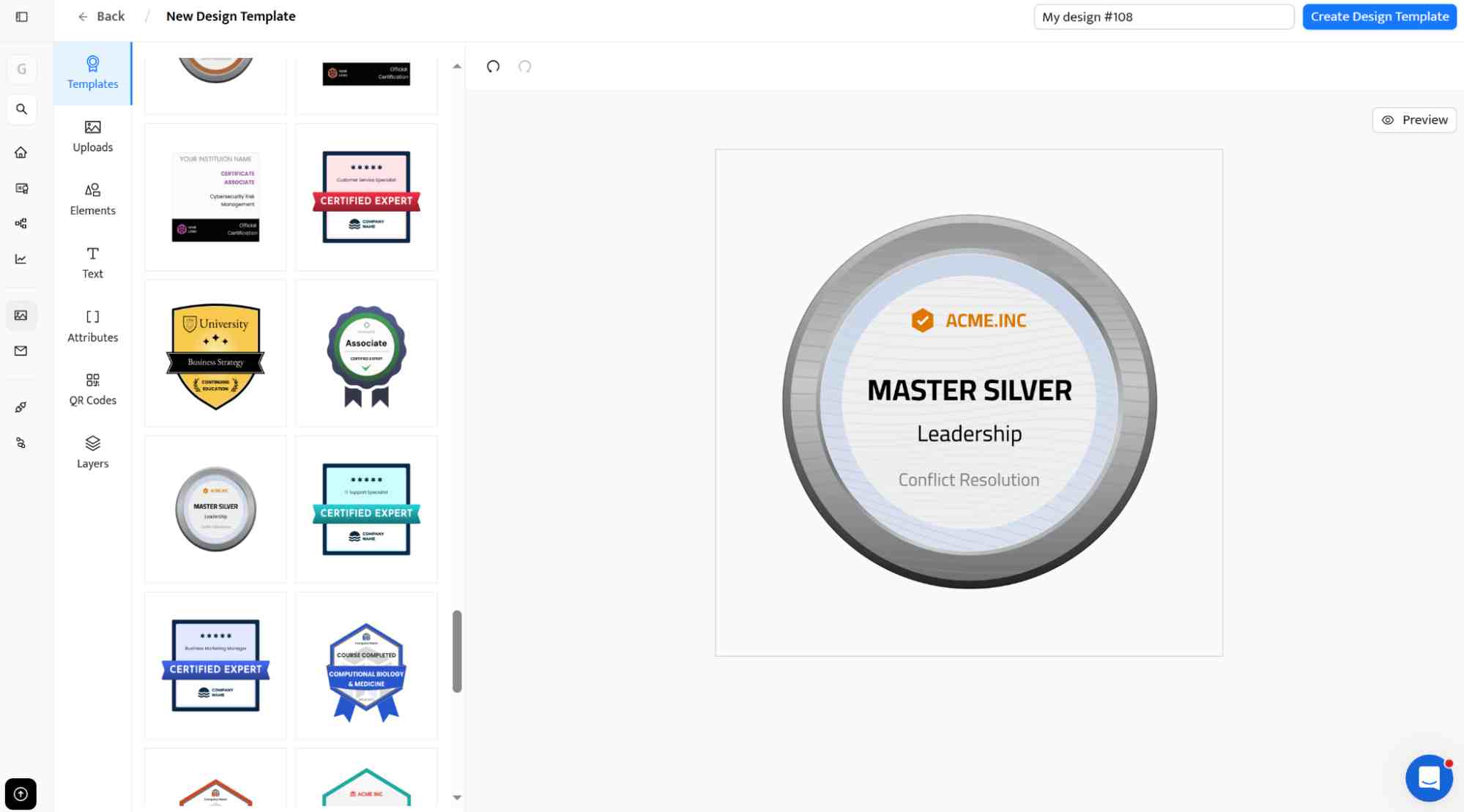
Looking for design inspiration? See these badge design ideas for online courses. If you know what style you would like to apply, browse free digital badge templates, pick one, and adjust its elements for your course or training.
Apply the metadata decisions from the planning section. Each badge needs:

Issuer info: your organization’s name and identifier
Recipient field placeholders: the learner’s name and other relevant details
Criteria text: a clear statement of what the learner did to earn the badge
Evidence link: a link to the work or assessment, where relevant
Issue date, expiration if applicable, and a unique ID
For continuing education, add the credit units and the accrediting body reference. Every badge Certifier issues is Open Badges 3.0 compliant, so this metadata is embedded in the badge image itself.
If the credential expires, set the expiration at the template level so every issued badge inherits it. Then decide what happens at expiry, whether the badge is renewed or simply marked expired on its verification page.
How you load recipients depends on your scale and your tooling.
Method | Best For |
|---|---|
Manual entry | Low volume and one-off issuance |
CSV upload | Cohort-based issuance, common for CE providers |
Integration-driven | Automatic issuance on course completion or event attendance |
API and webhooks | Custom workflows at scale |
For cohort work, the fastest route is usually a spreadsheet. The walkthrough on how to create digital badges in bulk covers that path. If issuance should fire automatically from your LMS or CRM, Certifier's native integrations handle the trigger.
Review a sample badge before sending the full batch. Check the recipient details, metadata, and visual layout so errors do not carry across every credential.
Customize the delivery email where applicable. Adult learners often receive credential emails in a work inbox, so the message should match the professional tone of the badge.
Certifier’s branded email customization lets you add your organization’s visual identity and adjust the message to suit the program.
Once the badge and email are ready, one-click send distributes the credentials to the entire recipient list.
After sending, watch two things: delivery status and engagement. Delivery tells you the badge reached the learner. Engagement tells you whether it's being opened and shared.
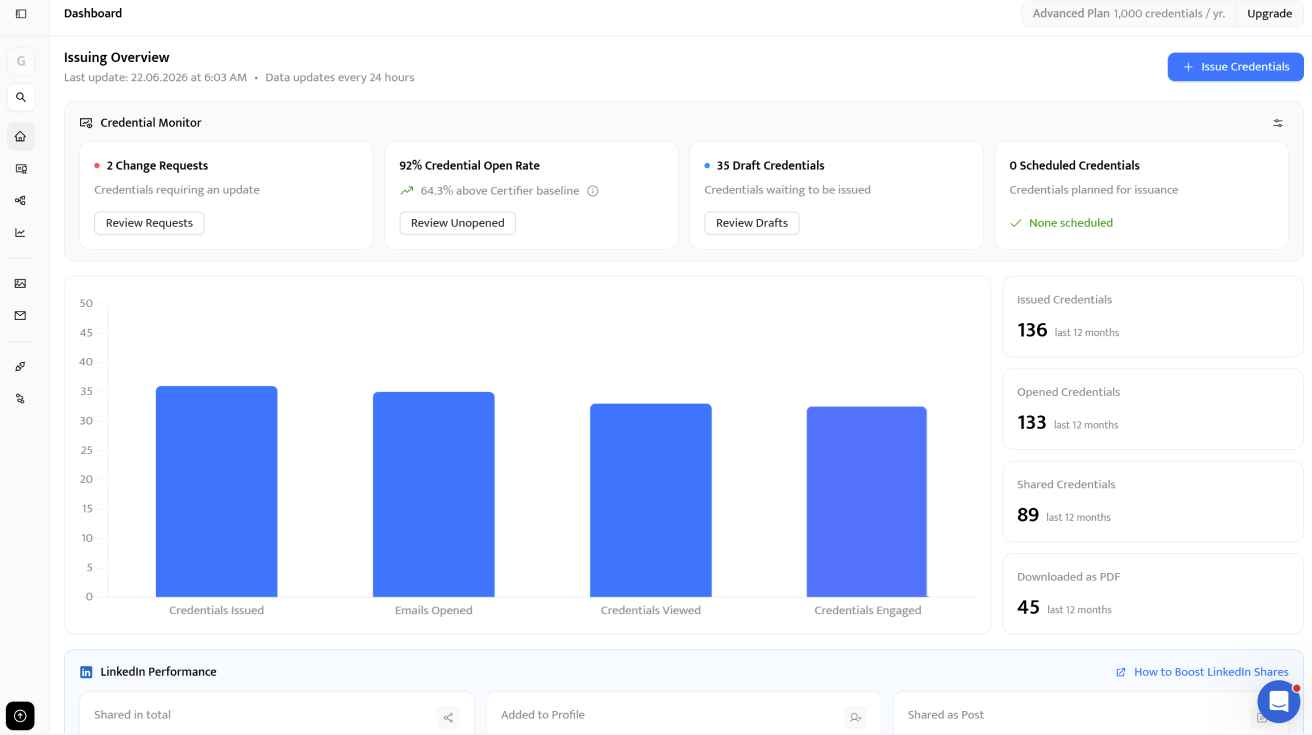
Certifier's credential analytics surface open and share rates per badge, so you can see which programs land.
There's a fifth issuance pattern worth knowing about. Certifier's MCP server lets you connect Certifier to ChatGPT or Claude and run issuance through prompts, such as asking the assistant to send the spring CPR refresher badge to a list of 47 learners.
It works for both badges and certificates.
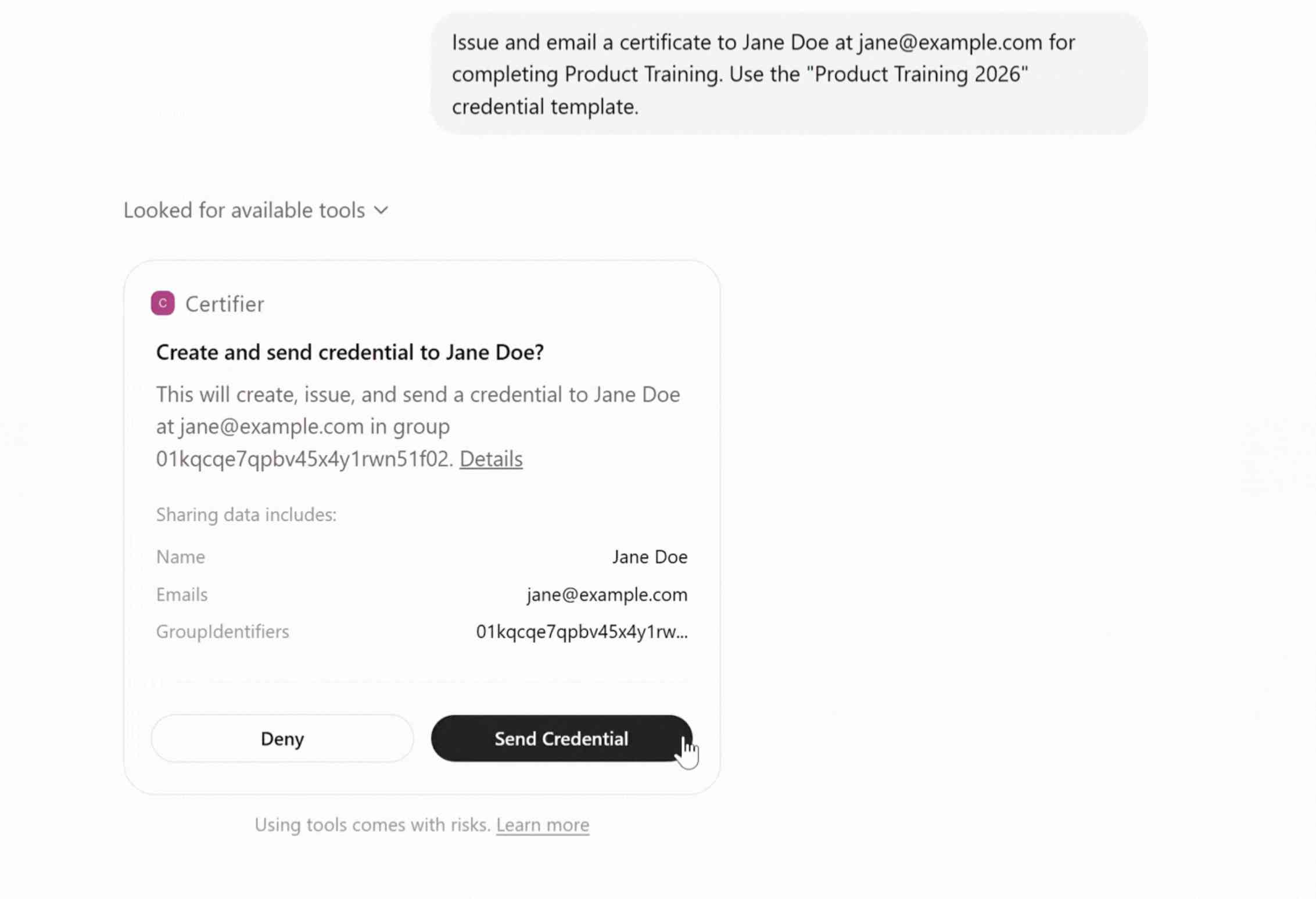
It fits ad-hoc and cohort issuance where a conversational workflow beats a spreadsheet, and it's handy for credential lookups without leaving your assistant.
It doesn't replace native integrations for primary issuance, so treat issuing with ChatGPT or Claude as one more option rather than the default.
If you want to see how the process looks in practice, check the video tutorial on generating credentials in ChatGPT.
And how to make certificates or badges in Claude.
Issuance is the start of the credential's life, not the end. Adult-learner badges move through cycles, and a good platform handles four jobs:
Updates: fix a recipient's name or push a rebrand to issued badges without breaking verification.
Expiration: badges nearing expiry trigger a renewal nudge, while expired ones show an expired status on their page.
Renewal: when a learner meets the renewal requirement, the badge is reissued or its expiry extended.
Revocation: badges issued in error are pulled, and the verification page reflects that change at once.
Certifier groups these under credentials management, so the whole lifecycle lives in one place. This is also where knowing how to use digital badges over time pays off, because a credential that quietly expires on schedule is far more credible than one that never does.
A badge sitting in an inbox returns nothing to the learner or to the program that issued it. Adult learners use badges to advance their careers, but they need the right surfaces and a nudge to put them to work.
That's the part of how to use digital badges that most issuers underestimate.
Point learners to where the badge belongs:
LinkedIn profile: one-click adding to the Licenses and Certifications section puts the credential in front of recruiters. Over half of badge earners share their credentials, mostly on LinkedIn and in email signatures.
Email signature: for consultants and practitioners, a linked badge turns every email into a small verification moment.
Digital wallets: Apple or Google Wallet suits license-tied credentials that travel across devices.
Professional portfolio or website: the verifiable badge URL drops into a portfolio page for clients or peers to check.
Resume and CV: the credential name plus a verification link sits in the certifications section.
Internal directory or HRIS: for corporate learners, the badge becomes part of their internal record.
How you prompt matters as much as where. The credential email is the first and best nudge, so it should carry a one-click LinkedIn button rather than a bare view link, plus a short line telling learners where the badge fits.
A follow-up a week or two later recovers shares that would otherwise never happen. Certifier's sharing tools and recipient portal sit under credentials marketing; the one-click side is handled, and the prompting is on you.
Done well, digital learning badges become a quiet marketing channel, since every share puts your program's name in front of a new professional audience.
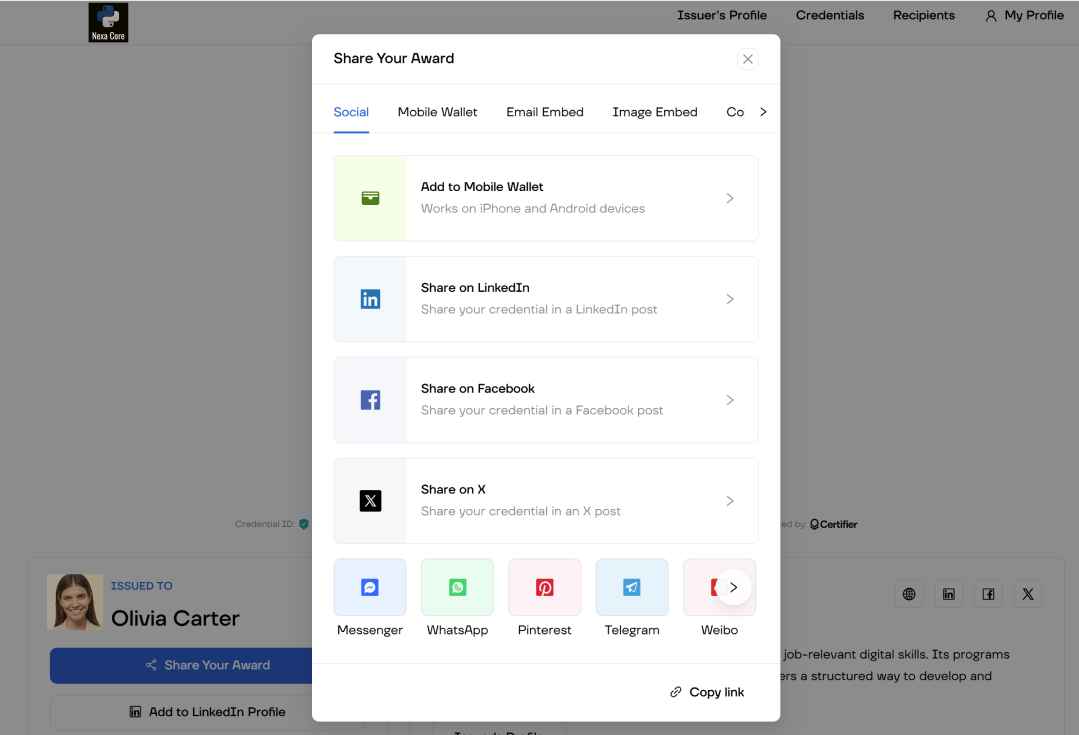
Certifier is built for this workflow. Every credential is Open Badges 3.0 compliant and 1EdTech certified, with a live verification page and QR code on each badge. Issuers get full lifecycle control alongside one-click LinkedIn sharing and a branded recipient portal.
It connects to common LMS and CRM tools through integrations, with a REST API for anything custom. For regulated learner programs, Certifier carries ISO 27001 and ISO 9001 certification. It's also GDPR compliant and hosts data on AWS in Europe. Creating digital badges and managing their renewals both happen in one place.
The real question isn't whether Certifier can handle adult-learner credentialing; it's whether it fits your volume and lifecycle needs.
The main question is not whether Certifier can support adult-learner credentialing. It is whether the platform matches your program’s volume, lifecycle, and integration needs.
Continuing education providers, professional associations, and corporate L&D teams can use the free tier for pilots or smaller programs, with up to 250 credentials per month. Paid plans scale as issuance grows.
Ready to put this into practice? You can start issuing digital badges with Certifier for free and have your first cohort's credentials out the same day.
Issuing digital badges to adult learners isn't a tutorial problem. It's a planning problem. Get the standard and the metadata right. Settle the lifecycle the same way, and the issuance itself becomes mechanical. The work that makes digital learning badges worth carrying happens before anyone opens a design tool.
Start issuing digital badges with Certifier. Use the badge template for an easy start. They’re all free to use and fully customizable.
Trust comes from verifiability. A badge built on the Open Badges 3.0 standard carries signed metadata, so an employer can confirm who issued it and what it represents without contacting you.
That independent check is what separates a real digital credential from a decorative image, and it's why Certifier issues every badge to the standard.
Several platforms issue standard-compliant digital badges and microcredentials, including Certifier. The practical test is whether a platform supports Open Badges 3.0 and full lifecycle management.
For adult-learner programs, integration depth and renewal handling usually separate one platform from another. Compare badge makers side by side.
Digital badges for professional development record a specific competency a learner has demonstrated, with the criteria and any credit units embedded in the badge.
Working professionals use them to show currency in a field, which matters in roles with continuing education requirements. Public resources like the federal LINCS collection document how badges support lifelong learning for adults. Certifier issues these as portable credentials learners keep for the long run.
For HR teams, digital badges create a structured record of verified skills across the workforce, which feeds into talent reviews and internal mobility.
Because each badge is verifiable, managers can trust the skill data rather than self-reported lists. Part of how to use digital badges in HR is mapping them to role-based learning paths, so progression stays visible to the employee and the business.

- Content Writing
- On-page SEO
- Localization
- Market Research
- Keyword Research
Content Specialist
Daria creates practical guides and templates that help training providers, educators, and event organizers solve digital credentialing challenges.
How Digital Badges Motivate and Engage Learners - Forbes
https://www.forbes.com/sites/kevinkruse/2022/06/13/how-digital-badges-motivate-and-engage-learners/The Potential and Value of Using Digital Badges for Adult Learners - LINCS, U.S. Department of Education
https://lincs.ed.gov/professional-development/resource-collections/profile-716


