


Trusted by:
University of Southern California
Warner Bros.
Volvo
Amazon
Stanford University
Updated: November 01, 2026
6 min read
Plan the training stages, record what each one proves, and finish with a certificate. Which any employer can check. Browse these 10 free apprenticeship certificate templates you can customize and issue in Certifier.
Research with AI:
Every apprenticeship program ends the same way: you hand each apprentice a completion certificate. Yet, the real test comes later, when a hiring manager wants to confirm it’s genuine and can’t reach the person who signed it.
This guide walks you through running an apprenticeship program from the credential side. It shows what each stage should record, what the completion certificate needs to include, and how an employer verifies it online.
You’ll get 8 steps from planning to completion, a field checklist drawn from real certificate designs, and 10 free apprenticeship certificate templates you can customize and issue in Certifier.

Before you design anything, determine if your program is registered with a government body or not. The answer decides what your own certificate is for.
Type Of Program | Registered Program | Your Own Program |
|---|---|---|
Who issues the completion certificate | US: the Department of Labor's Office of Apprenticeship or a State Apprenticeship Agency. England: issued through the apprenticeship service after the end-point assessment organisation requests it. | You, as the training provider, association, or employer |
What it proves | The apprentice met the registered standard | The apprentice completed your program, with your partners, to your criteria |
Your certificate's role | A record of your program that sits alongside the official one | The main completion record |
In short, your certificate recognizes your program, but it never replaces an official one.
Each step below ends with what to record. Those records are what turn a good program into one you can prove later.
Name the role the apprentice will fill when they finish, the level you're training to, and how long the program should take. Registered programs in the US generally involve a year or more of supervised on-the-job learning, which is a useful benchmark even if you're not registering.
Then list the competencies that define "done." If an industry or national standard already exists for the occupation, start from it rather than writing your own. Keep each item specific enough that a supervisor can watch the apprentice do it and sign it off.
What to record: the occupation title, level, and competency list. These become fields on the certificate later, so write them the way you want them printed.
Most programs have two kinds of partners: a training provider that delivers the classroom or online instruction (a college, trade school, association, or your own academy) and one or more host employers where the apprentice works under supervision. Some organizations play both roles.
Put the split in writing before the first apprentice starts:

Who delivers instruction and on what schedule
Who supervises on the job and who employs and pays the apprentice
Who assesses each stage and who makes the completion decision
How apprentice data moves between partners
Who signs the completion certificate on each side
What to record: the signed partner agreement, each partner's name and logo, and each signatory's name and title.
Break the program into stages and set roughly how long each lasts and what proves the stage is finished. Decide too how on-the-job work and instruction fit together week to week. For example, some programs use a fixed pattern of site days and training days, while others run instruction in blocks.
A typical five-stage program looks like this:
Stage | What Happens | Record It Produces |
|---|---|---|
Induction | Safety, site rules, and role setup | Induction record |
Workplace practice | Supervised work with a mentor | Logged hours and competency sign-offs |
Technical training | Classroom or online instruction | Training transcript |
Assessment | Practical and knowledge checks | Assessment result |
Completion | Final review | Completion certificate |
What to record: the stage list and the evidence each stage requires.
Recruit from wherever your future workforce already is, including current employees ready to reskill, local schools and colleges, and job boards.
Once apprentices accept, have them sign an agreement that covers the role, the schedule, the training plan, and the completion criteria from step 1. Then run the induction stage.
Give every apprentice an ID and a row in one spreadsheet: name, email, apprentice ID, occupation, level, host employer, start date, and expected completion date.
What to record: that spreadsheet. Use the same columns that your certificate will need, so it doubles as your issuing file.
Assign every apprentice a named mentor or workplace supervisor and agree how often the apprentice, mentor, and training provider review progress together. Regular, scheduled reviews catch problems while they're still small.
Sign off competencies as they're met, not all at once at the end. If an apprentice falls behind, you'll see it at the stage where it happened, and you can add support or extend the timeline before it becomes a dropout. Keep hours and sign-offs in your training or HR system.
You can issue a credential at the end of each stage, so apprentices have proof of progress even if they leave early. On Certifier's Advanced plan, Pathways links stage credentials together and issues the completion certificate automatically once an apprentice has earned every stage.
What to record: stage sign-off dates and who signed.
Decide who makes the final call and against which criteria, using the competency list. Where you can, involve someone other than the apprentice's day-to-day supervisor, so the decision holds up if anyone questions it later.
Plan for the apprentice who doesn't pass the first time: what they retake, and when. Keep the assessment evidence with the apprentice's record.
What to record: the assessment outcome and the completion date.
This is where most programs fall back on manual certificate work: one document per apprentice, names typed by hand, signatures pasted in.
With Certifier, you upload the spreadsheet and map each column to a field on the certificate. Rows with problems, such as a malformed email, are flagged. Before anything is sent, you can preview the certificate, the delivery email, and the public credential page with real data.
Example: 20 electrical apprentices placed with 3 host employers. Add the employer name as a spreadsheet column, so one design covers the whole cohort. Each column you map uses a custom field, and the free plan includes up to five only.
If your apprentice data lives in another system, Zapier, Make, the API, and basic integrations are available on every plan, with LMS connectors from the Professional plan up.
What to record: the issue date. Each certificate gets its own credential ID and URL automatically.
A certificate is only as useful as an employer's ability to trust it. Each Certifier certificate links to a public credential page that shows the issuer, the apprentice, the issue date, and the credential ID. Anyone can open it without an account.
On Professional and above, you can add a QR code to the design that opens the same page. Apprentices can download a PDF and add the certificate to their LinkedIn profile.
What to record: your assessment evidence, in your own training or HR system. The credential page is public proof that you issued the certificate and that it hasn't been altered. It doesn't replace the records behind it.
A completion certificate has two readers: the apprentice, who wants to show it off, and a future employer, who wants to check it. The second reader needs enough detail to match the certificate to a real person and a real program.
Field | What It Tells A Verifier |
|---|---|
Apprentice name and occupation | States who completed which trade |
Apprenticeship period or start and completion dates | States when the training took place |
Duration | States how long the program ran |
Apprentice ID | Links the certificate to your internal record |
Credential ID | Identifies the certificate on its verification page |
Host employer | States where the workplace training took place |
Two signatories (provider and employer) | Names who signed off for the provider and the employer |
Verification QR code | One scan to the credential page |
Level | States the level reached |
Employer logo next to the provider's | Shows the program was co-delivered |
Stage or progress track | Shows the program's structure |
Competencies listed | Lists what the apprentice was assessed on |
Be clear about what verification proves. The credential page confirms that you issued this certificate and that it hasn't been altered. Everything printed on it is your statement, so it's only as strong as the records behind it.
Pick a design based on how your program is built. Every template is free to customize, so you can swap the logos, colors, wording, and fields, then issue it to your cohort.
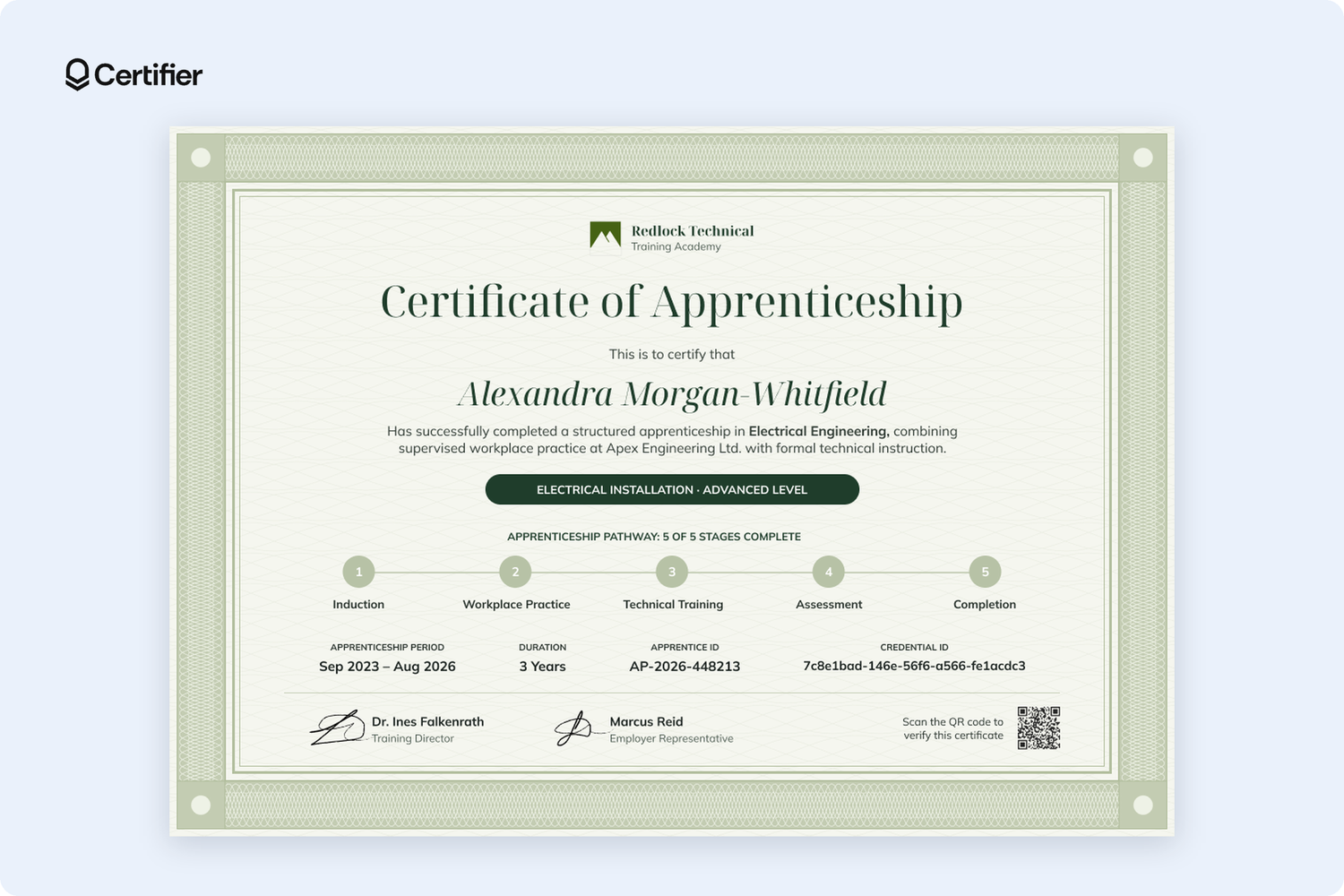
A five-stage pathway runs across the middle of this sage-green apprenticeship certificate, covering induction, workplace practice, technical training, assessment, and completion. Above it, a dark banner names the specialism and level, while below that sit the period, duration, apprentice ID, and credential ID.
This template design is built for electrical and other technical trades that run in clear stages, where an employer wants to see the whole program. Rename the stages to match yours and reuse the design for every cohort.

Framed in a warm, patterned border, this certificate template design traces the apprenticeship program year by year, from Foundation Skills to Supervised Kitchen Practice and finally to Assessment and Completion.
The head chef signs alongside the program director, so the certificate carries a sign-off from the kitchen as well as the classroom. It’s a good fit for culinary schools and restaurant or hotel groups that train cooks over two years.
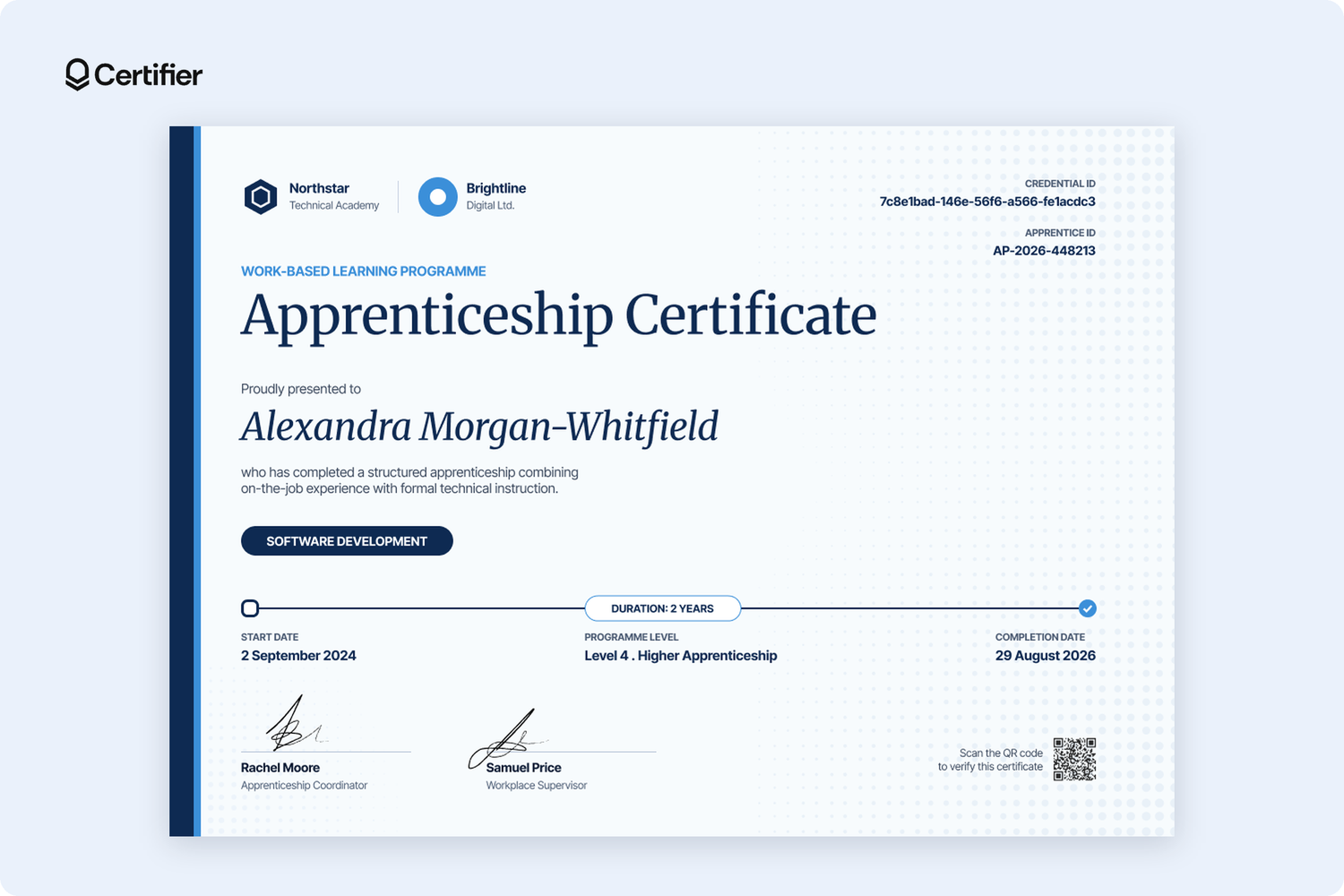
This clean, light-blue apprenticeship certificate layout shows a start-to-completion timeline and the training provider’s and employer’s logos side by side at the top. The credential ID and apprentice ID sit in the top-right corner, while the program level appears beside the dates.
It suits digital and tech apprenticeships, including higher-level ones, where hiring managers look for the level and exact dates first.

This formal navy-and-gold certificate frames the page with an ornamental border and puts the provider’s logo on the left, the employer’s on the right, and a signature line for each beneath.
It’s designed for a completion ceremony, so construction and joinery programs that hand certificates over in person get a document that looks the part. The credential ID at the top is easy to quote if an employer asks.
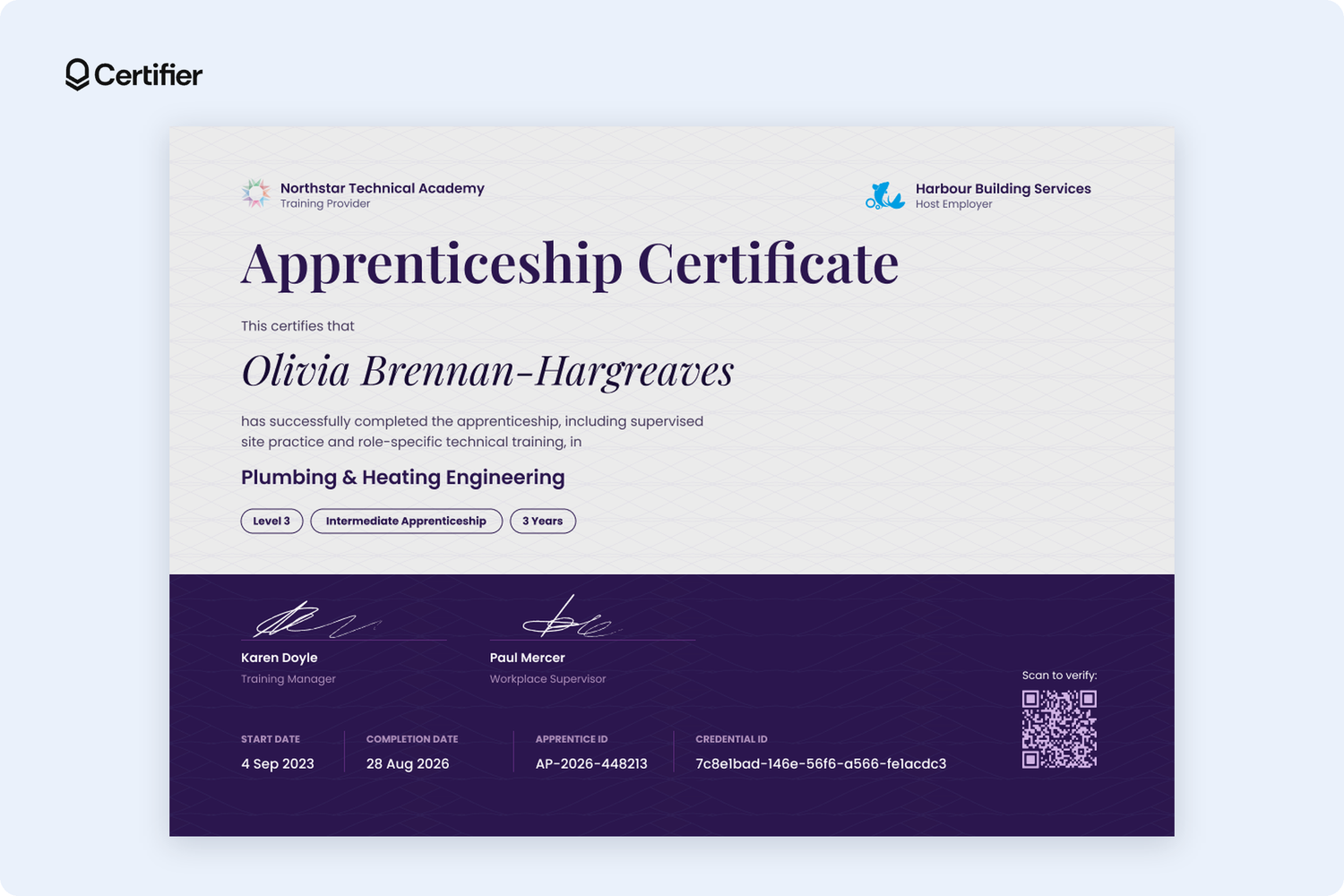
This template design relies on contrasts, showing the host-employer logo, level, and duration as pills and adding a dark violet footer for signatures, dates, and IDs.
It suits building services and trade programs placed with host employers, where level and duration are the first things a future employer checks. If your cohort is spread across several companies, keep the host employer name as a spreadsheet field.
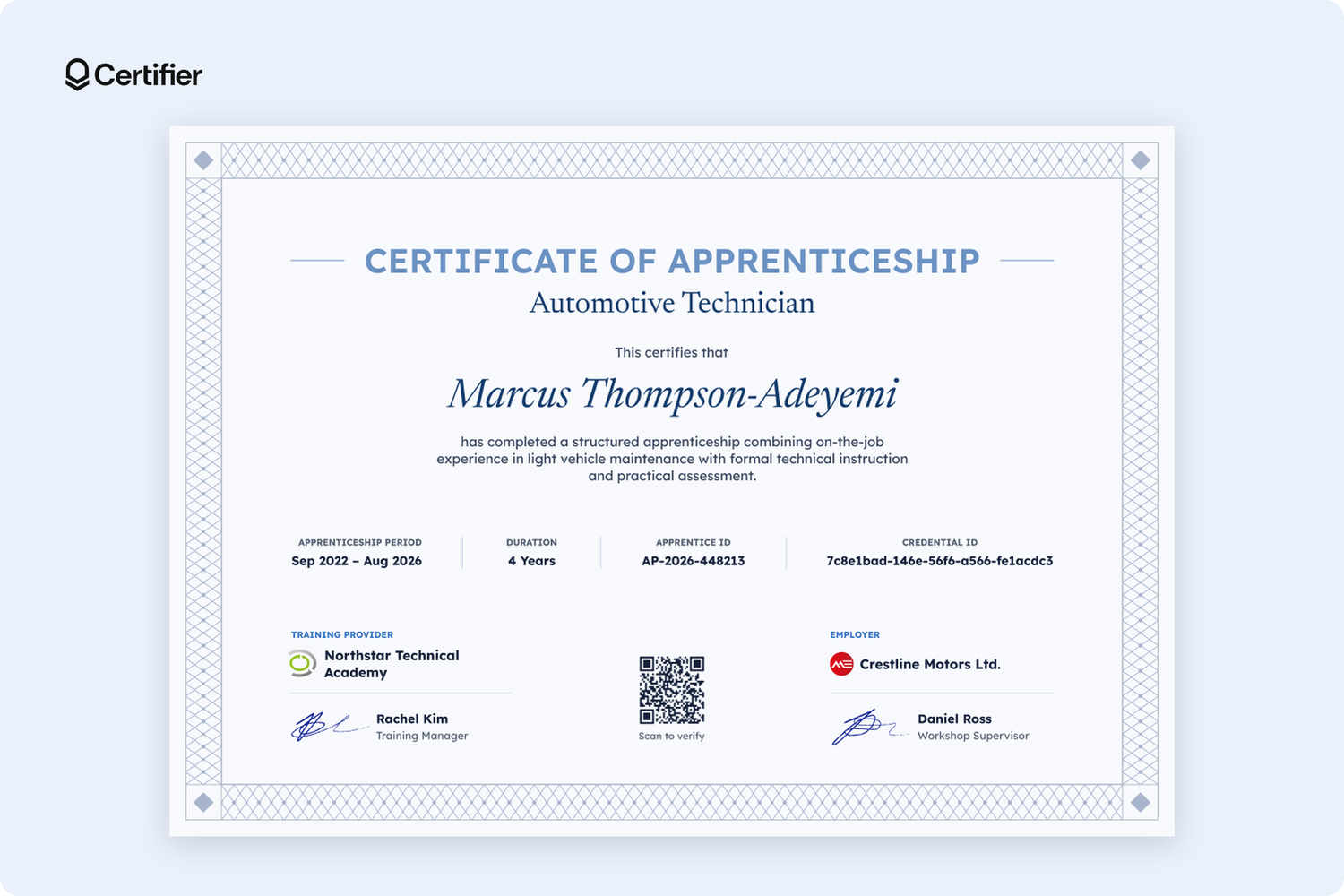
Two labelled columns at the bottom, Training Provider and Employer, each carry their own logo and signatory, with the QR code between them. A light-blue lattice border and a single row of key facts (e.g., period, duration, apprentice ID, credential ID) keep the rest uncluttered.
It suits longer programs, like a four-year motor-vehicle apprenticeship, where the employer, such as a dealership or workshop, is as much a partner as the training provider.
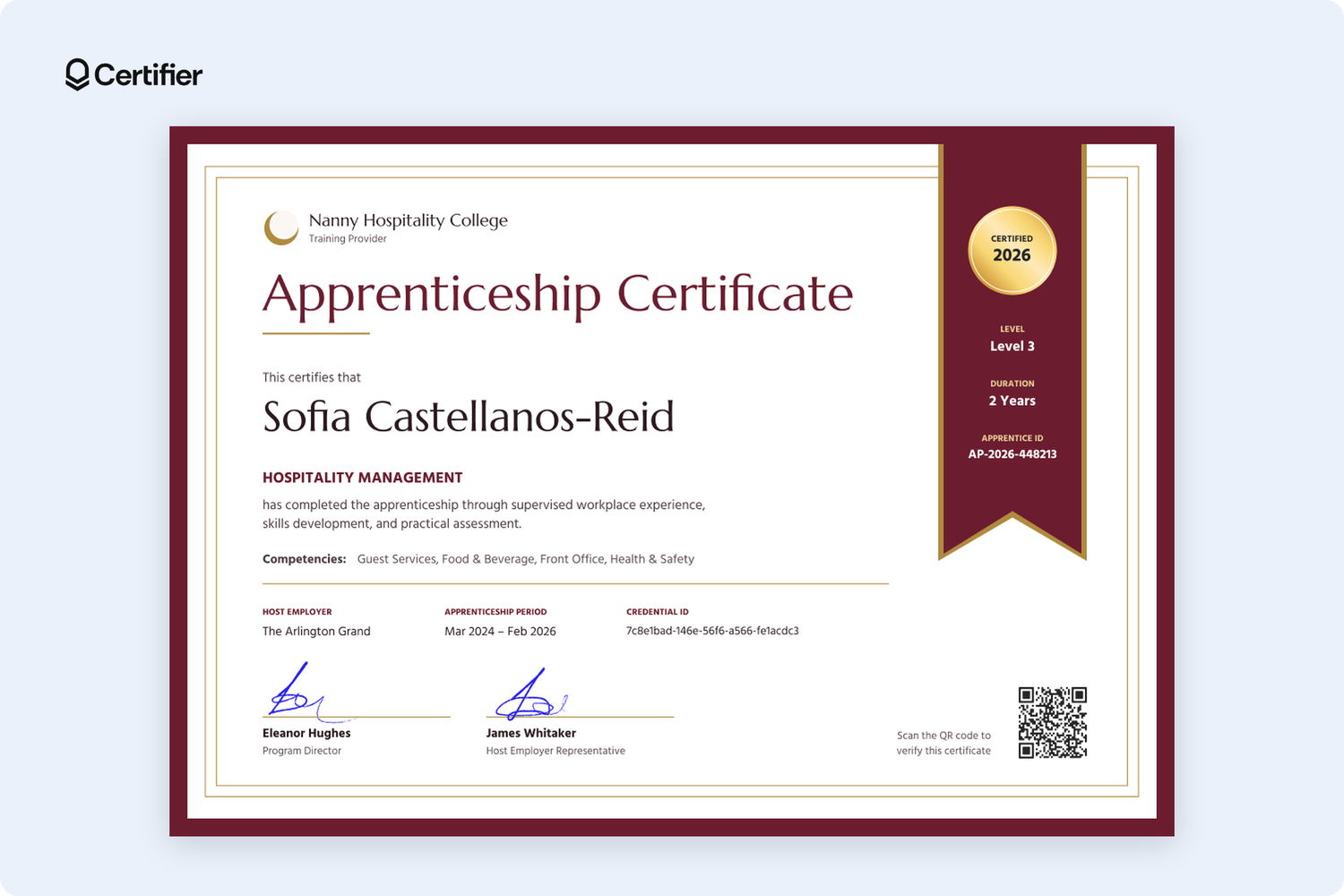
List apprenticeship program competencies (e.g., guest services, food and beverage, front office, health and safety) directly on the certificate and show level, duration, and apprentice ID on a side ribbon.
This template design fits hotel, restaurant, and hospitality programs where employers hire for specific skills like front office or food and beverage. Edit the competencies line to match your program.

A dark header names the training provider and employer side by side, with the QR code in the corner, and a row of chips shows the competencies completed, such as machine operation and quality control. The details row adds department and program level, which helps when one employer trains apprentices across several teams.
Choose it for in-house academies and production apprenticeships, where supervisors sign off competencies on the shop floor.
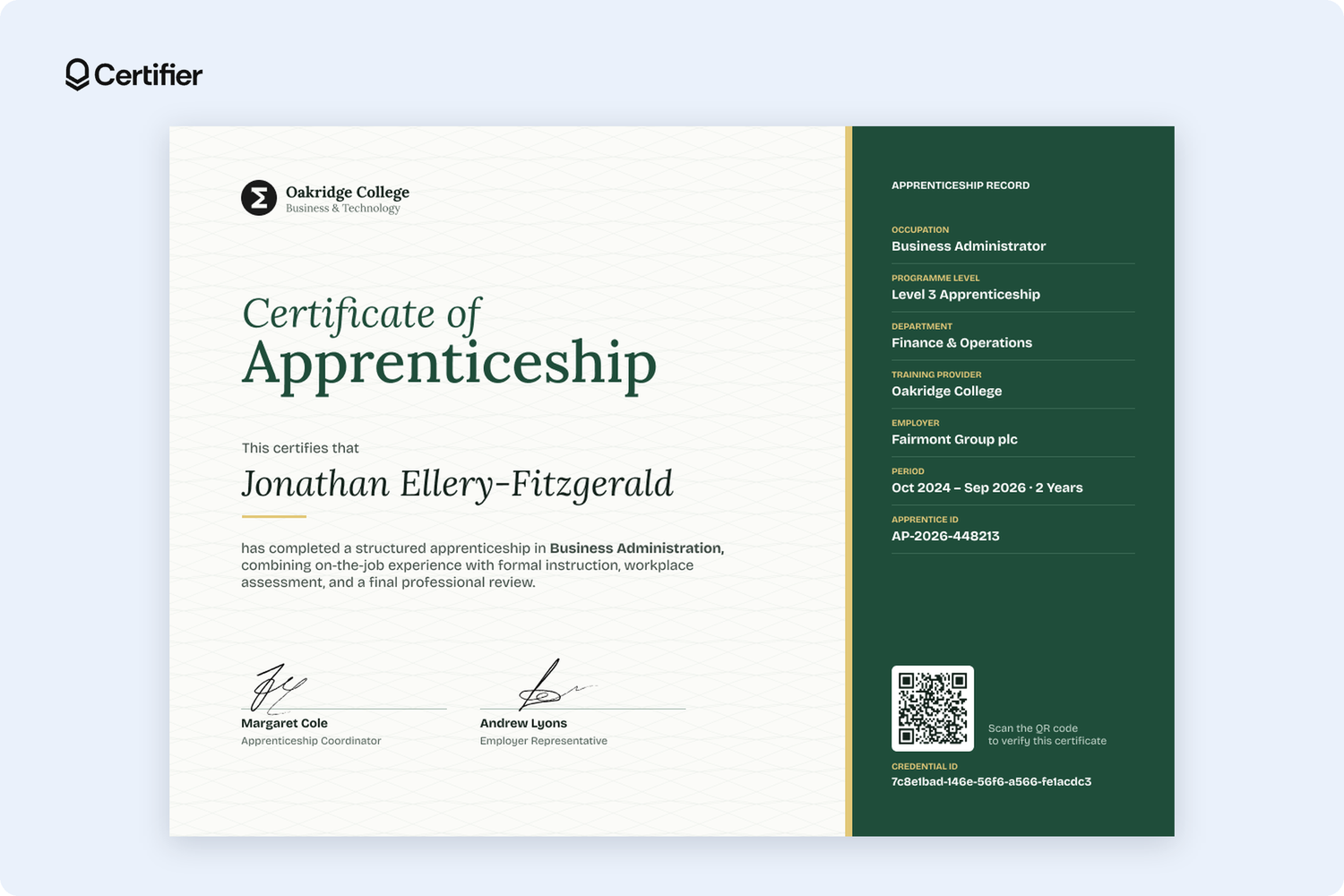
Half certificate and half record, this template design is split into two sides: the left side carries the title, name, and two signatures, while a dark green sidebar lists occupation, program level, department, training provider, employer, period, and apprentice ID.
It’s made for office-based apprenticeships in business administration, finance, or operations, where the certificate is likely to be filed by HR and read later by someone checking details.
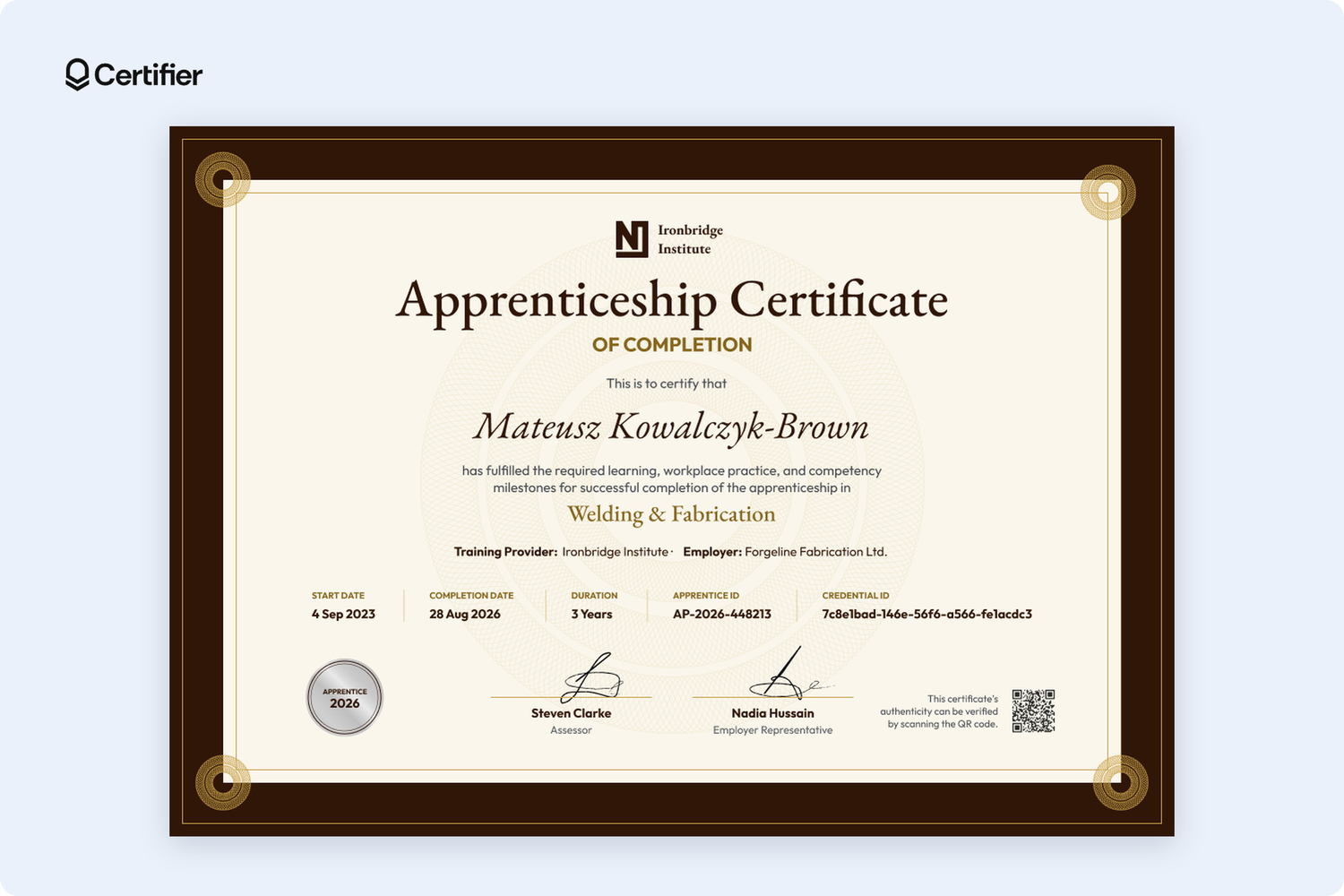
A dark brown frame with gold corner details surrounds a full row of details (e.g., start date, completion date, duration, apprentice ID, credential ID), and one line names both the training provider and the employer. The signatures come from an assessor and an employer representative rather than a program director.
It fits welding, fabrication, and metalwork programs with an independent assessment, while the exact dates help a future employer see how recent the training is.
Choose the template that matches how your program is built, upload the apprentice spreadsheet, and send every apprentice a certificate with its own verification page.
The free Starter plan includes 250 credentials a year, so you can run your first cohort without a budget conversation. Sign up for a free Certifier account and start customizing any of our templates.
Running a multi-stage program or a cohort spread across several employers? Book a demo to see Pathways in action and how to issue for several employers at once.
Issuing credentials at each stage gives apprentices proof of progress. On the Advanced plan, Pathways analytics also show how many apprentices reach each stage. Completion-only keeps usage low, which suits smaller plans.
The apprentice can submit a change request from their credential page. You edit the field and the certificate updates at the same URL, so nothing needs reissuing.
Yes, each certificate has an option to add it to the Licenses & Certifications section of a LinkedIn profile.
You could issue one certificate per stage, plus one for completion, for each apprentice. For example, a four-stage program with a completion certificate uses 5 credentials per apprentice, so 100 for a cohort of 20.

- copywriting
- B2B content marketing
- content strategy
- on-page SEO
- storytelling
Growth Marketer (Freelance)
Anita Coltuneac is a freelance B2B SaaS marketer with 5+ years helping tech companies grow organic visibility, build authority, and support pipeline. She uses storytelling to turn product expertise into useful content.


