
Trusted by:
University of Southern California
Warner Bros.
Volvo
Amazon
Stanford University
Updated: September 15, 2026
14 min read
LMS certificates and LMS badges are easy to issue, but often limited outside the platform. This guide compares native LMS credentials with digital credentialing platforms.
Research with AI:
LMS certificates and badges are useful for basic course recognition, but they often lack verification and portability outside the platform where they were issued–making it hard for learners to showcase achievements and for issuers to scale.
This article compares LMS-generated credentials with dedicated digital badge software like Certifier to help you decide what works best for your organization’s goals.
LMS certificates and badges are easy to issue but often lack secure external verification and customization.
Hybrid approaches can combine LMS convenience with professional credentialing power.
Choosing the right method depends on your needs for branding, verification, scalability and learner shareability.
Platforms like Certifier provide workflow automation, custom branding, secure verification and credential management that scale out the capabilities of native LMS tools.

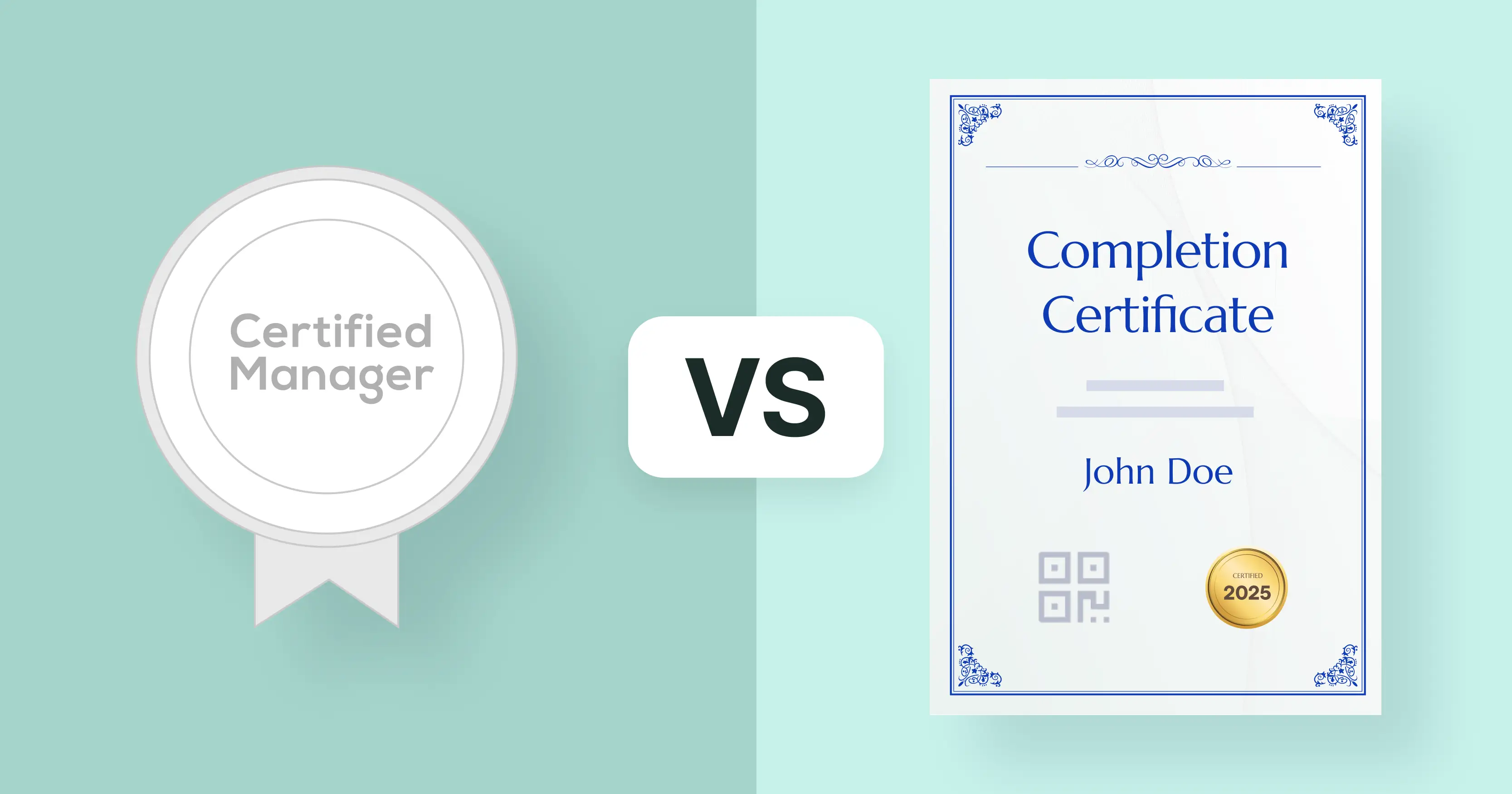
LMS certificates and badges are credentials issued directly inside a learning management system after course completion.
Most LMSs rely on a default certificate builder that generates a basic certificate of completion using a fixed LMS certificate template.
Certificates are usually simple PDFs, while badges represent smaller milestones or skills earned during a course. These LMS certifications are easy to set up and issue automatically because they’re built into the platform.
The trade-off is flexibility. Custom certificate options are often limited and LMS-issued credentials usually lack external verification, detailed skill data and professional sharing options outside the LMS.
LMS certificates and badges come with clear advantages, but they also have important limitations that affect credibility, shareability and scalability: especially when compared to dedicated digital credentialing platforms.
Understanding both sides helps LMS users make the best credentialing decision for their programs.

Built-in functionality and ease of use. Most LMSs include simple certificate and badge issuance tools that work without third-party systems. This makes setup quick and straightforward.
Cost-effective for internal recognition. Because the feature is native to your LMS, there’s often no additional subscription cost for generating basic completion credentials.
Immediate issuance based on course rules. LMS certificates and badges trigger automatically when learners complete predefined criteria, creating a seamless learner experience.
Motivation and engagement. Badges and certificates can gamify learning and signal progress to learners, boosting internal engagement.

Limited customization and design. LMS tools often have basic templates that constrain credential branding and the inclusion of detailed information about what was learned. They very frequently include the LMS certification logo instead of your own.
Weak external verification. Most LMS-issued credentials lack secure, tamper-proof verification mechanisms, making it difficult for employers or external systems to confirm authenticity.
Restricted metadata and detail. LMS credentials typically include limited metadata about skills, assessment criteria or evidence of completion, which lowers their value outside the LMS context.
Minimal shareability beyond the LMS. These credentials are often not optimized for sharing on professional networks or for external use, reducing their utility for learners seeking career advancement.
Limited analytics and tracking. LMS badge/certificate features often focus on course completion rather than detailed reporting about how credentials are used, shared or recognized.
LMS certificates and LMS badges are best suited for:

Internal training programs where recognition stays within the organization
Lightweight course milestones or engagement markers with no need for external verification
Budget-constrained scenarios where basic issuance is all that’s needed initially
However, if your goals include credible, verifiable credentials that learners can own, share externally and trust beyond your LMS, a dedicated credentialing platform is worth considering.
If your LMS already handles basic course certificates, you can keep that workflow and use a separate platform only when you need richer credentials. For example, integrating PETE LMS with Certifier can extend the platform's native certificates with multi-page credentials for a more detailed training record.
Digital credentialing platforms are tools built specifically for issuing and managing credentials beyond what most LMS platforms offer. They are commonly used in online learning and certification programs where credentials need to work outside the LMS environment.
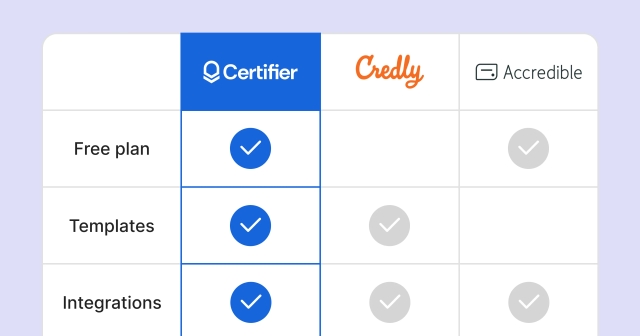
Unlike standard LMS certificate generation, these platforms issue credentials with built-in verification, personalized LMS certificate details and stronger branding control. As an example, compare native LearnUpon and external Certifier certificates.
Credentials are not limited to a static LMS certificate template or a basic LMS certificate of completion. They can be verified online and shared across professional platforms.
A key advantage is using digital badges for recognition of skills and achievements. Digital badges include structured information about what was earned, who issued it and how it can be verified. This makes credentials easier to trust and more useful for learners who want to showcase achievements beyond the course itself.
Digital credentialing platforms also support certificate service tools integration with LMS workflows, allowing credentials to be issued automatically after course completion.
Many online course certificate makers use this approach to add verification, custom branding and long-term credential access without replacing their LMS.
Digital credentialing platforms add an extra layer on top of your LMS. You don’t have to rely on native LMS certificate tools. Credentialing platforms handle credential design, verification, sharing and lifecycle management externally, while still integrating with course completion data from the LMS.
This approach comes with clear advantages–and a few trade-offs worth understanding before you decide.
Credibility and verification outside the LMS. Digital credentialing platforms issue certificates and digital badges with secure verification pages or QR codes. Employers, educational institutions and third parties can confirm authenticity without needing access to your LMS account, which increases trust and reduces manual verification work.
Professional branding and customization. Unlike LMS certificate templates, digital credentialing platforms offer fully customizable designs. Issuers can apply their own branding, layout, logos and visual standards so credentials reflect the quality and expertise of the issuing organization, not the LMS software.
Better shareability for learners. Course completion certificates issued through a credentialing platform are designed for sharing. Learners insert credentials in CVs, post on social media and add certifications to LinkedIn profiles.
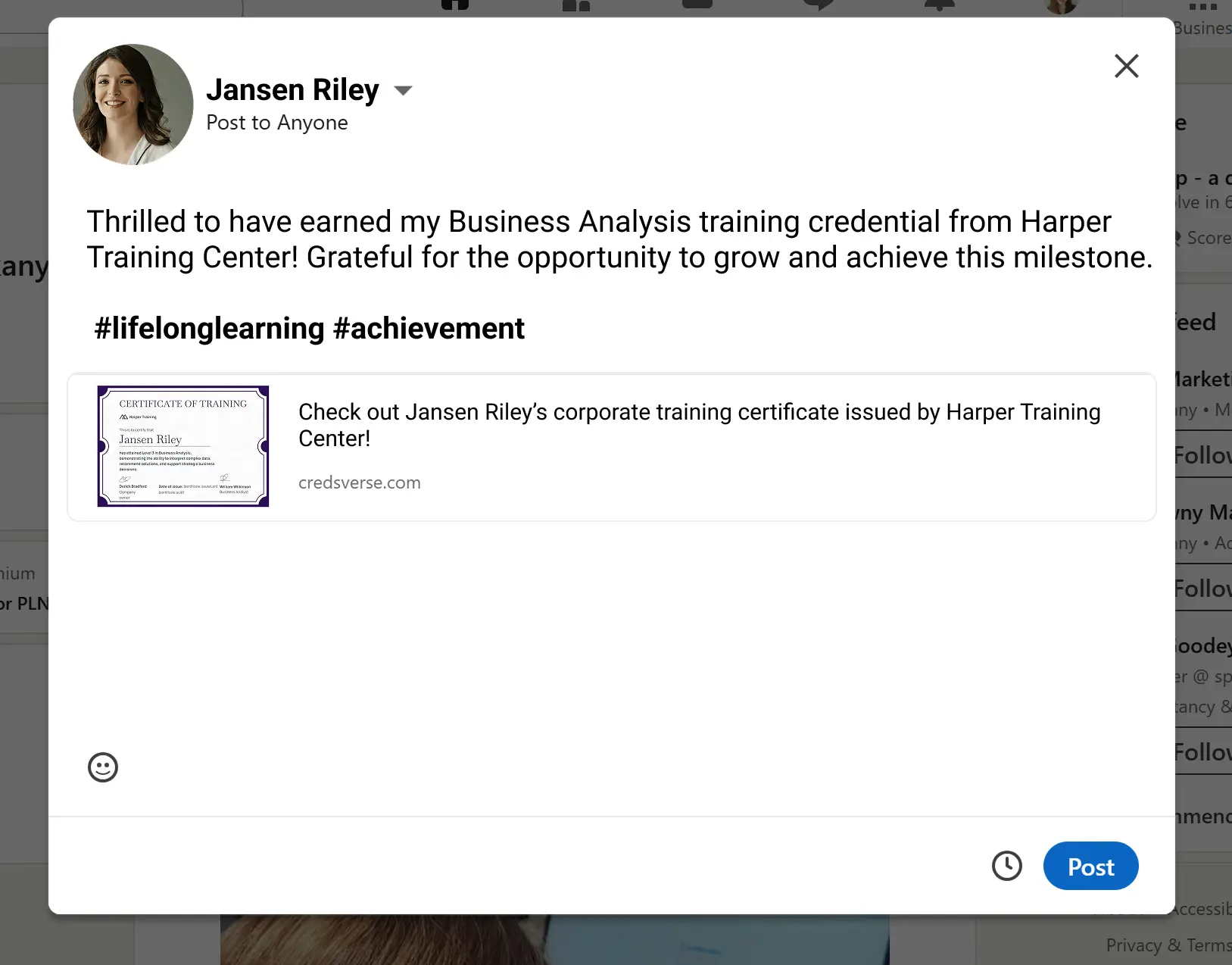
Richer data and skill context. Digital credentials can include structured metadata such as competencies covered, assessment criteria, proficiency level and completion date. Then, credentials more meaningful than a basic “completed course” PDF and helps recipients communicate what they actually learned.
Scalability and lifecycle management. Credentialing platforms support features like expiration dates, renewal workflows, bulk issuance and analytics. This is critical for training providers, L&D teams and institutions that issue certificates at scale or need to keep credentials current over time.
Flexible integration with LMSs. Platforms like Certifier connect to LMSs through spreadsheets, APIs, Zapier, or, in some cases, native integrations. Teams can automate awarding certificates based on course completion without rebuilding their existing LMS setup. Connectors like Zapier, in particular, enable cross-platform compatibility for multiple LMSs and certificate platforms, letting Certifier integrate with Skilljar, eFront Pro, Microsoft Teams, and more.
Additional setup compared to native LMS tools. Using a credentialing platform requires an initial setup step, such as connecting LMS completion data or configuring issuance rules. This is more involved than turning on a default LMS certificate template.
Separate system to manage. Because credentialing platforms operate outside the LMS, teams need to manage credentials in an additional tool. While this provides more control, it does add another system into the process.
Cost considerations. Dedicated credentialing platforms usually involve subscription or usage fees. For very small programs or informal courses, native LMS certificates may be sufficient without the added expense.
Digital credentialing platforms make the most sense when:
Credentials need to be verifiable and trusted outside the LMS
Branding and professional presentation matter
Learners expect credentials they can share publicly and reuse across platforms
Programs require scalability, automation or expiration and renewal tracking
For organizations issuing certificates mainly for internal acknowledgment, native LMS tools may be enough.
But when course completion certificates play a role in professional recognition, compliance or career progression, digital credentialing platforms offer significantly more long-term value.
Capability | Lms Certificates And Badges | Digital Credentialing Platforms |
|---|---|---|
Easy LMS setup* | ||
Limited certificate builder | ||
Custom certificate branding | ||
External verification | ||
LinkedIn & public sharing | ||
Expiration & renewals | ||
Works outside the LMS |
*While native LMS certificates offer built-in setup, Certifier can also be connected quickly using no-code integration tools like Zapier, allowing LMS completion data to trigger certificate issuance with just a few clicks.
When you issue completion credentials, the experience, credibility and outcomes vary significantly depending on whether you use a native LMS tool or a dedicated digital credentialing platform like Certifier.
Below, we break down how three popular LMSs compare with a full credentialing workflow using Certifier.
Kajabi makes it easy to build and sell online courses with built-in LMS certificate generation–including the ability to generate simple course completion certificates.
However, these native tools focus mainly on recognition inside the platform, with limited branding and external reach.
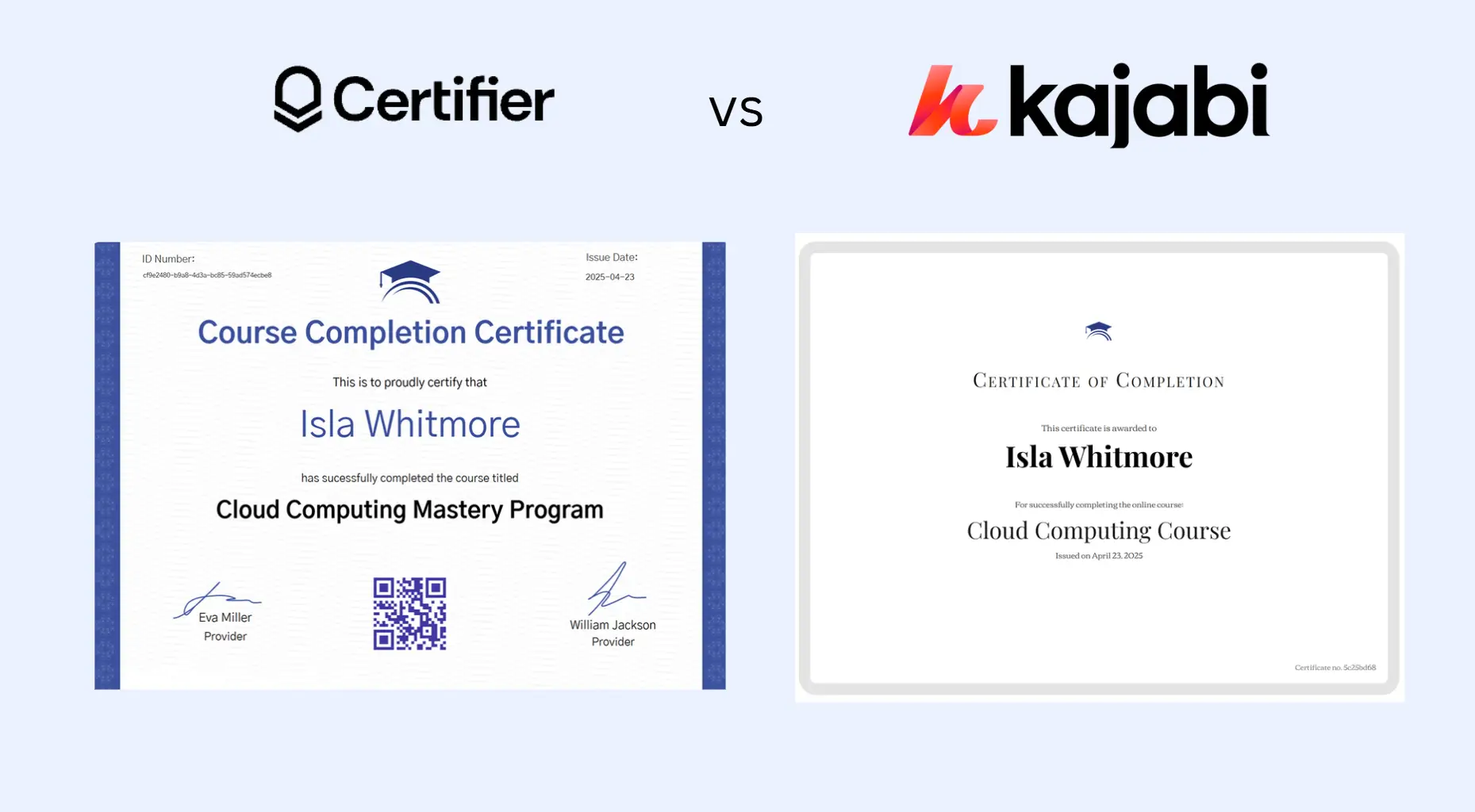
By contrast, using a digital credentialing solution like Certifier lets you automate issuance of professional, verifiable certificates as soon as a Kajabi course is completed.
You can connect Kajabi to Certifier via supported tools or through Kajabi–Certifier workflow automations, then instantly issue credentials that carry rich metadata and broad shareability. You can learn more about this in our guide on how to send a Kajabi certificate of completion.
Key differences

Kajabi: quick course setup and certificate issuance, mostly internal
Certifier: professional design, automatic issuance, verify anywhere, branded experience
Create and Send Digital Credentials
Teachable’s workflow for issuing a Teachable certificate is straightforward–you define course requirements and the system can deliver a basic certificate when learners complete them.
This is useful for internal documentation and motivating learners, but it still lacks the data, design flexibility and verification mechanisms that matter outside the platform.
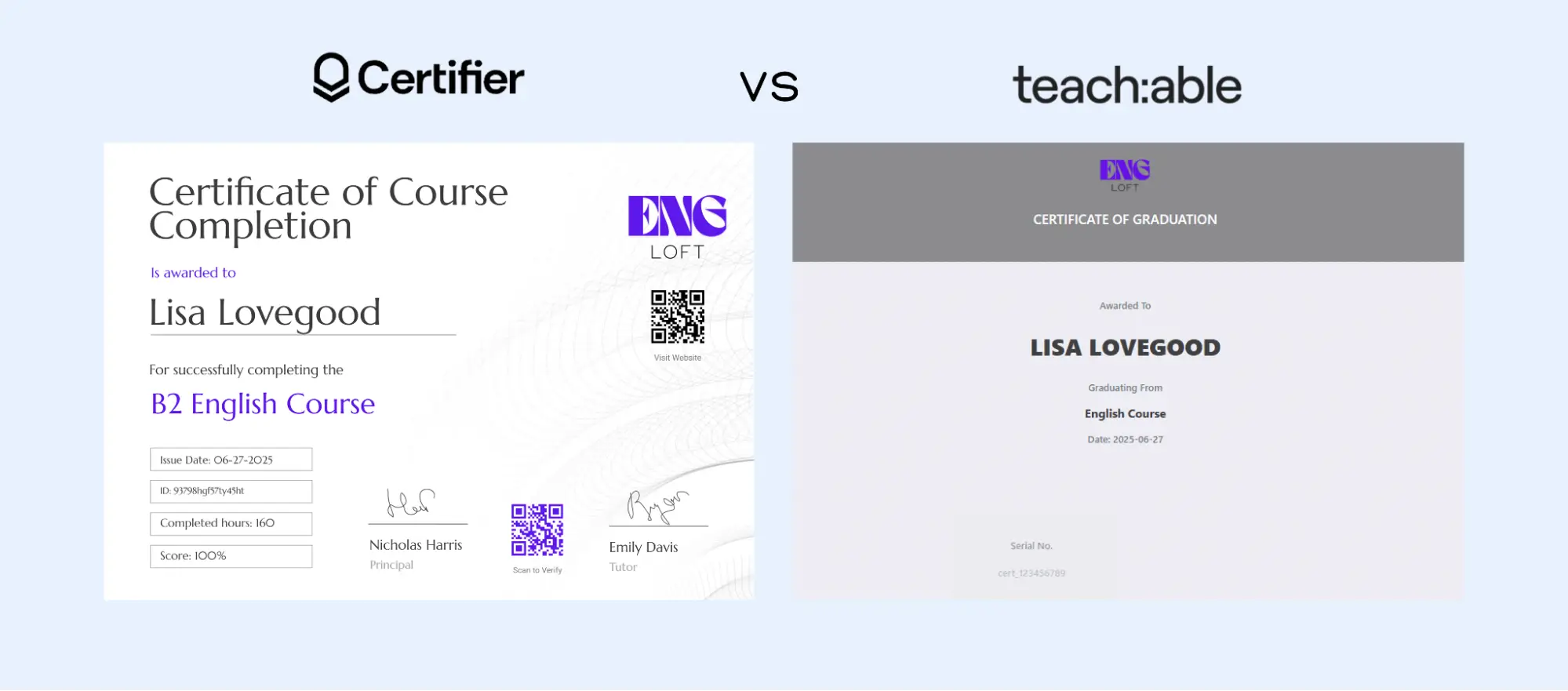
Alternatively, with Certifier you can automate issuance based on Teachable completion triggers (e.g., via Certifier integrations or Zapier workflows) and create visually distinct credentials that are shareable across professional networks, not just downloadable from the LMS.
This level of credential portability greatly increases the perceived value of your training programs.
See how to connect Teachable to Certifier and how Teachable certificate workflows compare.
Key differences
Teachable: simple certificate of completion tied to LMS
Certifier: branded, verifiable credentials with external shareability and metadata
LearnDash, popular among institutions using WordPress, lets instructors issue course completion certificates directly through the LMS.
These built-in certificates can be useful for learners to track progress or for internal compliance. However, they behave much like other LMS certificates–static files with limited LMS certificate verification outside the LMS context.
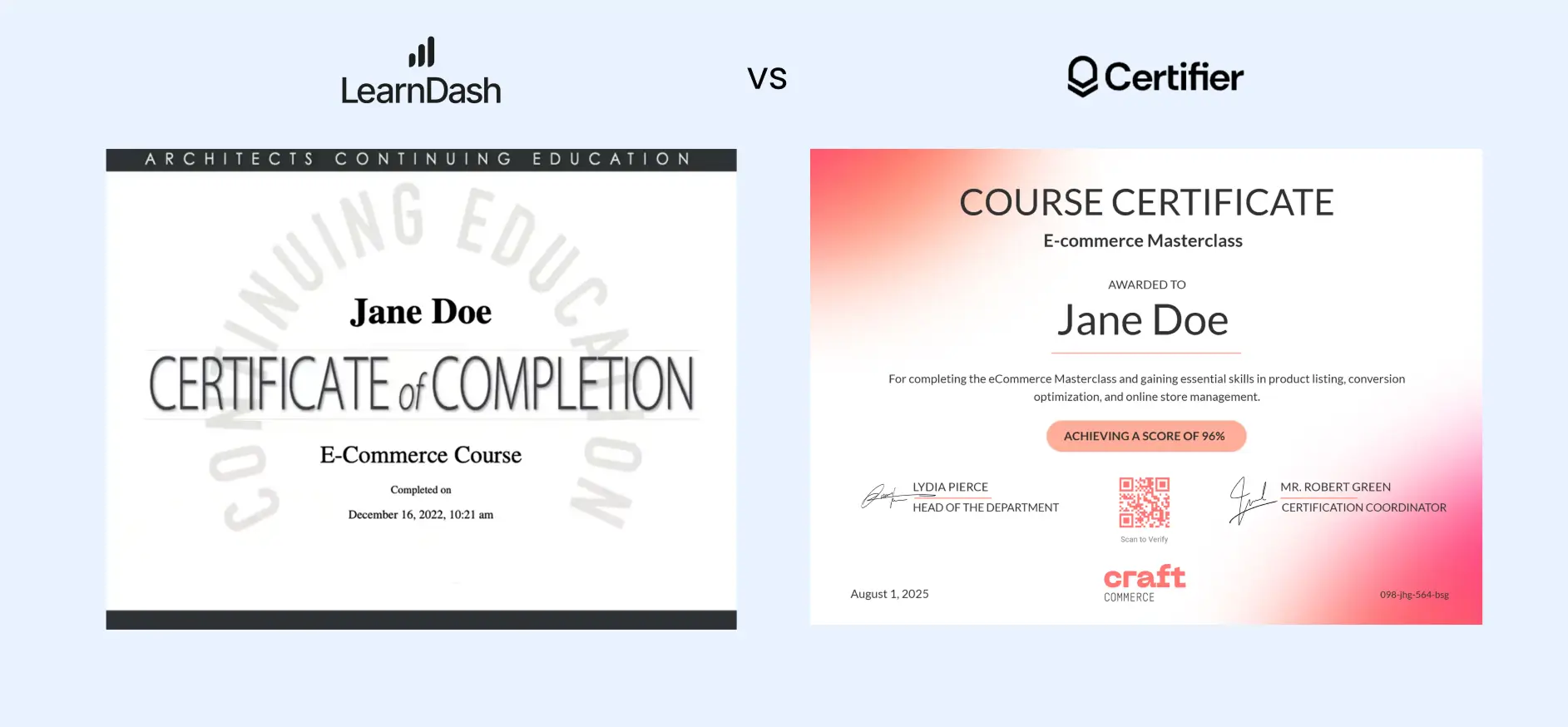
Using Certifier with LearnDash takes credentialing to another level. You issue credentials that learners can share verify and present with confidence.
Our guide on how to issue LearnDash certificates explains the basics of LMS certificate generation. Certifier extends that by adding verifiability and professional presentation.
Key differences
LearnDash: PDF certificates linked to course completion within WordPress
Certifier: external credential delivery with verification, design and scalability
Across all three LMSs: Kajabi, Teachable and LearnDash, native certification tools can get the job done for internal recognition and simple progress tracking.
But they all share common limitations like no secure LMS certificate verification system, no way to share or prove authenticity outside the LMS environment and limited design and metadata.
With a platform like Certifier, you can:
Create certificates and digital badges with rich metadata for skills and criteria
Automate issuance with Certifier integrations
Enable learners to share credentials publicly on professional networks
Track engagements, verifications and credential usage over time
If credibility and professional recognition matter, native LMS certificates aren’t enough—digital credentialing platforms fill that gap.
You don’t need to rely on basic LMS PDFs to issue course certificates. Many online course certificate makers use Certifier to automate issuance while keeping their existing LMS in place.
Start by linking your LMS to Certifier so that course completion triggers certificate issuance. This can be done using Certifier integrations, Zapier, spreadsheets or APIs. Once connected, credentials are issued automatically without manual exports.
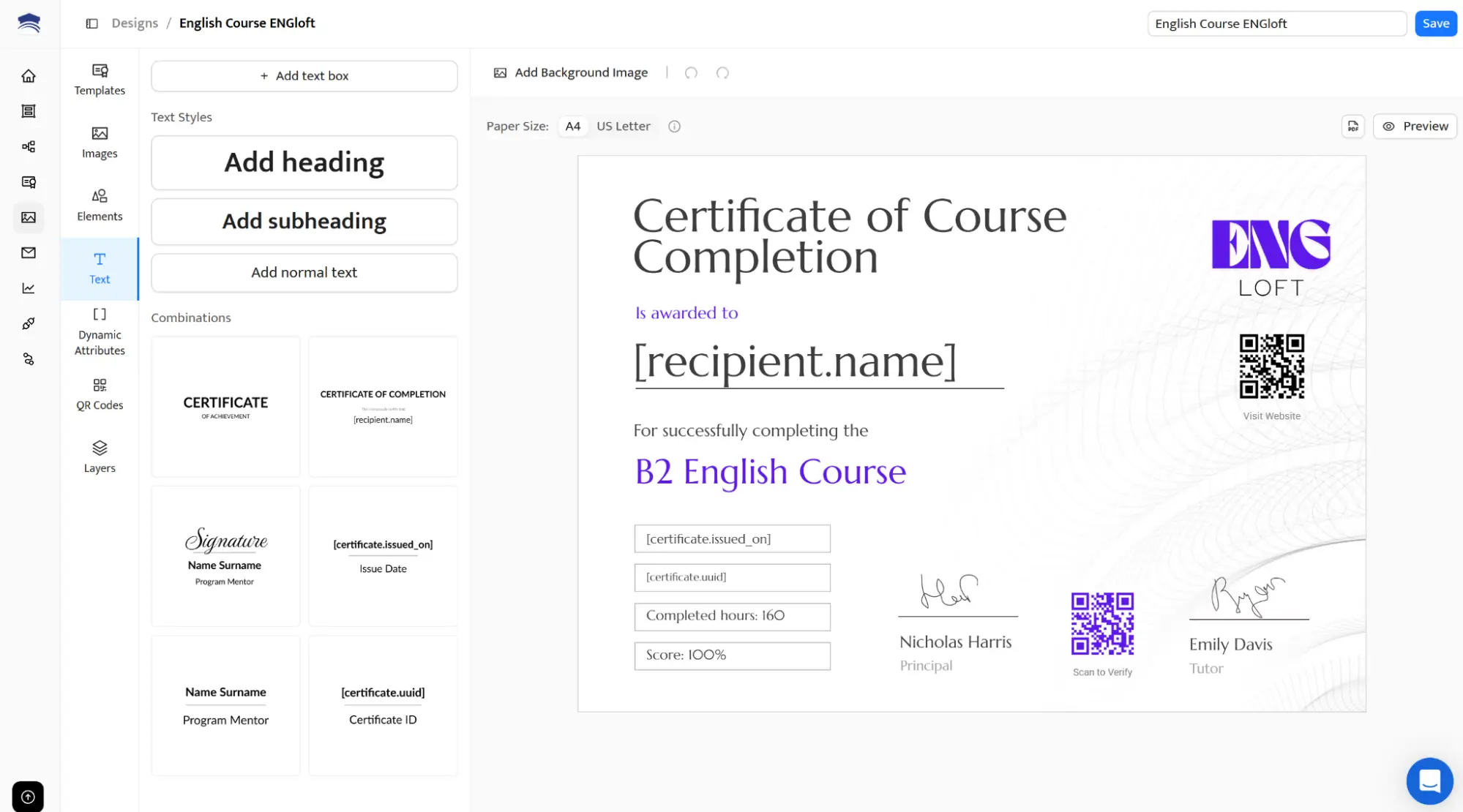
Design your certificate once using Certifier’s visual builder for credentials. Choose among thousands of adjustable templates and customize the layout, branding and text to match your course or organization.
You don’t have to worry about the LMS certification logo. All the issued certificates and badges are white-labelled. The only logo visible in the design is the one you uploaded. The template is reused across all future issuances.
The template editor is user-friendly. You don’t need any graphic design experience.
Define what “completion” means in your LMS. This could include finishing all lessons or passing a final assessment. When the condition is met, Certifier issues the certificate automatically.
Certificates are issued as soon as learners complete the course. Delivery can happen via email, which includes a link to a credential page where learners can access and share their credentials.
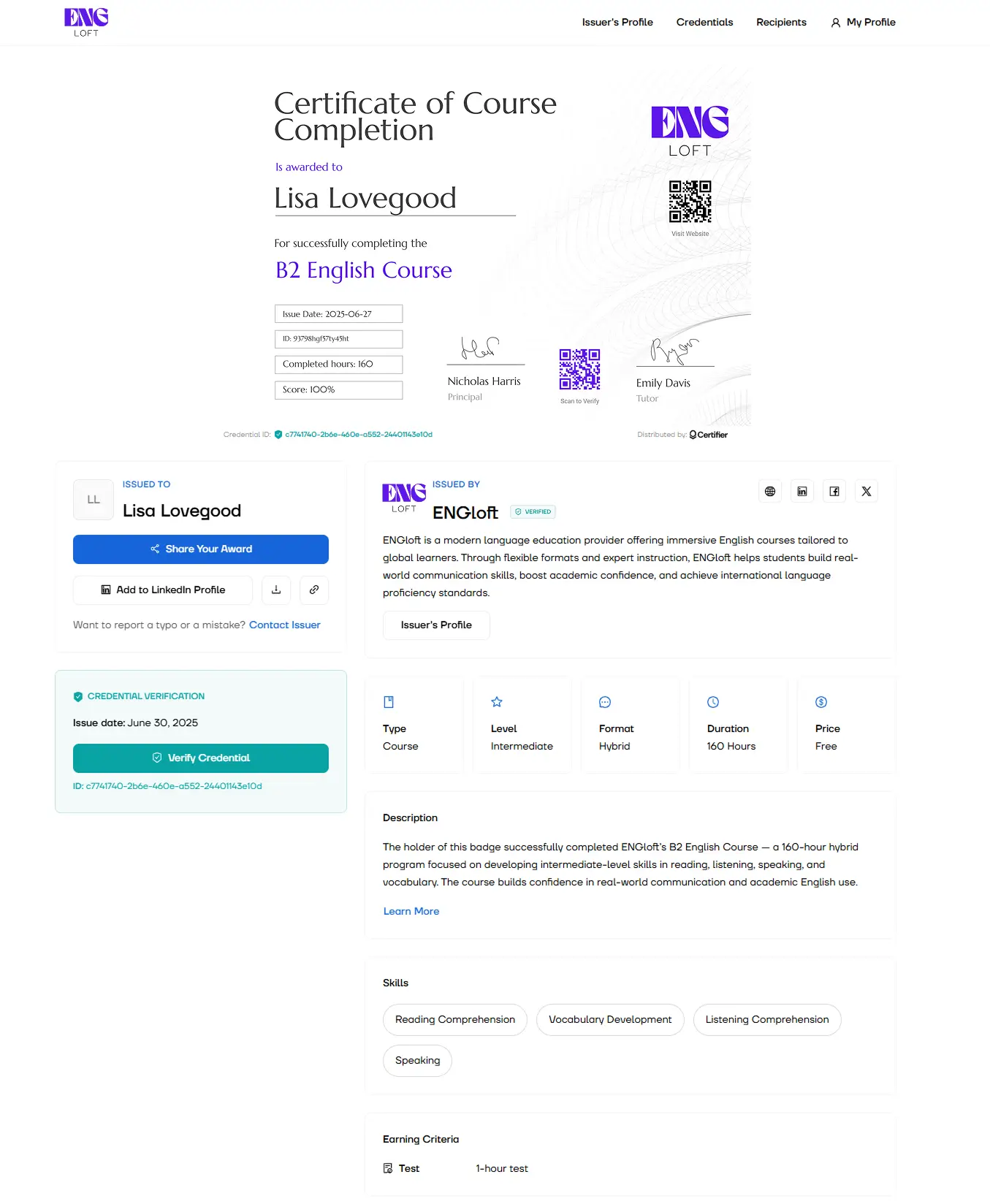
Each certificate includes a QR code with a verification link. When learners share credentials publicly and viewers can instantly confirm their validity.
Certifier lets you see when credentials are issued viewed or shared. You can also manage credential expiration dates and renewals to keep certificates up to date.
The examples below show how Certifier connects with popular LMS platforms to automate certificate issuance after course completion.
CYPHER Learning integrates with Certifier through Zapier → CYPHER records a course or learning-path completion → Zapier maps the learner data to Certifier → Certifier issues a branded, verifiable CYPHER Learning certificate and tracks subsequent views, downloads, and shares.
PETE LMS connects to Certifier and records a qualifying learner event → Zapier maps learner and course data to Certifier → Certifier issues a multi-page credential with a personalized certificate, transcript, or training record.
Kajabi tracks completion → native or Zapier automation sends data to Certifier → credentials issued automatically with your visual branding.
LearnDash signals completion → Zapier or integration maps learner data → Certifier emails credentials with QR-based verification and optional badge links.
By integrating Certifier with your LMS, you keep the simplicity of your course platform while upgrading the credentialing experience to professional, verifiable and shareable outcomes.
Choosing between using native LMS certificates and badges and adopting a digital credentialing platform depends on what you need from your credentialing system—both now and as your programs grow.
There’s no one-size-fits-all answer, but the right choice becomes clear when you match capabilities to goals.
Identify your goals as quickly as possible. Ask yourself:
Do you want simple proof of course completion or do you need credentials that carry external credibility beyond your LMS?
Do you want to encourage internal engagement or career-focused recognition?
Are you supporting short, informal courses or career pathways and professional development that matter to employers?
For purely internal milestones—like acknowledging module completion or keeping learners motivated inside a course—an LMS certificate of completion or badge may be enough.
But if you want credentials with meaningful data and portability, adoption of a digital credentialing solution is usually better.
Choose LMS certificates/badges if your priority is:
Basic course completion recognition
Simple engagement and motivation within the LMS
No requirement for external verification
Choose a digital credentialing platform if you need:
Credentials that learners can share on LinkedIn or in portfolios
Secure verification by employers or institutions
Rich details about what was learned and how
In that second case, digital platforms elevate your certificates from internal artefacts to career-relevant credentials.
If your learners are mostly students completing training for internal purposes, native LMS badges and certificates often serve well. If your audience includes professionals, job seekers or external stakeholders, the added credibility of verifiable credentials matters much more.
Colleges and universities can also compare digital credential platforms for higher education to see which solutions fit their academic programs and existing technology.
For small classes or singular courses, LMS certificates might be easiest.
For ongoing programs, multiple courses or large learner cohorts, digital credentialing platforms offer features that scale:
Automated issuance
Analytics and reporting
Expiration and renewal workflows
Centralized credential management
These capabilities save time and improve long-term tracking when compared with manual file handling.
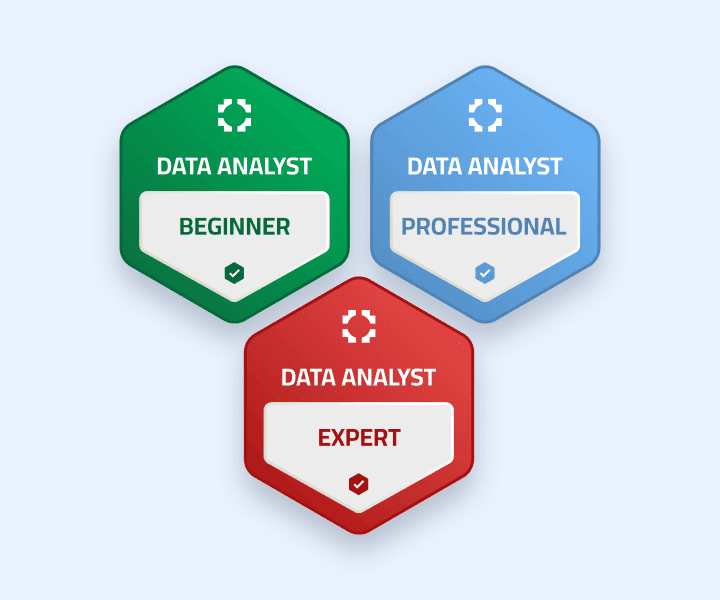
LMS credential tools are often included with your platform at no extra cost. That makes them attractive for basic use but limited in features. Conversely, dedicated digital credentialing platforms may involve additional licensing or usage fees in exchange for flexibility and security.
If budget is tight but you still want to implement verifiable, professional-grade credentials, a hybrid approach can work well:
Use LMS badges for internal engagement
Pair them with digital credentials for external recognition and career value
As credential ecosystems evolve and employers increasingly demand verifiable, shareable achievements, platforms that support external verification and metadata become more valuable over time.
Digital credentialing systems are positioned to grow with these trends, offering pathways to lifelong learning recognition and identity–linked credential portfolios.
Choosing between LMS certificates and an external credentialing system doesn’t have to be binary. The best solution often blends ease and reach—using the LMS for day-to-day learning interactions and a platform like Certifier for credible, professional credentialing that supports learner outcomes beyond the course.
Deciding between native LMS certificates and a dedicated digital credentialing solution comes down to how and where you want your learners’ achievements to matter.
LMS-issued certificates and badges are fine for simple internal recognition, but they often lack the verification, shareability and professional visibility needed to help your learners—and your programs—stand out beyond the LMS environment.
For course creators and training providers who want learners to showcase their skills on platforms like LinkedIn, build credibility in their communities or support career progression, a more robust approach makes sense.
Digital credentials that are richly branded and easy to share tell a stronger story about what learners have accomplished.
If you’re ready to move beyond static certificates and give your learners credentials that truly travel with them, consider Certifier. No matter if you’re building credentialing for online course makers or issuing certificates for training providers that learners can proudly share.
Sign up for Certifier to elevate LMS certificate generation.
Read answers to the frequently asked questions on LMS badges and LMS certificates.
To get an LMS certificate, you first need to complete the required activities in the course or training program you’re enrolled in within your LMS.
After logging into your LMS account, check the "Completed Courses" or “Transcript/Completed” section–many systems show a “Download Certificate” button once you have finished all required lessons and assessments.
If the download option doesn’t appear, make sure that:
The course is marked 100% complete
You have met all the conditions the instructor set for earning the certificate (e.g., passing quizzes)
Some LMSs also display an icon or View Certificate link in the course tile itself once requirements are met.
An LMS certificate is a document–usually a printable PDF or digital file–awarded to a learner when they successfully complete a course or training program inside a learning management system (LMS). It serves as formal proof that the individual has met the education course requirements and can be useful for internal recognition or compliance tracking.
LMS certificates typically include the learner’s name, course title and completion date and they help confirm that a learner finished their coursework.
Once you’ve finished all required modules and assessments within your LMS, you can usually download your training certificate by following steps like these:
Log in to your LMS account
Navigate to your profile, “Completed Courses” or “Transcript” section
Look for a Download Certificate or View Certificate button next to the course you completed
Click it to open and save the certificate in PDF format
If no such option appears, double-check that you’ve completed all course requirements–certificates often only become available after full completion.
A learning management system helps run a certification program by delivering courses, tracking progress and triggering printable certificates when learners complete required activities. This setup works well for corporate training, where LMS administrators need a simple way to confirm participation and completion.
However, while LMS-issued certificates are useful internally, many organizations add external credentialing tools to support career opportunities. These tools extend LMS credentials with online verification and sharing options, making certifications more valuable beyond the learning platform itself.

- Product Management
- Customer Research
- Digital Credentials
- Product Strategy
- Design Systems
Product Manager
Uliana leads product management at Certifier, using her UI/UX background to explain platform features and help organizations maximize their credentialing capabilities.