
Carpentry Apprenticeship Completion Certificate
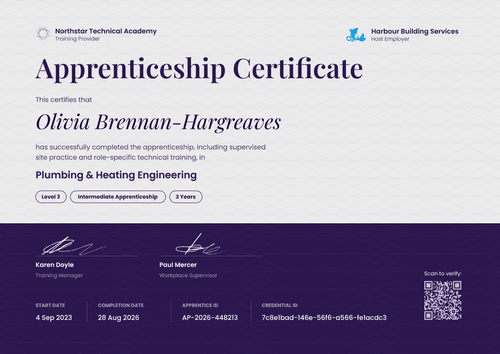
Put your training center and the employer side by side on one carpentry apprenticeship completion certificate. Its five custom fields fit Certifier's free plan, so a small association can start without paying.
Customize this template for free
Email and export in bulk
Track recipient engagement
Download in
Don't have Certifier account? Sign up
Formal navy blue carpentry apprenticeship completion certificate template
This free carpentry apprenticeship completion certificate recognizes an apprentice who finished your carpentry and joinery program. It suits construction associations and training centers that run programs with member employers and want both names on every graduate's certificate.
A navy blue border filled with gold interlocking rings surrounds a cream panel with thin gold rules. Your logo sits top left, the employer's logo top right, and the credential ID between them. The title reads "Certificate of Apprenticeship Completion" in gold and navy blue small caps, with the trade below in gold.
At the end of each program, upload your completion list from Excel and issue every certificate in one run, grouped by employer. Each apprentice gets a credential page with a verification link that a site manager or new employer can open. On the Professional and Advanced plans, the QR code opens the same page.
What is a carpentry apprenticeship completion certificate?
A carpentry apprenticeship completion certificate is a document a sponsor or training center issues when an apprentice completes its carpentry program, usually naming the employer where the apprentice trained. Associations use it at graduation events and to give members a record they can share.
It isn't the trade certificate itself. In Canada, for example, the province or territory issues the certificate of qualification, and the Red Seal is an endorsement on that certificate. Your certificate recognizes your program alongside it.
This template is laid out on A4 landscape (29.7 x 21 cm). Sign up for a free Certifier account to add your logo and your employer partner's.
What should a carpentry apprenticeship completion certificate include?
A co-branded certificate should make clear who trained the apprentice, who employed them, and who issued the certificate.
Static fields
- Training provider block: Your logo and name (e.g., Northstar Technical, Training Provider).
- Employer block: The employer's logo and name (e.g., Hartwell Construction, Employer). Duplicate the design for each employer partner.
- Certificate title: Certificate of Apprenticeship Completion.
- Seal: A decorative "Certified" seal with the year. Edit or remove it so it can't be mistaken for an official seal.
- Signature and role areas: Two signature lines (e.g., Training Director and Employer Representative).
Dynamic fields (automatically populated by Certifier)
- Recipient name: The apprentice's full name (e.g., Daniel Okonkwo-Reyes).
- Trade: The occupation (e.g., Carpentry & Joinery).
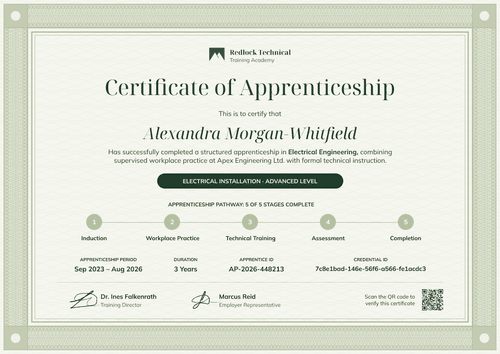
- Apprenticeship period: The start and end months (e.g., September 2023 – August 2026).
- Duration and level: The program length and level (e.g., 3 Years, Advanced).
- Apprentice ID: Your program's apprentice number (e.g., AP-2026-448213).
Adjust the layout or swap logos in Certifier's design builder.
How to issue co-branded carpentry apprenticeship certificates
- Create one design per employer: Add your logo, then duplicate the design and drop in each employer partner's logo and representative signature.
- Split your list by employer: Export graduates with names, emails, trade, period, duration, level, and apprentice ID, and group them by employer.
- Issue each group: Upload each employer's group to its design and send the certificates. Invalid rows are skipped, so one bad email doesn't hold up the batch.
- Share results with employers: Use the Credential Repository to show each employer which of their apprentices received, opened, and downloaded their certificate.
Available carpentry apprenticeship certificate template formats
Edit and issue online with Certifier
Edit both logo slots in your browser, upload each employer's graduates, and send every certificate from one workspace.
Download in Microsoft Word
Enter your email to receive a ZIP with editable Word files.
PDF document export
Apprentices can download a print-ready PDF from their credential page for a portfolio or the site office wall.
Who issues carpentry apprenticeship certificates?
Construction associations
Associations sponsoring programs across many member firms want each certificate to carry both the association and the employer.
Carpenters' training centers
Centers that deliver the classroom and shop instruction recognize graduates at the end of the program.
Construction employers
Firms running their own apprentices use it for graduation and retention, with the site supervisor signing.
Frequently asked questions
Yes. You can customize the design on the free Starter plan, which allows up to 5 custom attributes. This template's custom fields (trade, apprenticeship period, duration, level, and apprentice ID) fit within that limit. The QR code needs the Professional or Advanced plan.
No. It's your organization's certificate recognizing your program. The official credential comes from a government body, such as a provincial or territorial apprenticeship authority in Canada or the Registration Agency in the US. Keep your organization's name on the issuer line so nobody confuses the two.
Yes. Duplicate the design for each employer and swap the logo and signature. Issue each employer's apprentices from their own design, and every certificate stays organized in the Credential Repository.
Keeping the gold seal is up to you, since it's a design element and not an official seal. If your program wants to avoid any look of a government credential, change the text to your association's name or remove it in the design builder.
A new employer checks a carpentry apprenticeship completion certificate by opening its verification link or by scanning the QR code on paid plans. The credential page names your organization as issuer, plus the apprentice, the issue date, and the credential ID.
Certifier templates are provided for general informational and design purposes only. They do not constitute legal, regulatory, or compliance advice and are not guaranteed to satisfy the requirements of any regulator, auditor, standard, insurer, or jurisdiction. The issuing organization is responsible for the content of its training program and for verifying that its records meet the requirements that apply to it.