Trusted by:
University of Southern California
Warner Bros.
Volvo
Amazon
Stanford University
September 03, 2026
10 min read
Compare three ways to issue custom Udemy certificates with Certifier. Choose the workflow that best fits your records, approval rules, and preferred level of automation.
Research with AI:
Udemy Business can already issue basic certificates, but they may not always meet your customization needs. Adding Certifier to your workflow lets you generate white-label credentials with built-in unique IDs and optional expiry for time-limited qualifications.
To use these apps together, you need to move the relevant learner records from Udemy into Certifier first. You can do this through connectors like Zapier, a CSV import, or the Certifier API.
Each option differs in setup effort, control over eligibility and issuing rules, and ongoing administration work.
Zapier and the API can automate the data transfer between the apps, although they take more time to deploy and test. A CSV workflow uses a text file with the relevant user and course data that you export from Udemy. It takes zero setup, but you’ll need to review and upload records manually.
Choosing the right option means taking into account your current certificate setup and available resources.

While all three workflows can send basic details to Certifier — like the learner’s name, email, and course title — they handle advanced data differently.
Some methods can use detailed quiz scores and earlier completion records. Others only receive new completion information.
Consider whether your team needs to check scores or distinguish between a learner’s first, latest, or highest attempt when reading an issued certificate.
Workflow | Best When | Tradeoff |
|---|---|---|
📊 CSV | You need to review historical records, detailed course results, or approve each batch before issuing. | An administrator must export, prepare, and upload every batch. |
⚡ Zapier | Learners should receive a standard certificate as soon as possible after completing a course. | Zapier only receives the limited real-time fields included in Udemy’s trigger. |
🤖 API | Your development team needs to apply different template rules or save certain credentials as drafts. | Developers must build and maintain the custom connection. |
For this manual workflow, your team must first export the Udemy report with the relevant data:
The User Course Activity report: It gives admins a broad view of course completions. This includes learner names, emails, User Groups, Course Title, and Date Completed (the date which shows the most recent completion; it only changes if Udemy updates course content).
The User Progress report: It adds details like First Date Completed, separate lecture and quiz records, and Final Result for each quiz attempt. “First Date Completed” shows when the learner originally finished the course.
You can choose which of these details to map to Certifier for a more customizable certificate template.
For example, you could use “First Date Completed” when the certificate must record the original achievement. Use “Date Completed” when learners must enroll in the newest version of the course.
When a certificate combines data from both reports, you must combine the records and remove any details you don’t need. You can then upload the final CSV to Certifier and map the report columns to custom fields manually.
Both reports also include Course ID to sort learners by course before uploading them to different Certifier templates.
Zapier is a third-party platform that can automate the connection for Udemy and Certifier.
Your team must connect both apps and use Zapier’s predefined “New Completion” trigger for Udemy to start the workflow.
You then map the fields for the learner’s name, email, course title, and completion date to a Certifier certificate template only once.
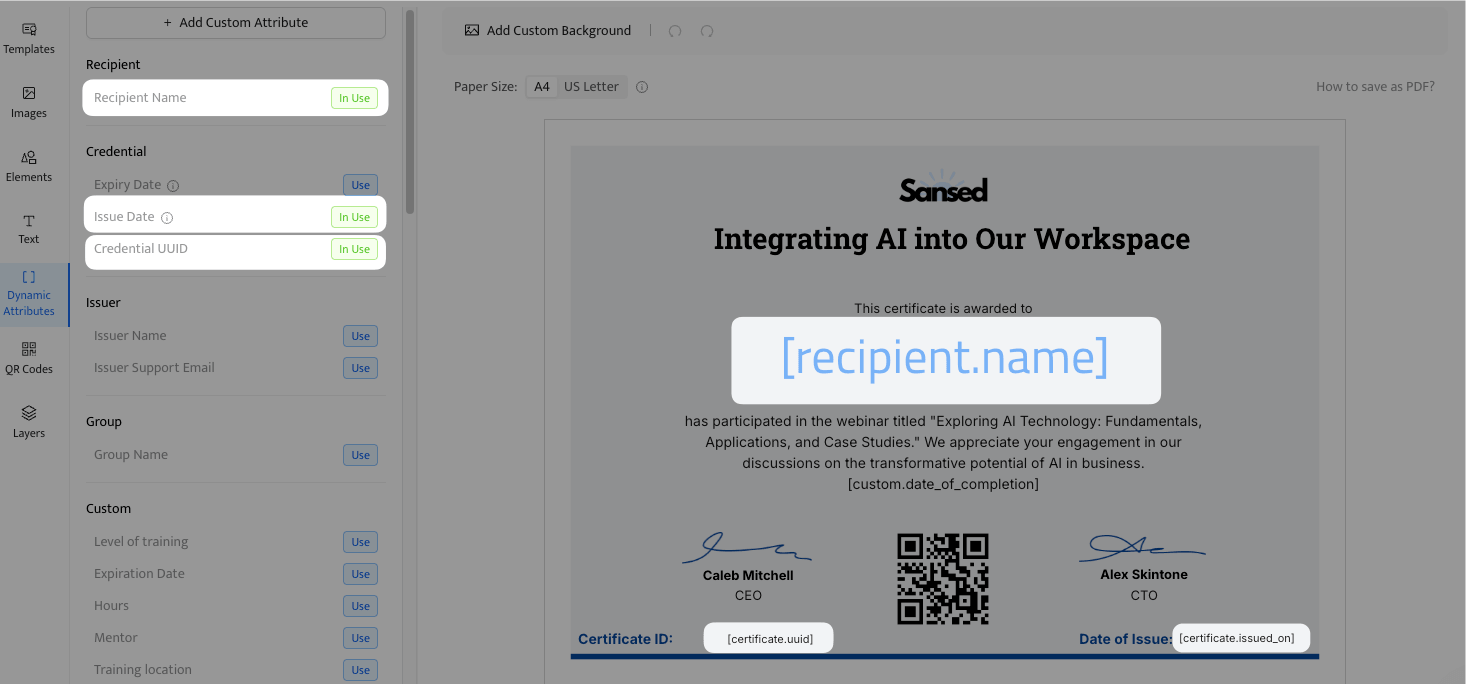
When Zapier finds a new course completion, it sends the trigger record to Certifier’s “Issue Credential” action. This trigger includes Course ID and Course Title, so Zapier can send learners from different courses to different Certifier templates if needed.
However, the trigger only fires for new events. The app cannot pull historical completion dates. It also can’t gather the detailed quiz scores or individual attempt records found in Udemy’s progress reports.
This workflow lets you connect the Udemy Business API and the Certifier API directly, removing the need for a third-party automation platform. However, it requires more work to build, test, and maintain.
A developer must write the code that retrieves Udemy data and sends approved records to Certifier. The data available depends on which Udemy API you use:
xAPI webhook: Webhook enables real-time retrieval and certificate issuance. It captures basic learner and course information. However, because it only sends real-time event stamps, it can’t provide historical or detailed quiz information.
REST Reporting API: It receives both the latest completions and detailed records. These include final quiz scores, learning time, individual attempts, First Date Completed, and Date Completed. You can also filter activity by Course ID to select distinct Certifier templates. This option has a 24-hour delay, so issuance isn’t instant.
💡 Tip: Combining Workflows for Historical Data
Automated tools like Zapier and real-time API webhooks only trigger actions for new course completions as they register.
They cannot detect or issue certificates for courses learners finished before the integration went live.
If you have historical completions to clear out, you can combine workflows. Use a manual CSV import as a one-time batch to issue certificates for past records, then enable Zapier or your live API to handle all future course completions automatically.
The most fitting approach depends on the platform plans you already have, the number of credentials you issue, and your team’s capacity.
Zapier has a free plan, which includes 100 tasks per month. Each Zap can have one trigger and one action, and Zapier checks for new Udemy completions every 15 minutes.
If you prefer simple but customizable automated workflows, you might have to upgrade to a paid Zapier plan. Paid plans provide more monthly tasks, faster polling, and multi-step workflows with Filter-based tools.
These tools let you exclude learners who don’t qualify for your certificate and connect different Certifier templates to different courses.
You can get started with a free Certifier plan, which includes up to 250 credentials per year, along with API, Zapier, and CSV access. This option also includes mass issuing, white-label certificates, and UUID-based verification.
Paid plans start at higher annual issuance limits and include features like expiry settings and scheduled issuing.
Premium branding and multiple workspaces are also available as paid add-ons for every tier, including the free Starter plan.
Select the perfect plan for your needs
Zapier adds a third monthly bill. If you already use a Udemy Business Enterprise plan and Certifier, both CSV and API workflows are free.
However, these free options trade software costs for team time, requiring either recurring manual admin uploads or upfront development and code maintenance. Ultimately, your choice comes down to your internal resources versus the convenience of paid automation.

Before rolling out a programmable workflow, go over the following platform requirements and testing steps to ensure your integration behaves as planned:
01Verify Platform Access. Your Udemy Business account must have the Owner or Administrator role to generate API tokens and pull User Progress reports. Group admins are blocked from these sections, so check your global workspace settings.
02Audit platform volume limits. Look at your Udemy User Activity or check past User Course Activity reports to estimate your average monthly completion volume. Compare this number against your Zapier and Certifier plan caps, leaving a 15% buffer so a sudden activity spike doesn't freeze your automation.
03Complete a test course. Create a dummy profile under your workspace. Enroll in a short, multi-lecture test course and click through the lectures until the course hits 100% Complete. Then, check Zapier’s history or your API logs to confirm the data packet arrives with the user's name, email, and Course ID.
04Create a draft certificate. In your Certifier Zapier action, set the Issue Credential field to “Draft.” Run your test data, then open Certifier’s Credentials dashboard to check how the data maps onto the certificate layout.
05Isolate disqualified records. Test an invalid entry, like an unapproved course ID or a failed quiz, to ensure your workflow blocks it. In Zapier, add a Filter step matching your approved courses and confirm your Task History reads “Filtered.” For APIs, pass a failing score to verify your script triggers an exception.
06Check for duplicate triggers. In Certifier Template Settings, verify that “Allow Duplicate Recipient Emails” is disabled. Push the exact same completion through your workflow twice to ensure the second attempt safely skips the duplicate.
When you hit your annual issuance cap, Certifier still creates Udemy certificates but saves them as drafts, so you won’t have to return and issue missed certificates by hand.
To resume active email delivery and publish these certificates, you must upgrade your tier from your Billing settings.
Yes, even if you cancel your subscription, Certifier keeps your published credentials verifiable. After the last billing cycle ends, your account will downgrade to a standard Free tier, so you can still log into your dashboard and view recipients and certificate designs.
Yes, you can update certificates at any time from your Credentials tab in the Certifier dashboard. Students can also request fixes for typos directly by clicking “Contact Issuer” on their certificate page.
You can review these incoming requests, make changes, and save the new information. The digital certificate updates automatically without changing the original URL or badge link.
When new content is added to a Udemy course, a learner's completion percentage drops below 100%, but their existing Certifier credential remains valid.
To enforce compliance, an administrator must monitor the User Progress report for new completion timestamps and manually edit the credential in Certifier to reflect the updated curriculum.

- Content Strategy
- SEO & AEO/GEO strategy
- Conversion Rate Optimization
- Organic Growth
- Buyer Psychology
Head of Content
Vlad Melnic leads content at Certifier, bringing 10+ years of experience in SEO content marketing and conversion-focused content. His focus is turning complex product value into clear benefits.


 Most popular