

Trusted by:
University of Southern California
Warner Bros.
Volvo
Amazon
Stanford University
Updated: September 30, 2026
13 min read
Learn what certificate expiration is, when it applies and how managing digital credential expiration can boost engagement and recurring revenue. Best practices included.
Research with AI:
Certificate expiration defines how long a credential remains valid. It tells the reader if the knowledge or status behind the certificate is still current.
When used intentionally, certificate expiration becomes a useful tool. It helps learners stay up to date and creates a natural reason to return for refreshers or renewals. So it’s a win-win for both sides.
Certifier helps you manage this process without complexity. With this certificate management tool, expiration becomes visible and easy to control instead of something you manage manually.
In this article, we’ll show which certificates should expire and which shouldn’t. We’ll explain how to manage certificate expiration with digital credentials. We’ll also show how expiration can drive engagement and revenue when used the right way.
Credentials tied to skills or compliance should expire, while certificates that record permanent facts shouldn’t.
Expiration improves relevance for time-sensitive credentials, but can add friction if applied to certificates that don’t need it or managed manually.
Certifier helps you set validity periods, track active and expired certificates, automate reminders and manage renewals.
Static PDF certificates make expiration hard to track and update, while digital credentials clearly mark expired certificates.
Setting validity periods correctly, automating reminders and renewals are the best practices for certificate expiration management.

A certificate lifecycle describes everything that happens to a credential from the moment it’s issued to the moment it expires (and possibly gets renewed).
Instead of treating certificates as one-time documents, the lifecycle frames them as living credentials with a clear purpose, timeframe and next step.
The possible five core stages of a certificate lifecycle:
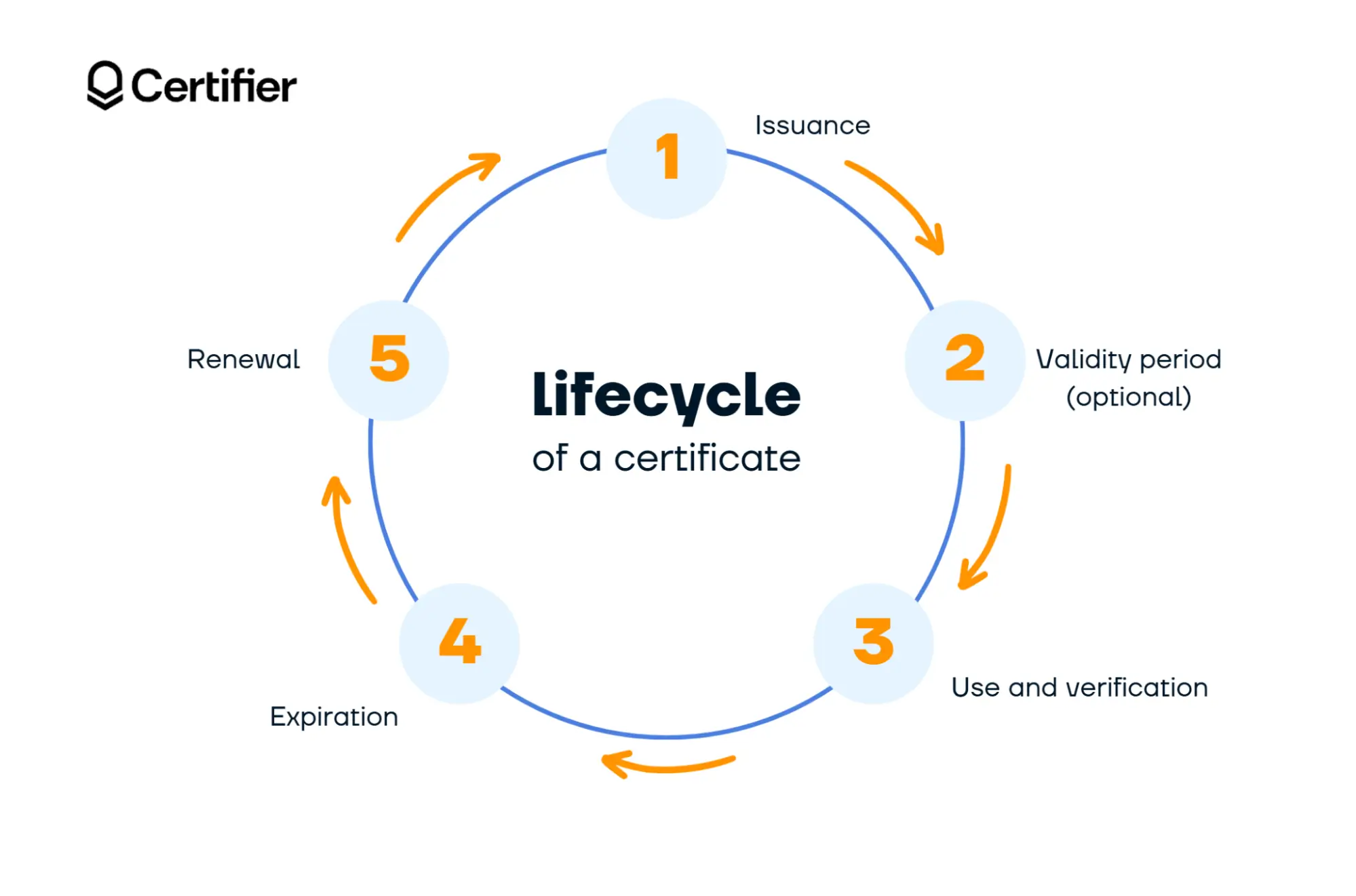

01 Issuance: This is when a certificate is created and sent to the recipient after they complete a course, training or requirement.
02 Validity period (optional): The time during which the certificate is considered current and trustworthy. For credentials tied to skills or compliance this is often limited to ensure the knowledge stays relevant. Mind that not all certificates require a validity period, especially those that document permanent achievements.
03 Use and verification: During this stage, recipients actively use their certificate—sharing it with employers, adding it to LinkedIn or presenting it for audits or compliance checks. Verifiers can check who issued the credential and whether it’s valid.
04 Expiration: Once the certificate expiration date is reached, the certificate moves into an expired state. This doesn’t erase the achievement, it signals that the credential is no longer up to date.
05 Renewal: Renewal closes the loop. This may involve refresher training, reassessment or a renewal fee. When designed well, this step keeps credentials relevant and creates natural opportunities to re-engage learners.
Certificates expire because knowledge and skills change over time. An expiration date helps signal if a credential still reflects current requirements or expectations.
Below are the main reasons why certificate expiration exists and when it actually matters.
In many fields, best practices evolve. Regulations change and safety standards get updated.
When a certificate expires, it tells employers or auditors that the holder may need a refresh. The validity period acts as a safeguard against outdated training being treated as current. This is especially common in safety, healthcare and compliance training.
When certificates never expire, there’s no clear signal that something may no longer apply.
An expired certificate makes it obvious that the credential belongs to the past. It reduces confusion for anyone reviewing it and avoids situations where outdated certificates are presented as current proof. It protects both the issuer and the recipient.
Expiration is not only an end point. It’s also a trigger. When a certificate approaches its certificate expiration date, it creates a natural moment to renew the credential.
This is what enables a consistent certificate renewal process instead of relying on ad-hoc reminders or manual tracking. Without expiration, renewal becomes optional and easy to overlook.
As soon as you issue more than a handful of certificates, manual oversight breaks down.
Expiration dates make certificate expiration management possible at scale. They allow issuers to track status, plan renewals and maintain oversight without relying on spreadsheets or memory.
Expiring certificates offer many benefits for both issuers and recipients. They help keep credentials relevant and easier to manage over time.
At the same time, expiration isn’t always the right choice. Depending on the purpose of the credential, it can introduce extra effort or confusion.
To help you decide whether creating expirable certificates makes sense for your use case, we’ve gathered both the pros and the cons below, so you get the full picture before setting expiration dates.

Certificate validity. An expiration date makes it immediately clear whether a credential still applies or no longer does.
Stronger trust and compliance. Expiration helps prevent outdated certificates from being treated as current, which is essential for credibility and audits.
Built-in renewal moments. When a certificate has a defined end date, the certificate renewal process becomes intentional instead of ad hoc.
Ongoing engagement and repeat value. For certificates for online course makers, expiring credentials create natural opportunities to bring learners back for refreshers, advanced courses or recertification programs.
Easier certificate expiration management. Expiration dates allow issuers to track what’s active, what’s expiring soon and what’s already expired.

Extra responsibility for issuers. Every expiration date needs to be tracked, communicated and managed properly.
Not always appropriate. Some certificates document permanent achievements or facts. In those cases, expiration can reduce clarity instead of improving it. Scroll down to see which certifications typically require expiration.
Speaking of extra responsibility for issuers, we’ve got your back. Certifier gives you a clear, easy-to-use dashboard where you can see which certificates are active, which ones are approaching their expiration date and which are already expired.
As a rule of thumb, certificates should expire when the skill, status or risk they represent can change over time. To be sure whether and why your credential should expire, check out the list below.
Training certificates often represent time-sensitive knowledge or safety practices. Because standards evolve and skills fade, these credentials usually need refreshers.
Typical validity:

1–3 years for most safety and compliance training
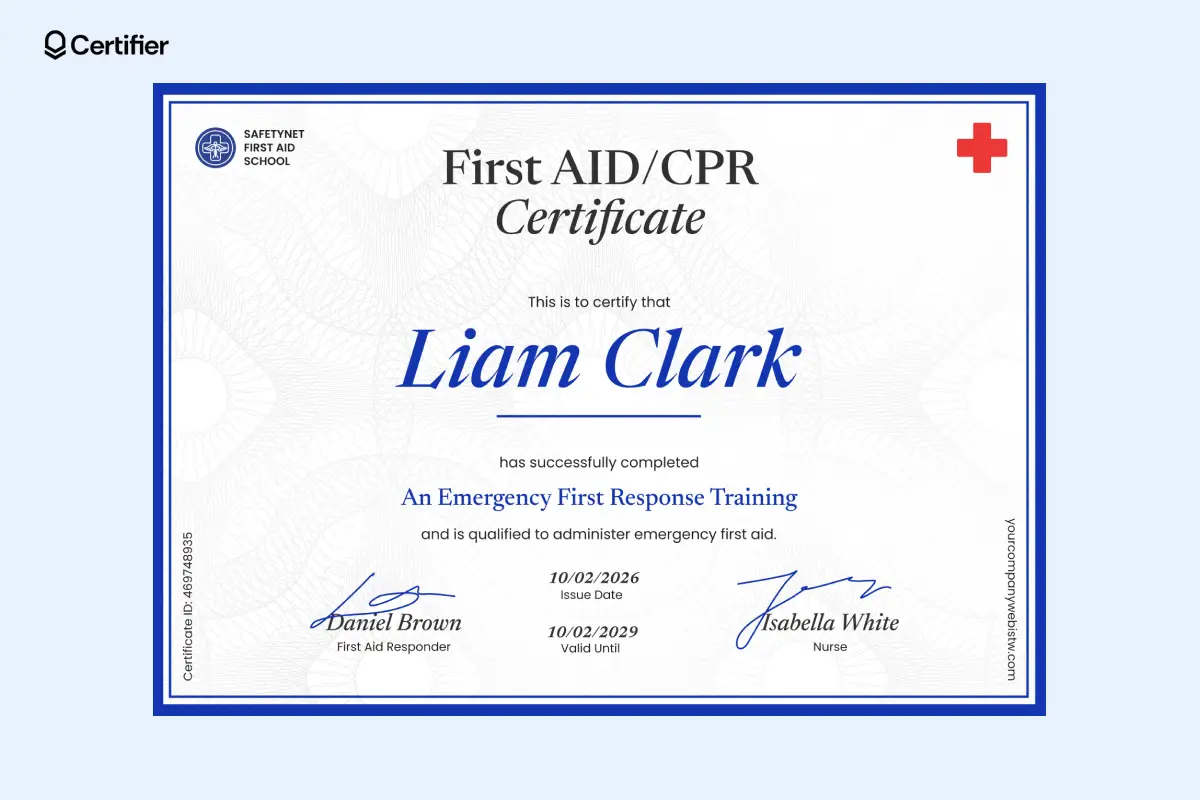
First Aid certificates are often valid for 3 years, with CPR/AED refreshers recommended more frequently
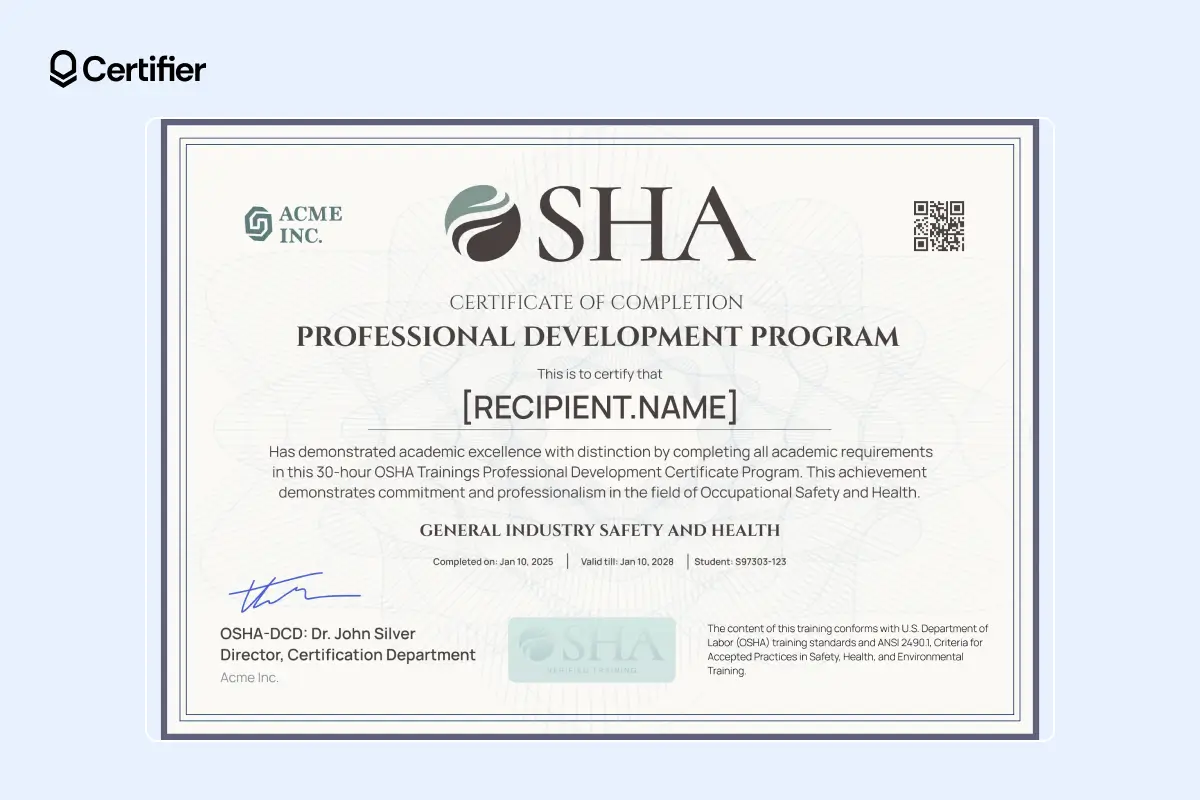
OSHA training does not have a single federal expiration rule, but refresher cycles are commonly expected by employers and insurers
Example of a OSHA 30 certificate:
Healthcare credentials are closely tied to patient safety, which is why medical certificate expiration is common across roles and regions.
Typical patterns for medical certificates:
2–5 year renewal cycles
Mandatory continuing education
Credentials becoming inactive if renewal requirements aren’t met
Clear expiration dates help ensure outdated medical training is not mistaken for current qualification.
Example of a First Aid certificate:
Technology changes fast. As a result, many IT and cybersecurity certifications are now time-limited.
Typical validity:
Around 3 years for many mainstream certifications
Renewal through continuing education or re-examination
Certificates tied to CE or CPD programs usually align with defined reporting cycles, not lifetime validity.
Common patterns:
2–3 year CE/CPD cycles
Only recently earned credits are accepted by regulators
Even when the certificate itself doesn’t legally expire, its practical value often does.
Example of a CPD certificate:

Professional certifications usually stay valid only while renewal and continuing education requirements are met.
Common patterns include:
2–5 year renewal cycles, depending on the profession
Annual or multi-year CE requirements tied to active status
Credentials shifting from “active” to “lapsed” when renewal conditions aren’t met
In these cases, showing a clear “valid through” date is essential for trust and compliance.
Example of a licence certificate:

Food service credentials are governed by public health rules, which is why expiration is common.
Typical validity:
2–3 years in most jurisdictions
Some regions allow longer periods, others require earlier renewal
Clear expiration dates help avoid confusion and reduce compliance risk.
Example of a food safety certificate:

Membership credentials represent current affiliation and access. However, some organizations also issue lifetime membership certificates.
Typical validity:
Annual expiration aligned with membership renewal
Clear distinction between annual memberships and explicitly non-expiring lifetime memberships
Expiration is especially important here, because benefits and access usually end when the membership term does.
Example of a membership certificate:
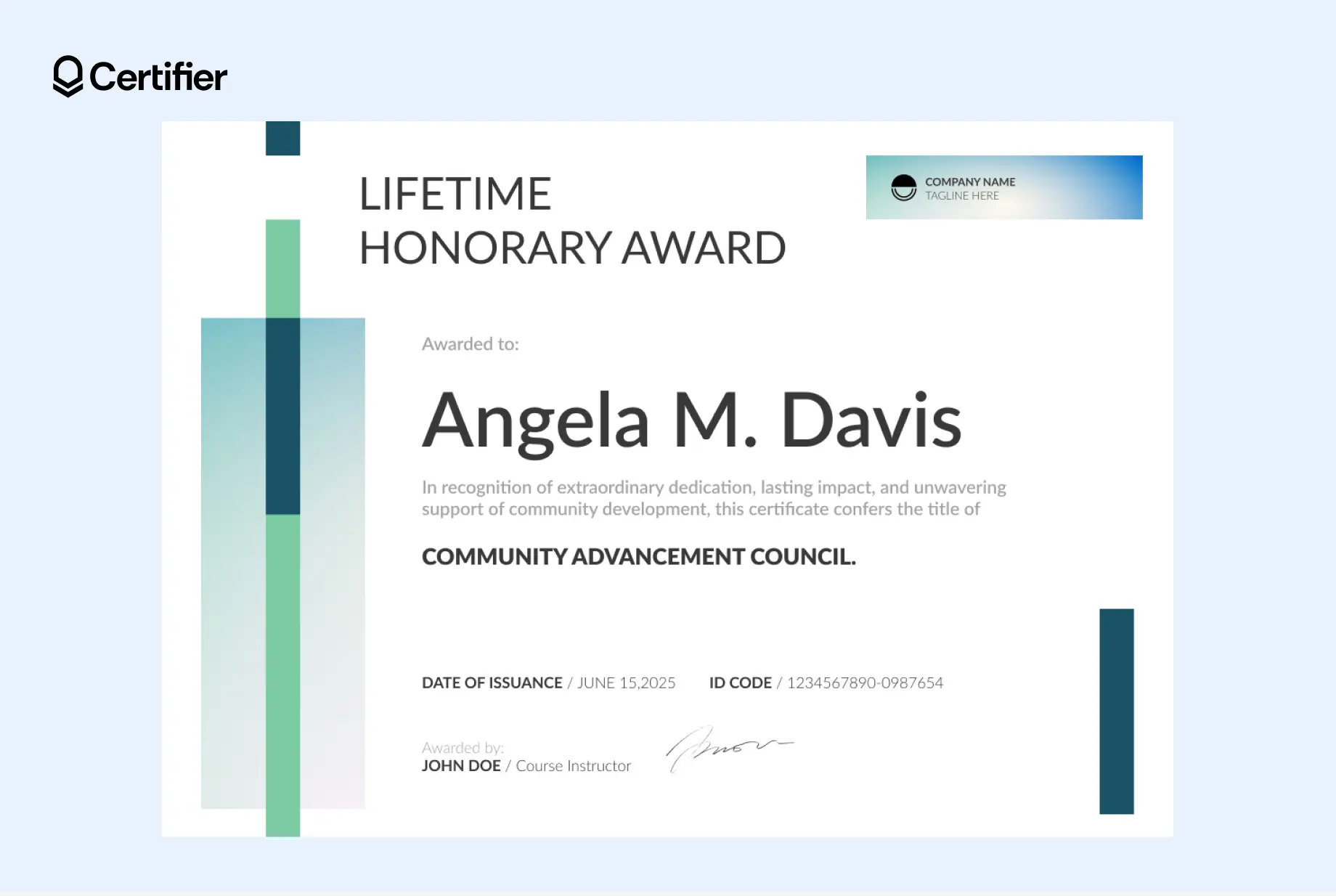
Feel free to edit this template to add the validity period. The certificate visual builder is very intuitive–you don’t need to have design skills to update the layout.
Microcredentials and skill-based badges are designed to reflect current capabilities, not permanent facts.
Best practice:
Use expiring badges for fast-changing or regulated skills, such as tech, safety or compliance
Use non-expiring badges for one-off achievements or historical milestones
Many issuers include an expiration or review date to signal when a skill should be reassessed.
Example of a digital badge:
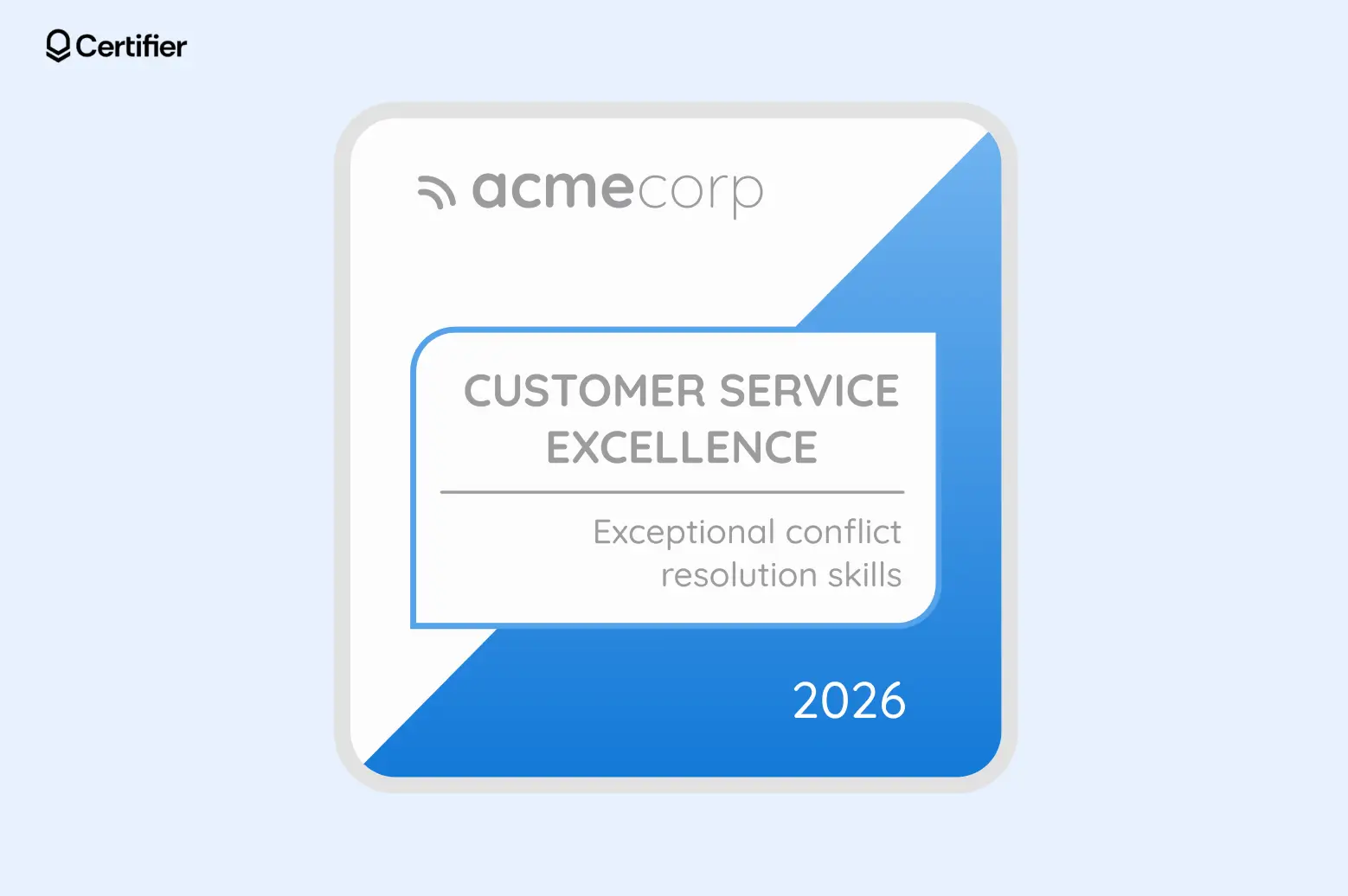
All the examples shown in this section are editable. Use one of the templates to adjust it to your context. At Certifier, you can also create a digital certificate from scratch. However, we recommend using a template. It’s easier and faster.
Create and Send Digital Credentials

Some certificates exist to record unchangeable facts, not ongoing competence.
Examples include:
Birth certificate expiration: Date of expiration should not appear on the birth certificates, because they document identity and a historical fact, not a skill or status that changes over time.
Academic diplomas: University degrees typically do not expire, since they confirm that a program was completed at a specific point in time.
Certificates of participation or attendance: These acknowledge that someone attended an event or session, not that they remain qualified afterward.
Completion certificates for one-time events: Awards issued for conferences, webinars or workshops usually do not expire because they document past participation rather than ongoing capability.
It’s advisable to check whether your certificate is expiring, regardless of the type of document you issue. For instance, gift certificate expiration is often restricted or prohibited by gift certificate expiration law, depending on jurisdiction, because gift certificates represent stored value rather than eligibility or competence.
However, when the law allows, some shops include expiration dates on gift certificates to encourage people to redeem the gifts.
Now that you know which certificates should expire, the next question is just as important: how do you actually manage expiration dates without losing visibility or control?
This is where the credentials' format matters. Managing expiration with static files is very different from managing it with digital credentials.
Setting a certificate expiration date is only half the job. The challenge is making sure expiration is visible and easy to manage over time.
Many issuers run into problems in this area especially when they rely on static PDF or paper certificates.
PDF certificates are fixed files. Once they’re issued, they don’t change. And that creates several problems:
Expiration dates can’t be updated if rules change
There’s no clear signal when a validity period ends
An expired certificate can still be shared or downloaded with no warning
Tracking expiration across hundreds or thousands of PDFs requires manual work
As a result, expiration becomes something you intend to manage, but struggle to enforce. And the solution for this problem is digital certificates–but only when issued with a comprehensive certificate management tool.
Digital certificates are dynamic. They’re designed to show real-time status and support ongoing certificate expiration management.
With digital credentials:
Expiration dates are embedded and always visible
Certificate status updates automatically when validity ends
Verifiers can instantly see whether a credential is active or expired
Issuers can track, update and manage expiration centrally
Tip: Make sure that all your expirable documents are also verifiable digital credentials, where anyone can check a certificate’s current status without contacting the issuer.
Feature | Digital Certificates | Static Pdf Certificates |
|---|---|---|
Expiration date visibility | Always visible and up to date | Fixed text, easy to miss |
Status of expired certificate | Clearly marked as expired | Still looks valid |
Certificate expiration management | Centralized and automated | Manual and fragmented |
Updates to validity period | Can be changed after issuance | Requires reissuing files |
Verification | Real-time verification | No built-in verification |
Audit and compliance readiness | High | Low |
For the full comparison, see the article on digital certificates vs PDF certificates.
Managing certificate expiration doesn’t have to mean more admin work. With Certifier, a credential management platform, expiration and renewals are managed from one place, with a clear dashboard that lets you control everything.
This might be the first and most crucial practice: choose a tool that lets you set and control certificate expiration. Then, you’re able to follow the rest of the tips. And these are:
Start by deciding how long the certificate should remain valid. A simple rule:
Fast-changing or regulated skills → shorter validity (for example, 1–3 years)
Memberships or recurring programs → align validity with the membership term
One-time achievements → no expiration or a suggested review date
In Certifier, you don't enter a fixed date in the certificate design. Issuers use dynamic attributes in certificates—for example, a “Valid until” field.
The dynamic attributes work as data placeholders that fill in when you upload a CSV sheet with accurate data. This allows each certificate to carry its own certificate expiration date, calculated from the issue date or set manually.
If requirements change, you can also update expiration dates after issuance, without redesigning or reissuing certificates.
Certifier gives you a centralized dashboard where you can see: active certificates, any expired certificate and more.
This makes certificate expiration management simple, even at scale. You don’t have to check files or remember dates—the system shows you what needs attention. If rules change, you can also update expiration dates without reissuing certificates from scratch.
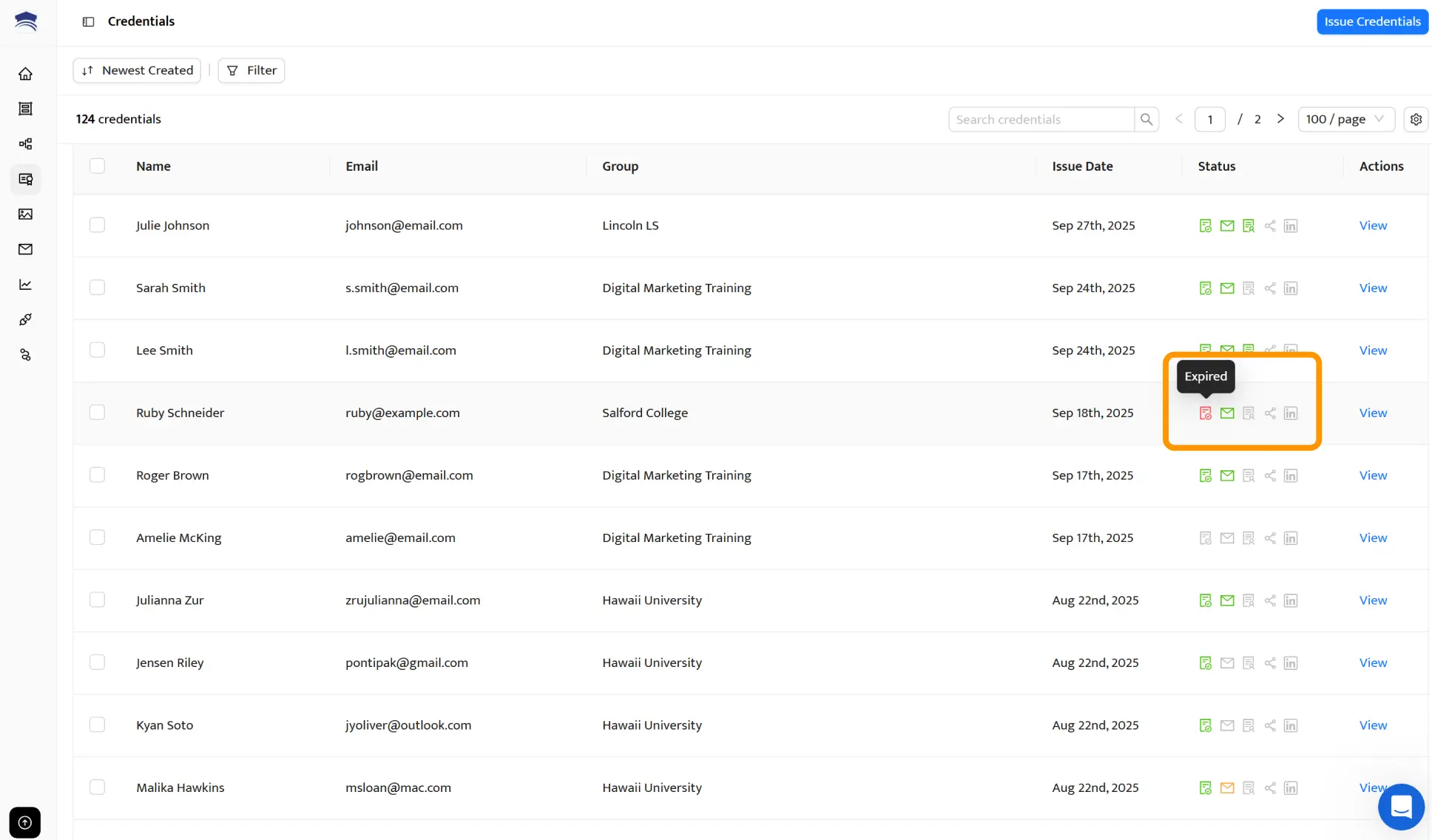
One of the easiest ways to reduce confusion is to notify learners before their certificate expires.
With Certifier, you can:
Automatically send reminder emails 2 weeks ahead of expiration
Use ready-made email templates or customize the message
These reminders explain what expiration means and what to do next, so learners aren’t surprised when a certificate becomes invalid.
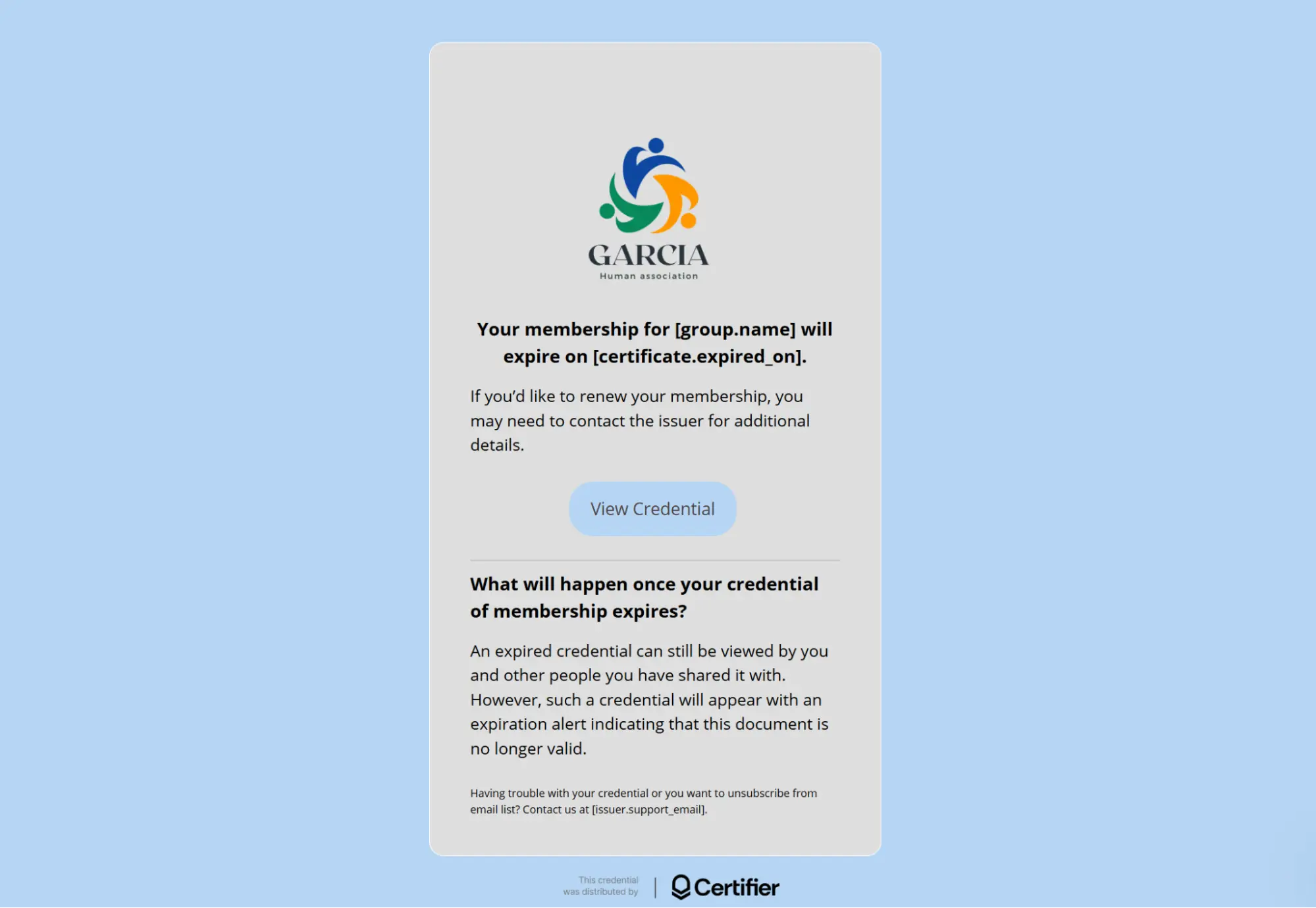
Renewals are a growth lever. Why? Because when certificates expire:
Learners re-engage with your content
You can offer refresher courses or advanced programs
You create repeat learners instead of one-time participants
Learners continue to grow and so does your business. Expiration gives you a built-in reason to reach out to people who already trust your program.
These learners are far more likely to convert because they’re not starting from zero—they already know your content, your brand and the value of your credentials.
Certifier helps you turn expiration into action by linking reminders to:
Renewal instructions
New or updated courses
Membership renewals or next-level certifications
Over time, this shifts your credential program from a one-off transaction into a recurring relationship. You increase lifetime value, improve retention and create opportunities for up-selling (advanced courses, higher-level certifications) and cross-selling (related skills, memberships or programs).
Not every certificate needs to expire. Some documents exist to record a permanent fact. Others exist to confirm ongoing eligibility or up-to-date knowledge. And expiration only makes sense in the second case.
When managed properly, it unlocks your business's full potential. Expiration becomes a signal to re-engage learners, support renewals and build repeat relationships and business instead of one-off interactions.
This is where Certifier fits in. Certifier helps you manage certificate expiration from start to finish: setting validity periods, tracking active and expired certificates, sending automated reminders and supporting renewals—all from one place.
If you’re ready to manage certificate expiration with confidence, create your free Certifier account and start issuing digital credentials that are easy to renew.
Below are answers to the most common questions about certificate expiration, validity periods and more. Let’s dive into the topic.
There’s no single rule. Digital certificates can be valid for any period the issuer defines, depending on what the certificate represents.
Training and compliance certificates are commonly valid for 1–3 years
Professional certifications often follow 2–5 year renewal cycles
Membership credentials usually align with the membership term (often annual)
One-time achievements may not expire at all
The advantage of digital certificates is flexibility. You can define the validity period, display it on the credential and adjust it later if requirements change.
Certifier manages expiration as part of the full credential lifecycle. You can:
Set issue and expiration dates when issuing certificates
Track active and expired certificates in one dashboard
Send renewal reminders before expiration
Update expiration dates without reissuing certificates
Yes, in most cases it does. Food handler certificates typically expire every 2–3 years, depending on local regulations and health authority rules. Some jurisdictions allow longer validity periods, while others require earlier renewal.
No, the Google Cybersecurity Certificate itself does not expire. However, because cybersecurity evolves quickly, employers often expect ongoing learning or more recent credentials.
A trusted certificate authority is the organization that issues and verifies a certificate. It confirms who issued the credential and whether it’s still valid, helping employers and regulators trust what they see.
An expired certificate no longer represents current eligibility or competence. It should be clearly marked as expired and, when applicable, prompt renewal or follow-up action.
Certificate validity should reflect how long a skill, status or qualification remains relevant. The validity period should be clearly shown on the certificate and explained to recipients upfront.

- Content Strategy
- Content Writing
- Digital Credentialing
- Keyword Research
- Content Editing
Senior Content Specialist
Valerie leads Certifier's content strategy, creating SEO-optimized guides and resources on digital credentialing best practices for educators and training providers.