
DEI Advanced Badge
Learners who reach the advanced level of your DEI certificate program get a badge to post on LinkedIn. It sits on the same credential page as their certificate of achievement.
Customize this template for free
Email and export in bulk
Track recipient engagement
Download in
Don't have Certifier account? Sign up
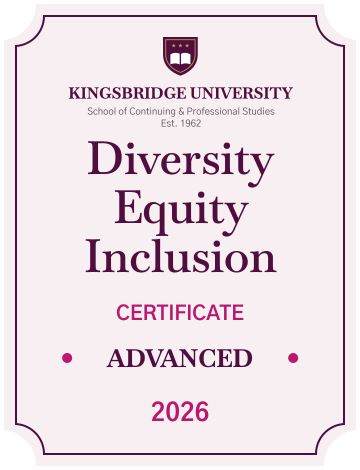
Formal rose pink and magenta DEI advanced badge template
This DEI advanced badge marks the top level of a diversity and inclusion program at universities and continuing education schools, which issue it with the certificate of achievement. Learners can add it to LinkedIn, where it links back to a credential page with your institution as the issuer.
The tall pale rose badge has notched corners, a thin plum outline, and your crest and institution name at the top, above the program name in a large plum serif. Below, "Certificate" appears in magenta capitals, the level sits between two magenta dots, and the year closes the design in magenta. You can edit the crest, institution, program name, level, and year.
Key features
- Shows the level at a glance: The level line makes it clear on a LinkedIn profile how far the learner went.
- Pairs with the certificate: Learners receive it with the Formal rose DEI certificate of achievement, and both sit on one credential page.
- Academic branding: Keep your crest, school name, and founding line so the badge matches your other credentials.
- Shareable and verifiable: Learners add it to LinkedIn, and every view leads to a verifiable credential page.
With Certifier, you can edit this badge online, import results from a spreadsheet, and issue badges to everyone who reached the advanced level in one run. Universities can issue DEI advanced badges for free on the Starter plan.
Featured fonts
- This template uses the classic serif Baskervville in SemiBold and Bold for the title, with Gothic A1 Bold for the labels, giving the advanced badge a traditional academic feel.
Important: We use fonts from the Google Fonts collection to ensure your badges look their best without any extra cost.
Free badge file formats available
- Certifier: Edit the badge online, issue it in bulk, and let learners download it as a PNG from their credential page.
- Badge template Word: Simple customization in Microsoft Word.
- Badge template Photoshop: Advanced editing in Photoshop.
- Badge vector (Illustrator): Scalable artwork for high-quality printing.
Please note that the redistribution of these templates for commercial purposes is strictly prohibited.