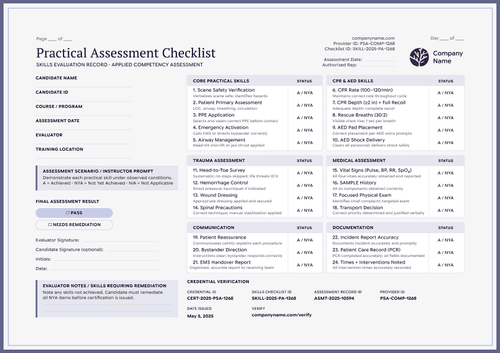
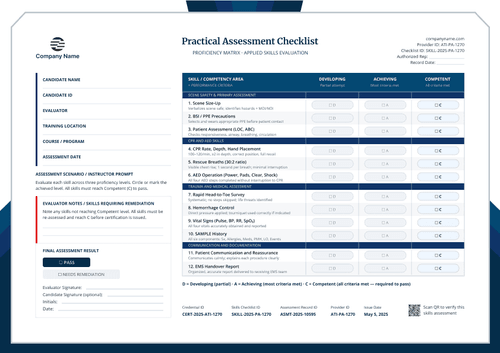
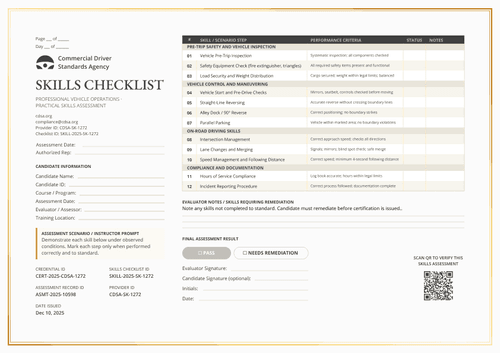
Purple competency checklist template
This competency checklist includes 12 workplace competencies, scored as competent or not yet competent, covering conduct, technical skills, and inclusive practice, and concludes with an integrated scenario.
Customize this template for free
Email and export in bulk
Track recipient engagement
Download in
Don't have Certifier account? Sign up
Free purple competency checklist template
Workplace competencies get assessed on impressions unless someone writes down what good looks like. This free competency checklist template does that for twelve of them, from hazard recognition to conflict resolution, each with a criterion attached and a single question against it: competent or not yet competent.
Authorized instructors, assessors, training centers, employers, EMS education programs, and competency program administrators use it where the skills being judged are behavioral rather than clinical.
Deep purple bands separate five areas while a notes column runs beside the status column. The vocabulary is deliberate: "not yet competent" describes a stage, where "fail" describes a person.
Assessing across a department? Import the participant list from a spreadsheet or connect your LMS so that every checklist is issued to the right person. Each carries a personal verification link that an HR team or a client can open.
What is a competency checklist?
A competency checklist is a structured judgment about whether someone can do defined things to a defined standard. The standard is what makes it fair and writing it down is what makes two assessors agree.
The full assessment sits on one page, from the candidate panel to the four IDs at the foot. Once every critical competency is marked as competent, the corresponding cultural competency certificate records the outcome, including contact hours and CPD credits. Both orientations are included in A4 (21 x 29.7 cm) and US Letter (8.5 x 11 in) sizes.
Create a free Certifier account to start customizing your competency checklists.
What should a competency checklist include?
Enough that a participant can see the gap and an employer can trust the result. Below is what the checklist includes:
Static fields
- Candidate Information Labels: Six headings in the left panel, from candidate name to training location.
- Assessor Prompt: The standing note defining C and NYC and stating that all critical competencies must read C to pass.
- Area Bands: Five groupings, from workplace competencies through to the final competency review.
- Numbered Competencies: Twelve entries, each with its title and the performance criteria beneath.
- Status and Notes Column Headers: The two scoring columns to the right of each row.
- Competency Decision Options: Competent, or not yet competent.
- Signature Lines: Evaluator and optional candidate signature, with initials and date.
- Evaluator Notes Heading: The label and ruled space for competencies requiring remediation.
- Page and Day Counters: The header lines for assessments running across sessions.
Dynamic fields (automatically populated by Certifier)
- Candidate Name: Field naming the person assessed.
- Candidate ID: Your own employee or learner reference.
- Training Program: The program the assessment belongs to.
- Assessment Date: When it was carried out.
- Evaluator or Assessor: Who made the judgment.
- Training Location: Where the assessment took place.
- Authorized Rep: Header field naming who signs off the assessment on behalf of the organization.
- Institute Header Block: Organization name, logo, website, and provider ID (e.g., GDI-COMP-1265).
- Checklist ID: The document's own number (e.g., SKILLS-2025-CC-1265).
- Competency Status Marks: C or NYC recorded against each of the twelve entries.
- Notes per Row: Free text beside any competency, recording evidence, or what is missing.
- Evaluator Notes: Overall observations and the remediation plan.
- Credential ID & Assessment Record ID: Certifier's reference and the link to your own file.
- Date Issued: When the record was released (e.g., Nov 15, 2025).
- Verify-at Address: The printed link a reader follows to confirm the record.
Take this list as a description of the sample design, not a competency framework. Areas, competencies, and criteria fields are all rewritable in Certifier's design builder to match your own model.
How to issue a competency checklist
Before you begin, confirm your assessors are trained in the framework and that the criteria describe behavior a reasonable observer could agree on. Then follow these five steps:
- Build the design around your framework — Set the size and orientation, add your organization header and provider ID, and mark the dynamic fields for candidate details, competency statuses, and both note areas.
- Attach the matching competency certificate — Link the checklist to the corresponding cultural competency certificate so that a participant who attains competency receives the credential in the same delivery.
- Load your participant records — Bring them from your HR system or connect Canvas, Moodle, or LearnDash without middleware. The design is loaded in under a minute.
- Issue, deliver, and verify — Participants receive their record by email. A client or partner organization can check whether a team member has completed the program by following the verification link.
- Track engagement and correct records — The Credential Repository lists opens, views, downloads, and shares for every participant. A status recorded in error is corrected in place, and the hosted record reflects the change immediately.
Available competency checklist template formats to customize
Edit and issue the template online with Certifier
Delivered through Certifier, each participant's statuses, notes, and IDs come from your data, and the record stays open to anyone they choose to share it with.
Download the competency checklist template in Word
Assessing in a workshop where laptops stay closed or drafting a version for a framework owner to approve? Send yourself the ZIP and edit locally in portrait and landscape, in both A4 and US Letter.
PDF document export
Export the print-ready PDF from the delivery email or the credential page, which is what an HR file or a client pack usually needs.
Who issues competency checklists?
Employers and competency program administrators
Twelve entries and a notes column give a development conversation something concrete to work from rather than an overall impression.
Authorized instructors and assessors
The C and NYC scale keeps the language developmental, which changes how a result lands when someone is not there yet.
Training centers and education programs
The final integrated scenario tests whether the competencies hold together under realistic conditions, not just one at a time.
Frequently asked questions
Most workplace competencies are reached rather than won or lost. "Not yet competent" tells a participant that a gap is closeable and points to the next step. This changes how the record reads to a manager as much as to the person.
Your framework decides. The prompt states that all critical competencies must read C to pass, so mark which ones carry that weight before you assess, not while you are assessing.
It checks whether someone can apply the competencies together under realistic conditions. People often clear each item separately and still struggle when everything arrives at once, which is exactly what entry twelve is there to catch.
Yes. The five areas and twelve entries are placeholders for your own model. Rewrite the bands, competency titles, and criteria in the design builder, keeping one criterion per row so the sheet remains scannable.
The sample states that the credential doesn’t expire because it records demonstrated competency rather than a time-limited certification. If your program does need a review cycle, add an expiration date with the Professional plan.
Certifier templates are provided for general informational and design purposes only. They do not constitute legal, regulatory, accreditation, or academic-recognition advice and are not guaranteed to satisfy the requirements of any institution, recognition body, regulator, or jurisdiction. Using this template does not by itself make a document an official diploma supplement or prove a qualification. The issuing organization is responsible for verifying the content, authority, approvals, and suitability of every document before use. This template is not an official Europass document and does not guarantee recognition of a qualification.