
Trusted by:
University of Southern California
Warner Bros.
Volvo
Amazon
Stanford University
April 07, 2026
9 min read
Circle doesn’t offer certificates. Connect Certifier via Zapier and automatically deliver branded, verifiable credentials every time a member completes a course in your Circle community.
Research with AI:
If you run courses on the Circle course platform, you already know it’s a strong platform for building engaged learning communities.
But there’s one thing Circle doesn’t do: certificates. There is no built-in certificate feature. When a member completes every lesson in your Circle course, the platform records the completion internally, but it can’t generate proof for the learner.
Certifier fills this gap. It connects to Circle through Zapier and handles everything Circle doesn’t: certificate design, automated delivery, verification and social sharing. It’s a perfect duo.
In this guide, you’ll learn how to set up the full workflow, from designing your first certificate to automating delivery after course completion.
Circle has no native certificate feature–course completions are tracked internally, but learners receive nothing tangible.
Certifier connects to Circle via Zapier to automatically issue branded, verifiable certificates when members complete a course.
Every certificate includes a unique ID, QR code and digital wallet–recipients can verify, download and share credentials on LinkedIn.
The free plan includes 250 credentials per year with full access to design tools, verification, social sharing and automation.

Circle + Certifier = two tools that each do what they do best.
Circle handles the learning experience and Certifier, an online course certificate maker and management platform, handles the credential experience. Together, they cover the full member journey from enrolment to shareable proof of achievement.
Here’s what your Circle integrations look like once Certifier is connected.
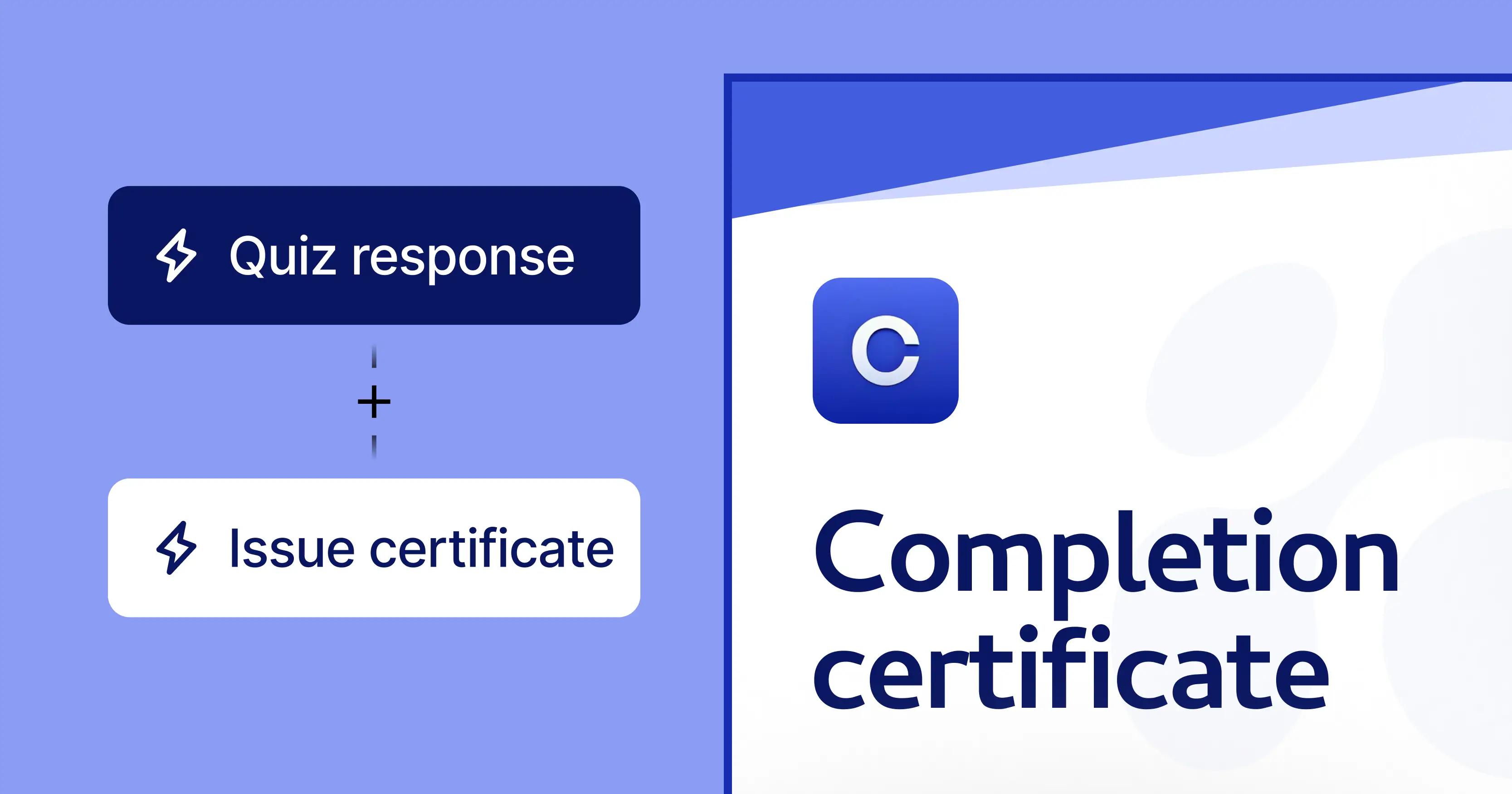
When a member completes a course in Circle, Zapier fires a trigger. Certifier receives the completion data and automatically generates a training certificate with personal details, then delivers it to the member’s inbox. No manual steps, no delay.
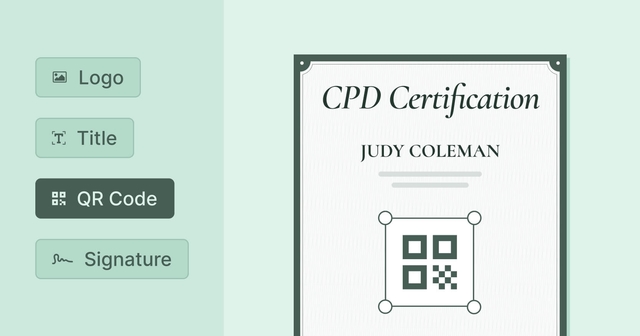
Certifier’s drag-and-drop certificate builder gives you full control over your certificate’s look. Upload your logo, set brand colours, choose custom fonts and arrange layout elements–all inside the browser.
Don’t want to start from scratch? Browse Certifier’s library of course completion certificate templates and pick one that fits your community’s style. Every template is fully customizable and available on the free plan.
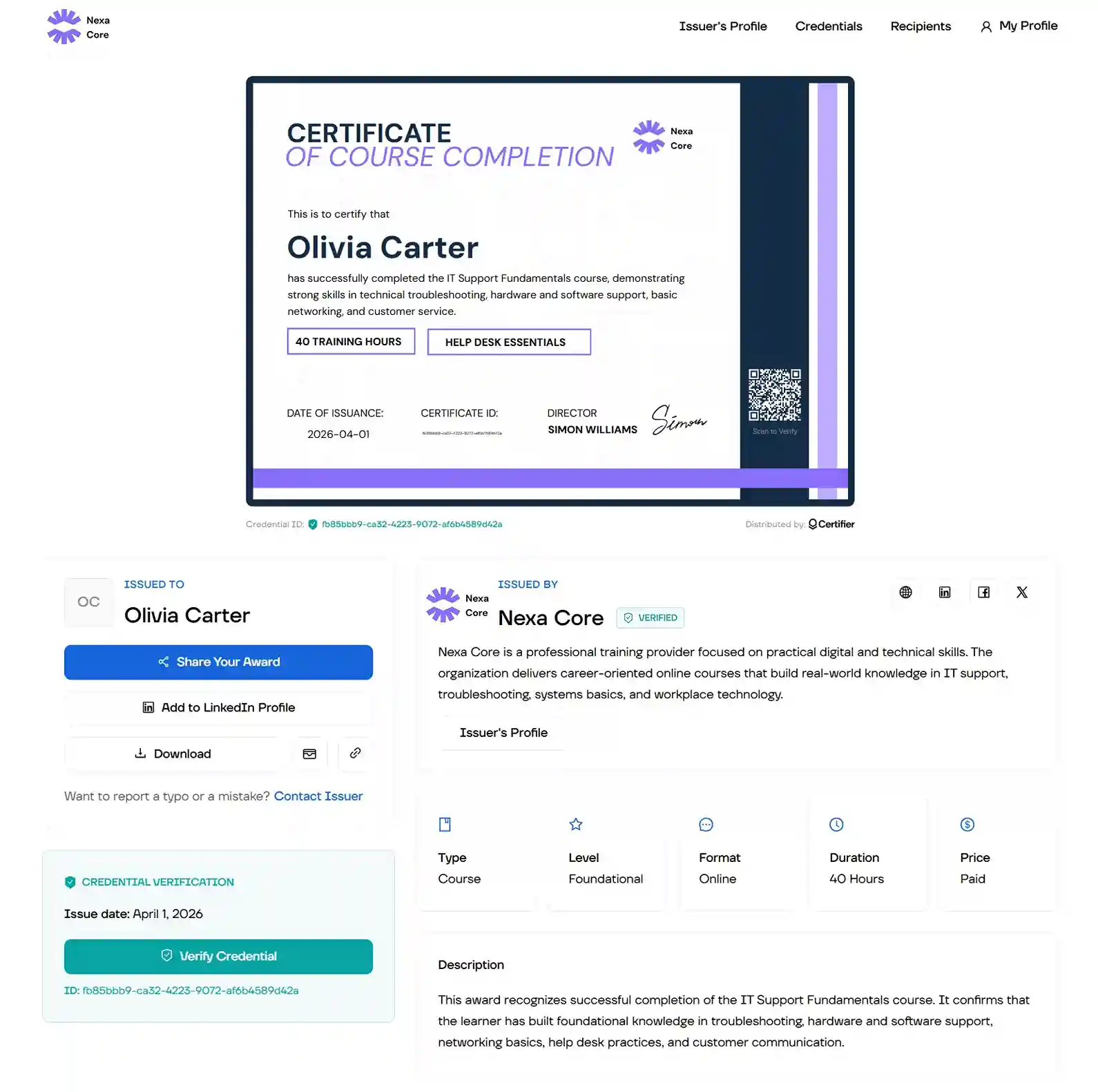
Every certificate includes a unique credential ID, a QR code and a public verification page. Employers, regulators or fellow community members can confirm authenticity in one click–a feature that’s especially important for professional development and compliance programs.
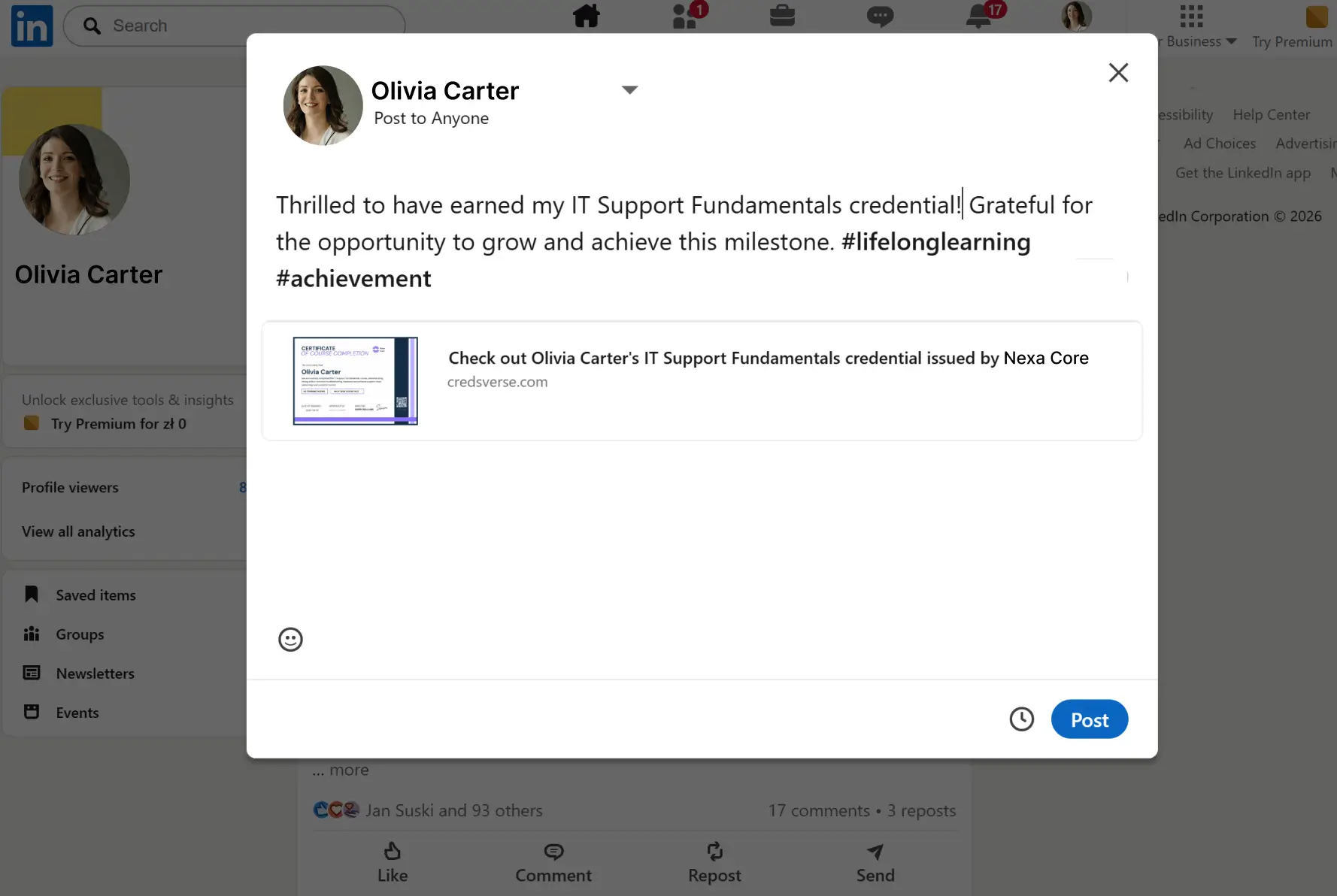
Recipients can share their certificate to LinkedIn directly from their digital wallet. Every share links back to the verification page and puts your community’s branding in front of the sharer’s network. Learn more about how social media certificates drive visibility.
Certificates arrive from your custom sending domain with branded email templates. Your members see your community’s name and logo–not an unfamiliar tool. This keeps the experience consistent with the quality they’re used to from your Circle community.
Certifier’s dashboard tracks who received, opened, downloaded and shared their certificates. You get concrete data on which Circle courses generate the most credential engagement and social visibility.
Circle excels at community, engagement and course delivery. But the absence of a certificate feature means every course ends the same way–the member finishes the last lesson and… nothing. No credential, no proof, no shareable moment.
Here’s why that matters more than you might think.
Your members invested time and often money to work through your Circle courses. A certificate of completion gives that effort a tangible outcome–something they can point to, download and show to an employer or a peer. Without it, the finish line feels invisible.
Every certificate shared on LinkedIn puts your community’s name and branding in front of the sharer’s professional network.
For Circle creators–where 70% of communities have 500 members or fewer–each member’s advocacy carries outsized weight.
A shareable credential is essentially free organic advertising for your Circle community. It’s one the strategies to drive traffic with your certificates.
People love sharing their achievements on social media and Certifier makes it easy. With just a click recipients can post credentials on their LinkedIn wall or even add them to their profile. It all happens from the digital credential wallet.
If your Circle courses cover professional development, compliance or industry training, a static PDF (or no certificate at all) doesn’t cut it.
Employers and regulatory bodies need a way to verify that the credential is real. Without certificate verification, your program’s credibility is limited to a trust-me basis.
Some Circle creators build certificates in Canva or Google Slides, edit each name individually, export a PDF and email it manually.
That works for 10 people. At 100+ participants, it becomes a multi-day project. And there’s still no verification, no social sharing and no tracking.
Before wiring up the automation, let’s create the certificate your course takers will actually receive. Certifier’s design tools make this fast, even if you’ve never designed a certificate before.
You’ll have a polished, branded certificate for completing a course ready in minutes. It may look like this:
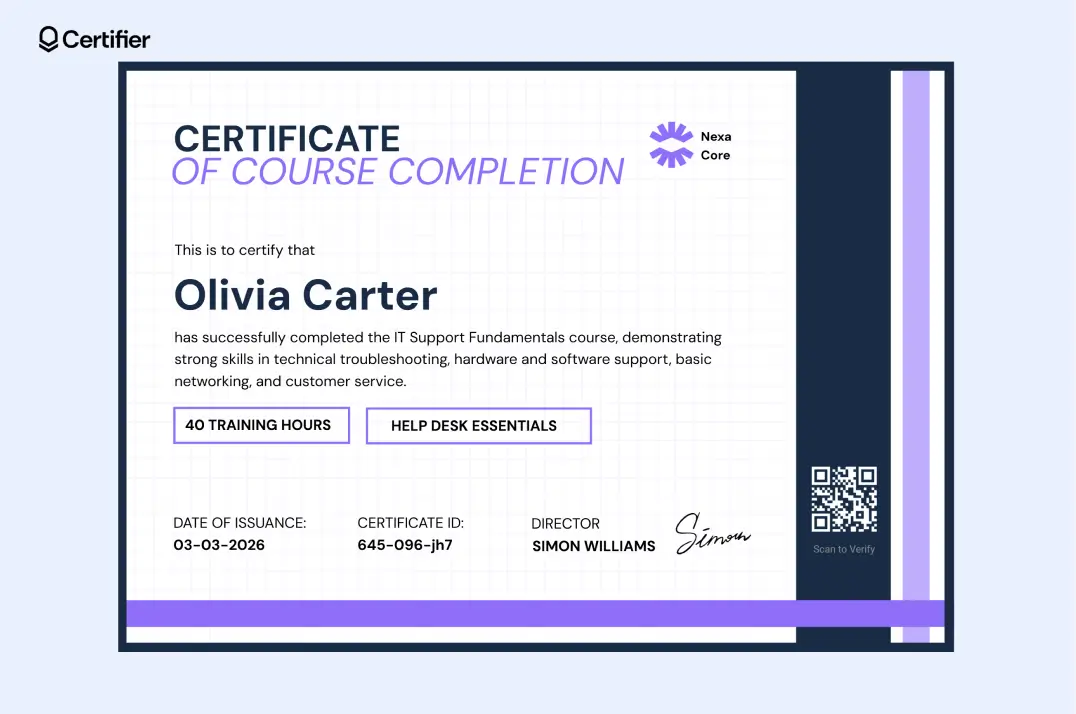
Before diving into details, the process goes like this:
Sign up for Certifier and create a course certificate using a template → Connect Circle + Certifier via Zapier → automate issuance
Don’t you have a Zapier account? You can connect the tools using Make. Certifier integrates with this connector tool as well. Check out Certifier integrations page.
Head to Certifier and sign up for free. It takes about a minute. Once inside, navigate to the Design Templates tab in the left sidebar.
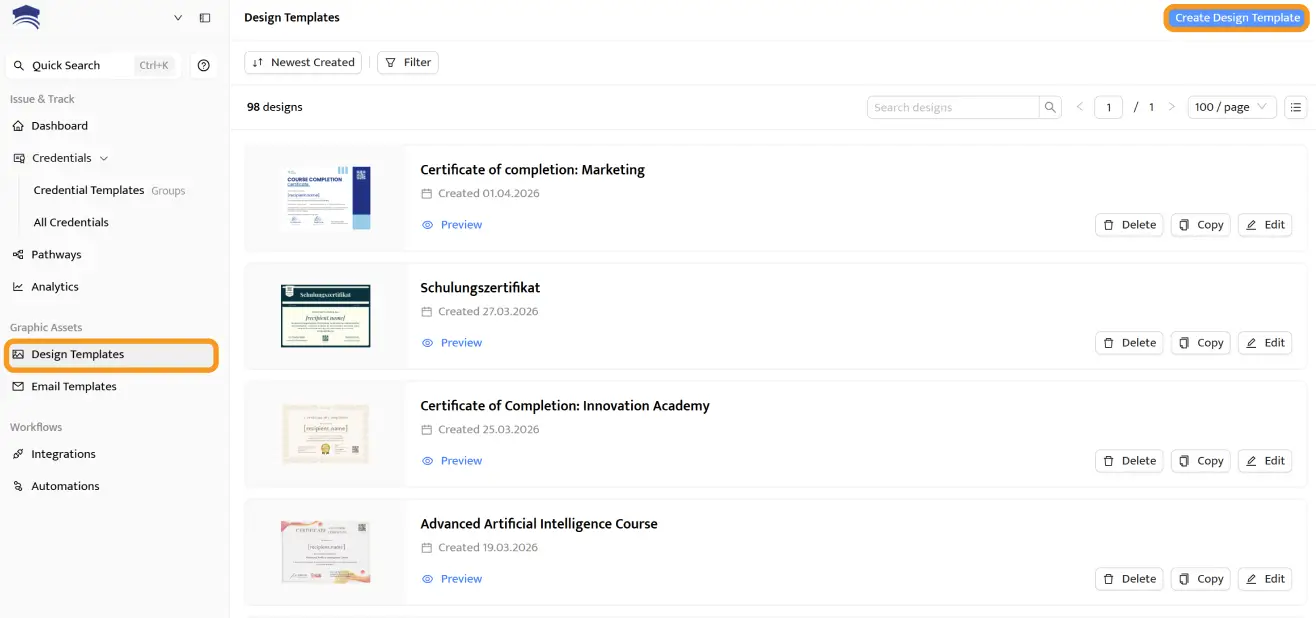
After choosing Create Design Templates, you will be directed to the template editor, where you can access the certificate templates. Filter them by category: course completion, training, and more.
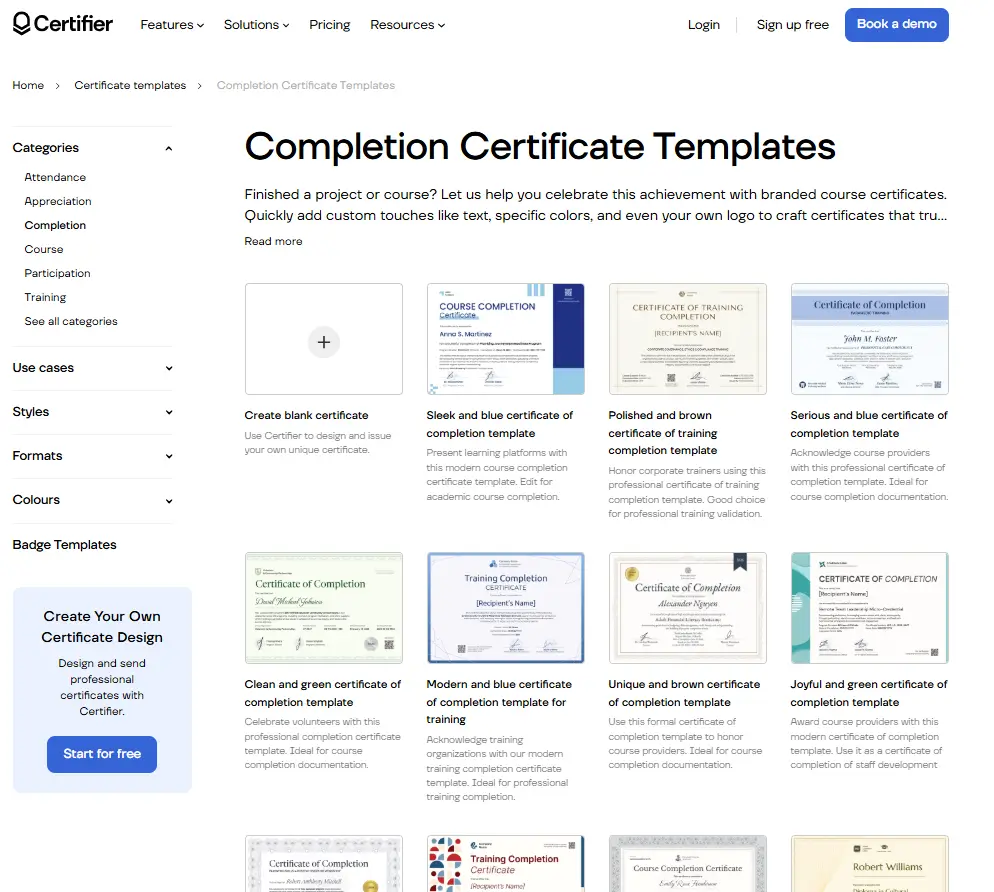
Every template is fully editable and available on the free plan. For inspiration, explore Certifier’s course certificate templates or membership certificate templates.
You can also visit the certificate template gallery, which includes all the templates available to Certifier users (there are thousands of them!).
Open your template in the drag-and-drop editor. From here you can:

Upload your logo and position it anywhere on the certificate
Set brand colors and fonts (you can choose from the available ones or add a custom font) to match your Circle community’s visual identity
Edit text blocks: certificate title, subtitle, issuer details and any custom copy
Add visual elements like signatures, images, custom background and more.
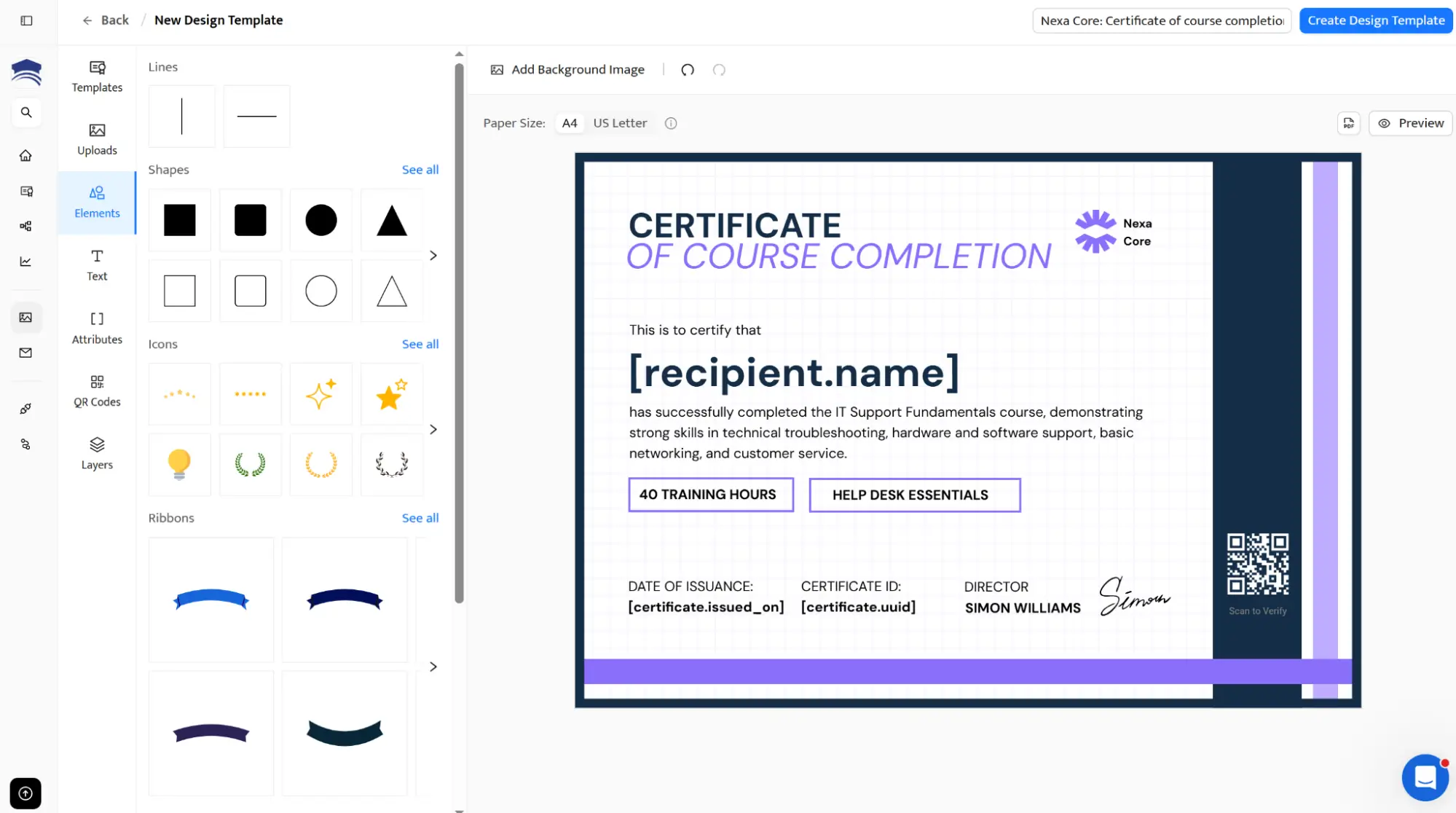
Dynamic attributes are placeholders that auto-fill with each Circle course takers data when the certificate is issued. Insert fields for the recipient’s name, completion date, certificate expiration date or unique certificate ID.
You can also create custom dynamic attributes. When Zapier sends data from Circle learning platform, these fields populate automatically.
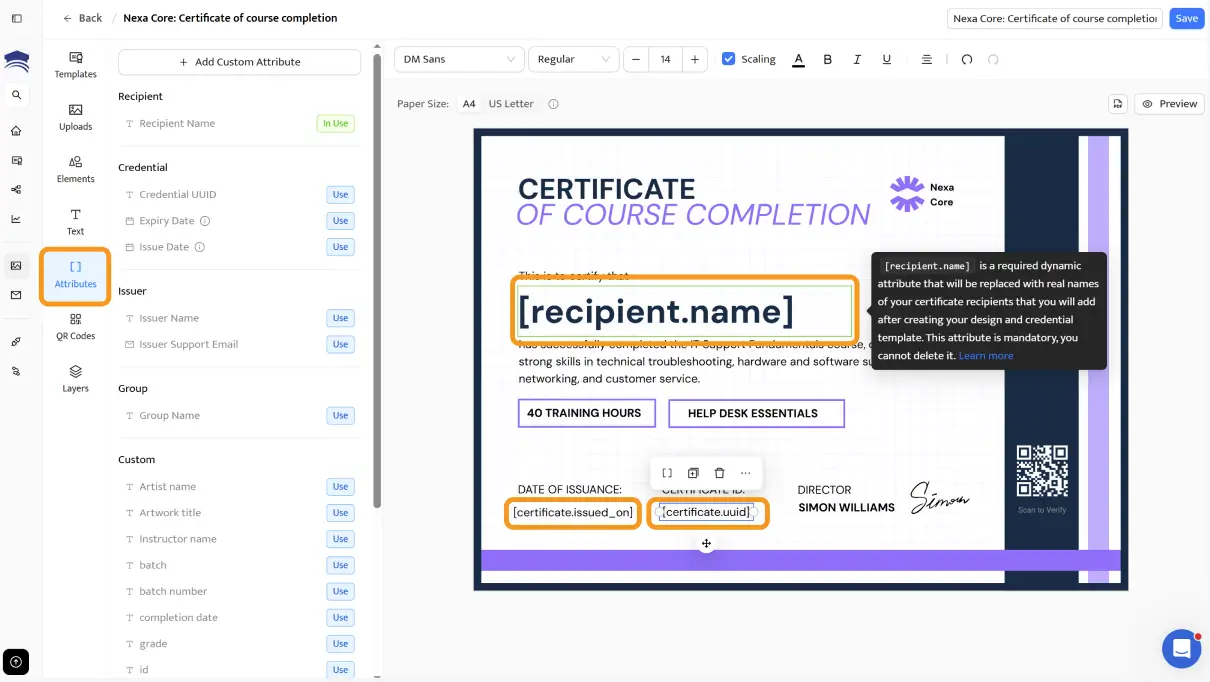
Save your design and create a credential group in the Credential Templates tab (formerly Groups). A group links your certificate template to a specific automation. You’ll select it when setting up the Zapier workflow in the next section.
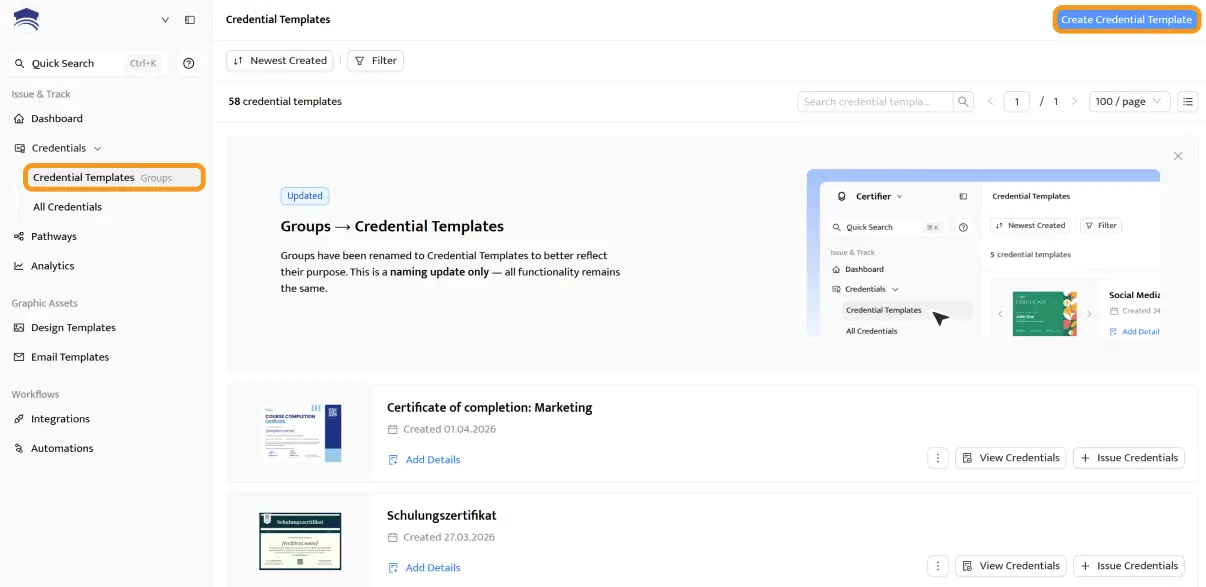
If you need backup, read the guide on how to create a certificate online in 3 steps.
Your certificate is designed, now let’s connect it to your Circle community so it fires automatically on every course completion.
The entire connection runs through Certifier’s Zapier integration. No code and no API keys–this is the simplest path among all available Circle integrations for credentialing.
Go to zapier.com and log in (or create a free account)
Click + Create and then Zaps
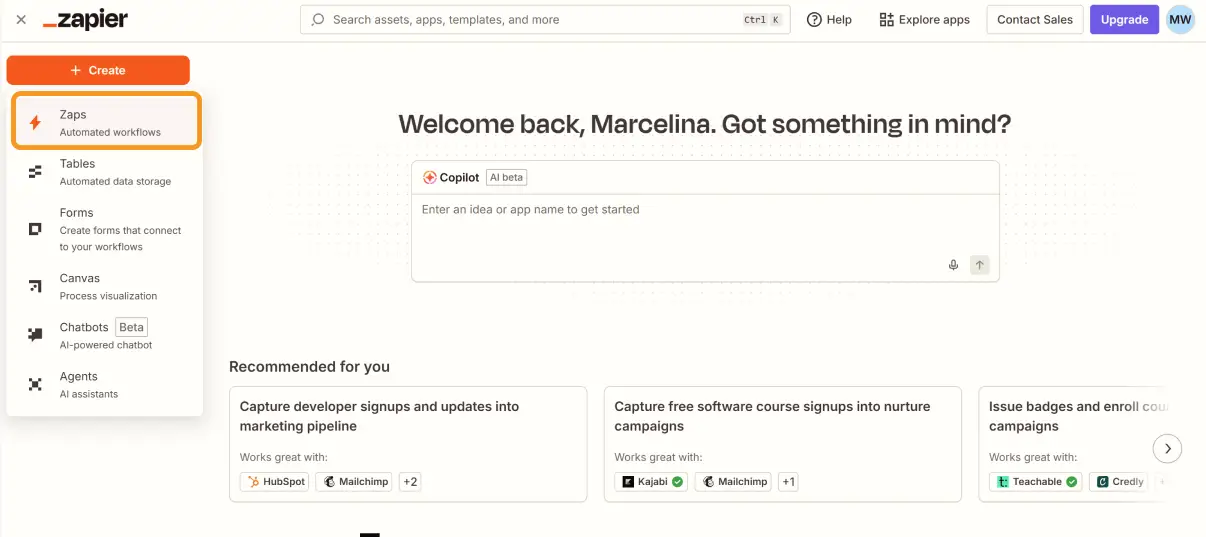
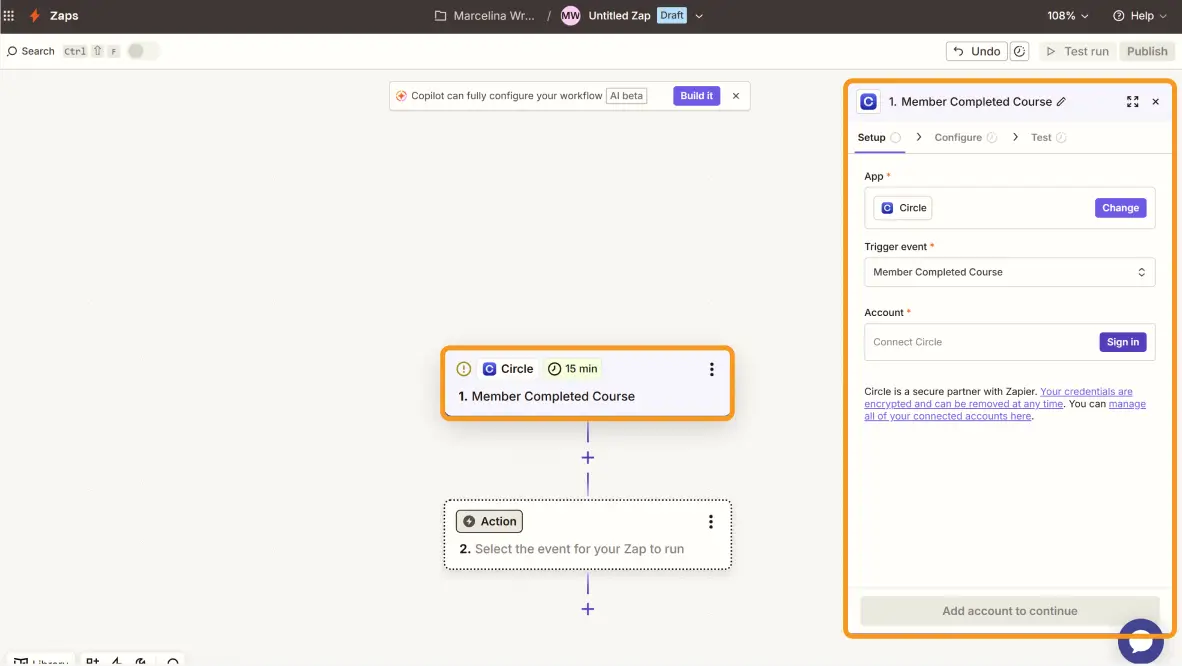
Search for Circle learning platform as the trigger app
Choose the trigger event: Member Completes Course (or a similar completion event depending on your Circle setup)
Connect your Circle account when prompted and select the course that should trigger the certificate
This tells Zapier to watch for completions on that specific course Circle. Every time a member finishes it, the Zap fires.
Search for Certifier as the action app
Choose the action: Issue Credential
Connect your Certifier account and select the credential group you created earlier
Zapier will ask you to map the data from Circle learning platform to Certifier’s certificate fields:
Recipient Name: map to the member’s name from Circle
Recipient Email: map to the member’s email
Additional attributes: map course title, completion date and any other fields to the dynamic attributes on your certificate
Set both Issue Credential and Send Credentials to true so Certifier generates the Circle credential and emails it automatically.
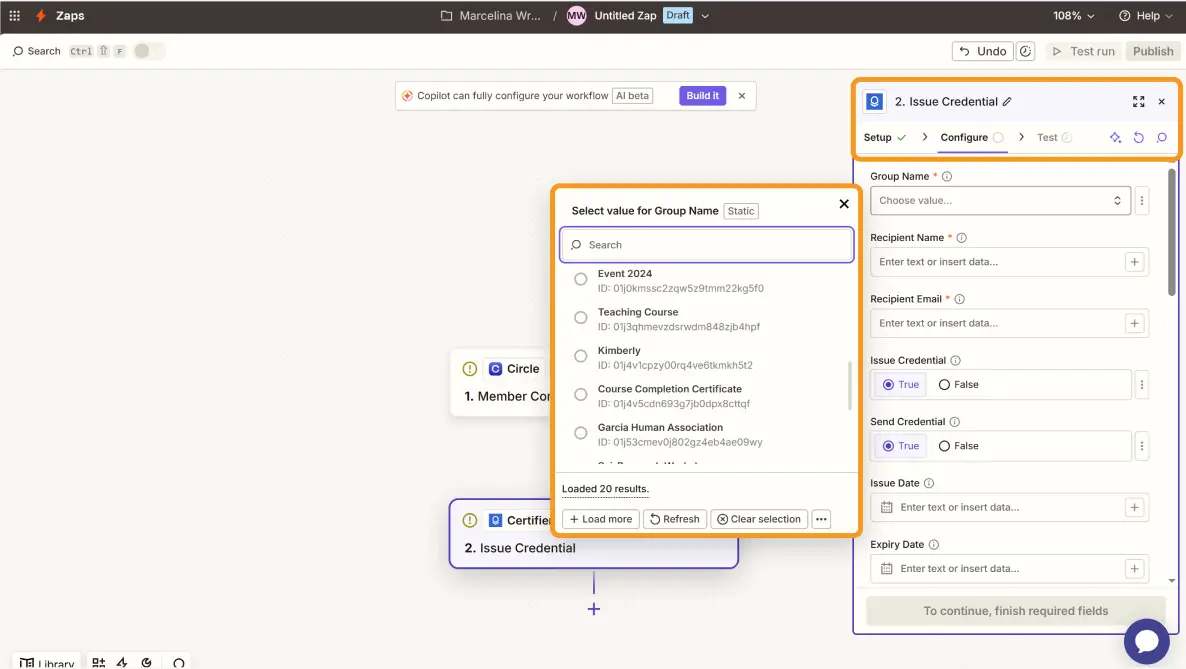
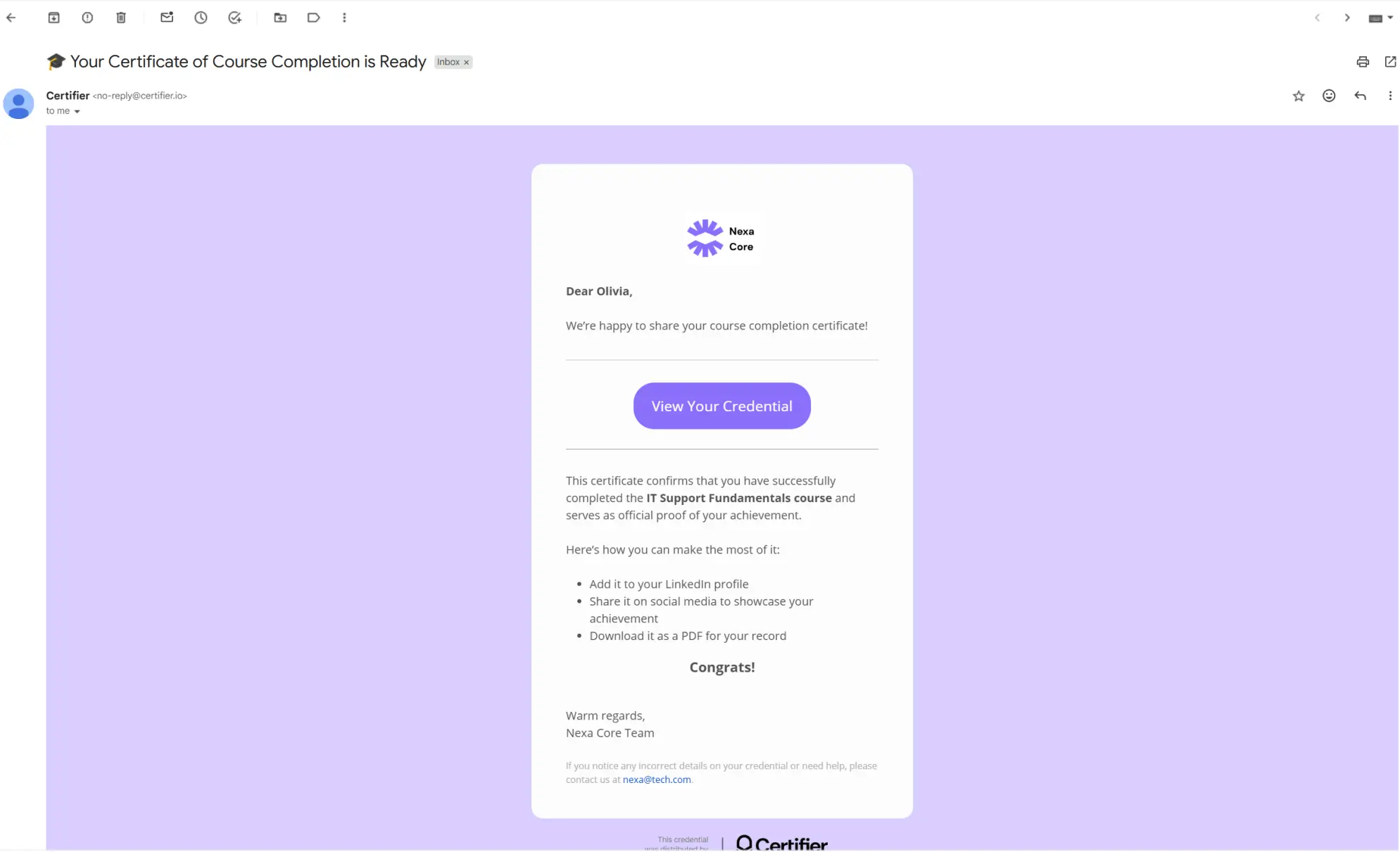
Run a test by completing the course yourself (or using a test member in Circle). Zapier will pull the completion data and send it to Certifier. Check your inbox–you should receive a fully branded, personalized certificate within moments.
Verify that the dynamic fields are populated correctly, the design looks right and the verification link works. If everything checks out, turn on the Zap. From this point, every course completion triggers an automatic certificate.
Want to see the full process in action? Watch the Certifier + Circle integrations walkthrough video.
Your Circle community is built around learning, growth and connection. The courses you offer deliver real value. The only thing missing is a credential that makes that value visible – to the learner, to their employer and to their network.
Certifier adds that layer without adding complexity. Connect it to Circle via Zapier, design your certificate and let the automation handle the rest. Your first 250 credentials are free–create your account and get started.
Here are the questions we hear most from Circle creators looking to add certificates to their courses.
The Circle course platform is an all-in-one community and learning management platform designed for creators to host discussions, events and structured courses in one place. It has some features of a customer relationship management tool.
While it excels at engagement and content delivery, it lacks native credentialing features.
By connecting Certifier, you can automate professional recognition for any activity, whether you are rewarding students for finishing a module or need to generate conference participation certificates for your community's live events.
Certifier is designed to work with Circle via Zapier. It combines a free tier (250 credentials/year), professional templates, a visual editor, built-in verification and one-click LinkedIn sharing. It’s the simplest and most accessible option among Circle integrations for credentialing.
Sign up for Certifier, pick a template from the library, customize it with your own brand and community visual identity and connect it to Circle via Zapier. For a detailed walkthrough, check out Certifier’s guide on how to create a certificate of membership.
Not with Circle’s native tools–there is no certificate feature at all. When you issue certificates through Certifier, every credential comes with a digital wallet that includes one-click LinkedIn sharing.
With the Zapier automation active, every course completion triggers a certificate automatically–no manual steps regardless of volume. For issuing certificates to existing members who completed courses before the automation was set up, Certifier supports bulk certificate generation from spreadsheets.
Certifier and Circle integration lets you automatically issue branded, verifiable certificates when members finish Circle courses. It saves time, removes manual certificate work, adds LinkedIn sharing and verification and gives your learners clear proof of completion.
Yes. While this guide focuses on course completion, you can also set the Zapier trigger to fire whenever a new member joins a specific space group in your Circle community.
This is a great way to provide an immediate member certificate or welcome credential to boost early engagement and give them a welcome credential from day on.

- SaaS Growth
- Digital Credentials
- APIs
- Product Marketing
- Company Operations
CEO and Co-Founder
Sergey is CEO and Co-Founder of Certifier, a Forbes 30 Under 30 honoree building digital credential infrastructure for 2,000+ organizations worldwide and shaping the future of credentialing.