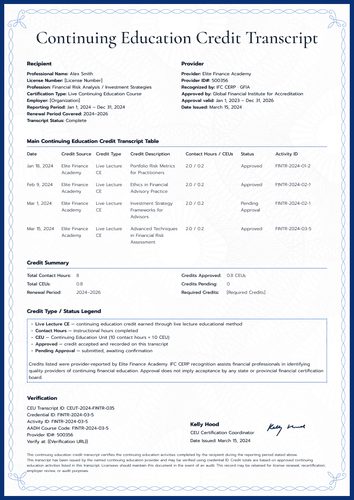
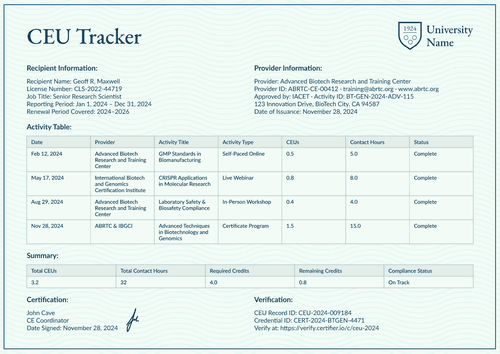
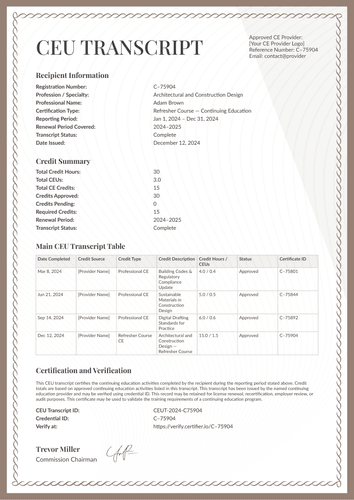
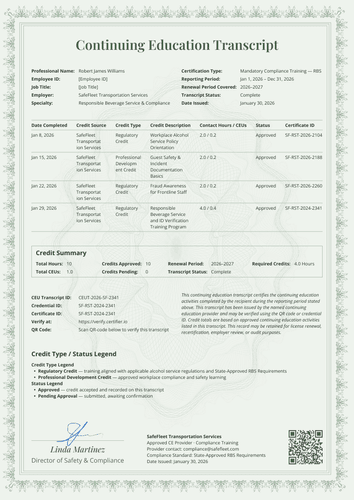
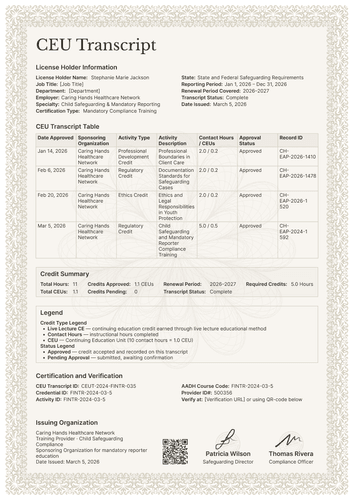
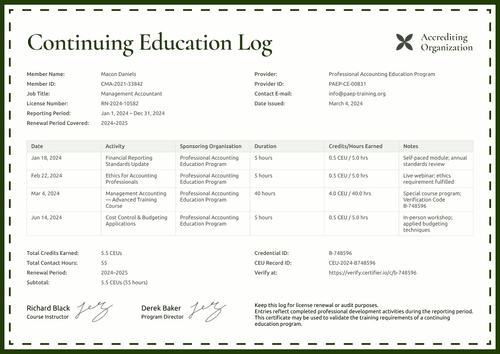
Corporate violet CEU tracker template
Turn one learner's approved continuing education into a single verifiable record for the reporting period. Issue it with the matching corporate training certificate as one credential set.
Customize this template for free
Email and export in bulk
Track recipient engagement
Download in
Don't have Certifier account? Sign up
Free corporate CEU tracker template
This free CEU tracker template compiles a learner's CEU-bearing activities for a reporting period. Each course appears with its completion date, provider, status, CEUs, and contact hours, and the record closes with period totals a reviewer can check at a glance. This template is suitable for corporate L&D and compliance teams, continuing education providers, and professional associations that own or approve the learner record.
One thing to bear in mind is that the finished document is a point-in-time record, not live tracking software. As hours accumulate in your LMS or records system, this CEU tracker template provides a clean summary when a period closes or when someone requests proof.
The violet woven border and patterned background give the record a modern, corporate look. Labeled rows and a tidy activity table keep every entry legible in portrait and landscape.
Fill in the period's data using a spreadsheet or one of Certifier’s native LMS integrations. Each learner receives an individual record carrying a QR code and a credential ID that stands up to a compliance review.
What is a CEU tracker template?
A continuing education unit, or CEU, is a standard measure of professional development time. Under the widely used IACET convention, one CEU equals ten contact hours. A CEU tracker template is a document layout for reporting those units, itemizing every CEU-bearing activity a learner completed in a defined period and totaling the result.
The design fits the whole report on a single page, from recipient identity and provider details through the activity table, totals, signatures, and verification. This editable CEU tracker template is available in both A4 (21 x 29.7 cm) and US Letter (8.5 x 11 in) formats.
Use Certifier to issue this CEU tracker record with a matching corporate training certificate as one complete continuing education credential, so any reviewer, employer, or licensing board can confirm both through a single link. Sign up for a free Certifier account to customize this template and start issuing CEU completion records.
What should a CEU tracker include?
An auditor reading this record should never need to contact your institution for a missing detail. The design includes the following editable key elements:
Static fields
- Document Title: The "CEU Completion Record" heading that names the document.
- Purpose Note: The standing text explains that the record summarizes completed CEU-bearing activities and serves as supporting proof of continuing education completion.
- Provider Block: Labeled fields for the issuing organization and training provider (e.g., Corporate Learning & Development).
- Activity Table Headers: The fixed column set auditors expect: course/activity title, completion date, provider, certificate ID, status, CEUs, and contact hours.
- Signature & Role Areas: Two spaces for approvers' names and functions (e.g., Director of Learning & Development).
- Logo Area: Your company or association mark.
Dynamic fields (automatically populated by Certifier)
- Recipient Full Name: Labeled space for the recipient's legal name.
- Employee ID & Job Title: Labeled fields tying the record to your HR or member system (e.g., [Employee ID]).
- Reporting Period: The period the record covers (e.g., Jan 1, 2026 – Dec 31, 2026).
- CEU Record ID & Credential ID: Verification tracking codes unique to this record.
- Training ID & Certificate ID: Identifiers linking the record to its source training (e.g., H34958491362-0).
- Date Issued: The day the record was generated (e.g., February 12, 2026).
- Course/Activity Rows: One row per completed course, with its completion date, provider, and status (e.g., Data Privacy & Compliance Essentials, completed Jan 28, 2026, Complete).
- CEUs & Contact Hours per Row: Value fields showing the units each activity earned (e.g., 0.2 CEUs, 2.0 contact hours).
- Period Totals: Summed CEUs and contact hours for the whole period (e.g., 1.2 CEUs, 12.0 contact hours).
- Verification QR Code & Verify-at Link: A scannable code and link pointing to the live credential page. (*QR codes are placed in the design builder on the Professional plan and above.)
The field set reflects this artwork rather than a universal reporting standard. Rename, add, or delete fields in Certifier's design builder until the layout matches the rules you report under.
How to issue a CEU completion record
Follow these five simple steps to generate your CEU completion record:
- Customize the record — Choose the size and orientation, place your logo and signatures, and mark the dynamic blocks for the recipient, the period, the activity rows, and the totals.
- Attach the single-course certificate — Add the matching corporate training certificate design to the same credential. Each learner then gets both in one delivery: the certificate for the course and the CEU record for the period.
- Upload your period data — Start from a spreadsheet export or let an integration, such as Canvas LMS, Moodle, or LearnDash handle the field completions.
- Deliver verifiable documents — Each learner gets a personalized record by email and any reviewer can verify it through the QR code or credential ID instead of trusting a scanned attachment.
- Monitor engagement and fix errors after issuing — Track which learners opened, downloaded, and shared their records from Certifier's dashboard. If a detail needs fixing later, update the record and the live credential page reflects it at once.
Available CEU tracker template formats to customize
Edit and issue the template online with Certifier
Open this template in Certifier when you want each record filled with learner-specific data, delivered straight to your learners' inboxes, and published on a live credential page that a reviewer can still check at the next audit cycle.
Download the template in Microsoft Word
Enter your email address and get a ZIP file with the editable Word files, in both orientations and sizes. This option suits teams that manage records manually or file a Word copy alongside their compliance documentation.
PDF document export
Every issued record exports as a print-ready PDF from the learner's email or verification page, so paper files and digital audits draw from the same source.
Who issues CEU records?
Corporate L&D and compliance teams
One clean period record per employee replaces the folder of screenshots during mandatory-training audits.
Continuing education providers
Providers use it as a course CEU tracker template, meaning a verifiable statement of the units each learner earned across a program.
Professional associations
Associations that approve member education issue it as the member's continuing education unit tracker template, readable by any licensing reviewer.
Frequently asked questions
Auditors typically ask for the provider's name, the course title, the completion date, the units or contact hours awarded, and the learner's name as registered with their board. This design includes all five elements in each activity row, along with a certificate ID and a verification link. Each board defines its own audit requirements, so check yours before you finalize the layout.
The table shows CEUs and contact hours side by side, following the IACET convention of one CEU per ten contact hours. If your audience reports in PDUs, CPE credits, or another unit, relabel the columns in Certifier’s design builder.
Upload the period's completions as a spreadsheet, or connect your LMS through an integration. Each column maps to a table field, so titles, dates, providers, and hours land in the right rows. Courses from different providers can appear in a single record, since the provider column is a table column rather than a fixed value.
Boards commonly advise keeping continuing-education proof for at least one full renewal cycle, which often means several years. Records issued through Certifier stay hosted on their verification pages, so a learner audited long after the period ends can still retrieve the same document you issued.
Yes. Expiration rules set each credential to lapse relative to its issue date, with automatic reminder emails two weeks before and on the day. The expired status shows on the public page. This feature is available starting with Certifier’s Professional plan.
[a]Retitle design
Certifier templates are provided for general informational and design purposes only. They do not constitute legal, regulatory, accreditation, or academic-recognition advice and are not guaranteed to satisfy the requirements of any institution, recognition body, regulator, or jurisdiction. Using this template does not by itself make a document an official diploma supplement or prove a qualification. The issuing organization is responsible for verifying the content, authority, approvals, and suitability of every document before use. This template is not an official Europass document and does not guarantee recognition of a qualification.