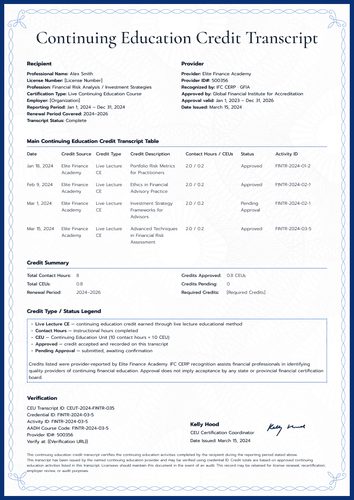
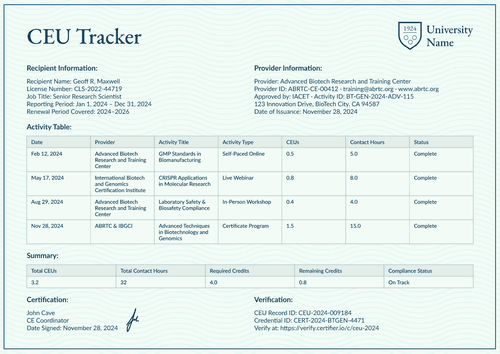
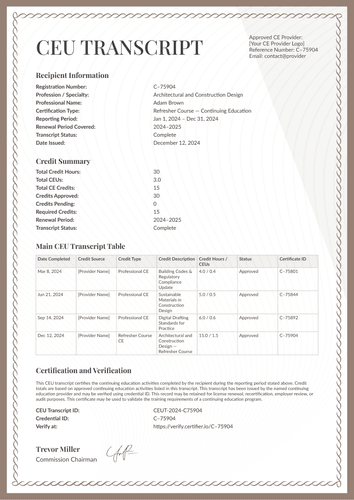
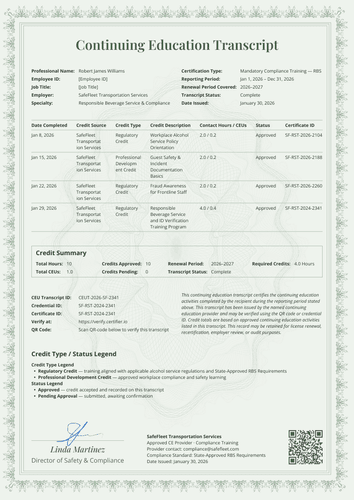
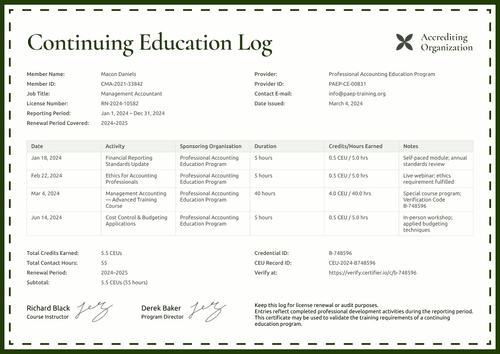
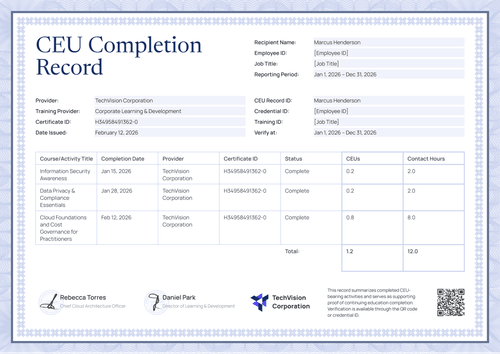
Formal brown CEU transcript template
Prove safeguarding and mandatory reporter training with a record two officers stand behind. Every activity is dated, typed, approved, and traceable to its ID.
Customize this template for free
Email and export in bulk
Track recipient engagement
Download in
Don't have Certifier account? Sign up
Free formal brown CEU transcript template
This free CEU transcript template documents mandatory training in child protection and reporter compliance, with every activity dated, categorized, approved, and signed for by two named officers.
It’s built for continuing education providers, training institutions, professional associations, and records administrators, and it speaks the language of care organizations, such as license holder, department, employer, specialty, and requirement.
The design uses a soft parchment ground, set within a fine lace border. The license holder block opens the record, followed by the transcript table and credit summary, a legend, a verification block with a QR code, an issuing organization block, and two signatures that close it.
The matching certificate of training completion documents the single program, including its assessment score and whether reporter requirements were met.
Need to issue transcripts across your whole network? Import the training records from a spreadsheet or connect your LMS so every staff member is covered before the next inspection. Each staff member receives a personal verification link they can share with a regulator or a partner organization.
What is a CEU transcript?
A CEU transcript records one person's continuing education credits for a reporting period. In safeguarding settings, it carries extra weight because reviewers check not only that training occurred, but also that ethics, regulatory, and professional development requirements were met.
This design shows those categories per row, totals the period, and states the requirement standard it aligns to, on A4 (21 x 29.7 cm) or US Letter (8.5 x 11 in) pages in portrait orientation.
Use Certifier to issue the transcript and the matching completion certificate as a single credential set. Sign up for a free account to customize the transcript for your safeguarding program.
What should a CEU transcript include?
The CEU transcript template includes these editable elements:
Static fields
- Section Headings: Labeled blocks for license holder information, the transcript table, credit summary, legend, certification and verification, and issuing organization.
- Transcript Table Headers: Column set for the record: date approved, sponsoring organization, activity type, activity description, contact hours and CEUs, approval status, and record ID.
- Legend: Printed definitions of the credit types and approval states used in the table.
- Signature Areas: Two labeled signing spaces (e.g., Safeguarding Director; Compliance Officer).
Dynamic fields (automatically populated by Certifier)
- License Holder Name & Employee ID: Identity fields tying the record to your staff system.
- Job Title & Department: Role fields locate the person in your organization.
- Employer & Specialty: Workplace and training-area fields (e.g., Caring Hands Healthcare Network; Child Safeguarding & Mandatory Reporting).
- Certification Type & Requirements Line: Fields naming the mandate and the standard it follows (e.g., State and Federal Safeguarding Requirements).
- Reporting & Renewal Periods: Date-range fields for the record and cycle (e.g., Jan 1 – Dec 31, 2026; 2026–2027).
- Transcript Status & Date Issued: Status and date fields closing the record (e.g., Complete; March 5, 2026).
- Activity Description per Row: Text field naming each training completed (e.g., Ethics and Legal Responsibilities in Youth Protection).
- Activity Type per Row: Category field defined in the legend (e.g., Ethics Credit; Regulatory Credit).
- Contact Hours & CEUs per Row: Paired value fields per activity (e.g., 2.0 / 0.2).
- Approval Status & Record ID per Row: Confirmation field and traceable identifier (e.g., Approved; CH-EAP-2026-1410).
- Total Hours & CEUs: Period totals in the summary block (e.g., 11 hours; 1.1 CEUs).
- Credits Approved, Pending & Required: Status counts and the renewal target (e.g., 1.1 CEUs; 0; 5.0 hours).
- CEU Transcript ID & Credential ID: Verification tracking codes (e.g., CEUT-2024-FINTR-035).
- Verify-at Address & QR Code: Live page link and scannable code. (QR codes are placed in the design builder on the Professional plan and above.)
- Issuing Organization Block: Network name, training provider role, sponsoring role, and date issued.
These are the fields on this design, not a universal format. Customize them in Certifier's design builder until the record matches the standard you report under.
How to issue a CEU transcript
Follow this five-step guide to issue a CEU transcript in Certifier:
- Frame the design for your network — Set the size and orientation, then upload your organization block and both officer signatures. Mark the dynamic text blocks for holder details, activity rows, and credit totals.
- Bundle it with the matching certificate of training completion — Link the transcript to the certificate of training completion so that the course proof and the period record are generated in one run.
- Upload staff training data — Whether you connect your HR system or use our native integrations with LMS apps like Canvas, Moodle, and LearnDash, populating the table takes less than a minute.
- Issue, deliver, and verify — Certifier automatically issues and emails every staff member a personalized transcript. Recipients can download the record or share it online using QR codes.
- Keep track of engagement and fix record errors — Monitor email opens, credential views, downloads, and shares for each transcript from the Credential Repository. Correct a record without reissuing and the public page updates right away.
Available CEU transcript template formats to customize
Edit and issue the template online with Certifier
Editing the design in Certifier turns approved credit data into personal transcripts, emails them at period close, and hosts them on credential pages that stay verifiable.
Download the CEU transcript template in Word
Prefer working in your own files or keeping a Word master in the safeguarding file? Simply enter your email address to receive a ZIP file with the customizable Word documents in both portrait and landscape orientations, in A4 and US Letter sizes.
PDF document export
Once issued, any CEU transcript doubles as a print-ready PDF that staff and compliance officers can pull straight from the delivery email or the credential page.
Who issues safeguarding CEU transcripts?
Care networks and training institutions
Networks issue it to show every staff member's mandatory training, category by category, on one signed page.
Continuing education providers
Providers running safeguarding curricula issue it so client organizations receive audit-ready records, not spreadsheets.
Records administrators and associations
Administrators lean on the two-officer signature block when regulators ask who is responsible for the record.
Frequently asked questions
One role owns the training content, the other owns the compliance record, and both names on the page indicate that the record was checked twice. Both roles are editable on the template.
Yes. The certificate of training completion includes the score (94 percent in the sample) and whether mandatory reporter requirements were met. Print scores only where your policy allows them on shared documents.
Yes, that is the table's job. Each row carries its own activity type, the legend defines the types in print, and the summary still totals everything in one place.
The design carries an employee ID because care networks usually track staff internally. Swap it for a license number or keep both if your auditors want the pair.
Scanning the printed transcript opens the live credential page, so even a photocopy in a site file can be checked against the verified record in seconds.
Certifier templates are provided for general informational and design purposes only. They do not constitute legal, regulatory, accreditation, or academic-recognition advice and are not guaranteed to satisfy the requirements of any institution, recognition body, regulator, or jurisdiction. Using this template does not by itself make a document an official diploma supplement or prove a qualification. The issuing organization is responsible for verifying the content, authority, approvals, and suitability of every document before use. This template is not an official Europass document and does not guarantee recognition of a qualification.