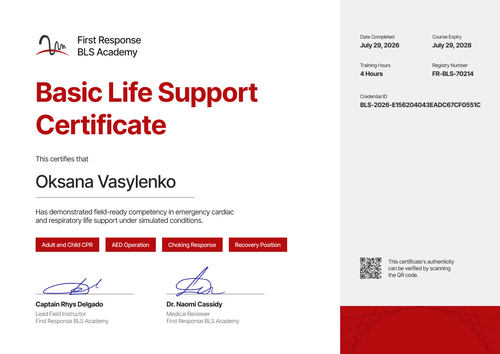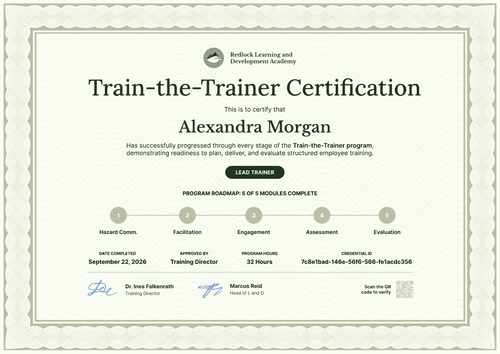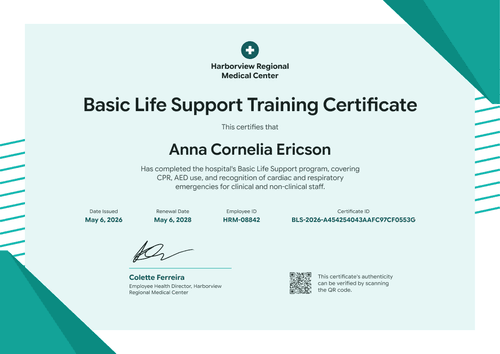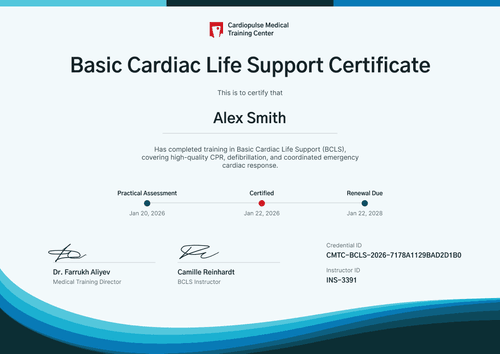

Safety Train-the-Trainer Certificate
Show when each safety trainer was approved, when their status runs out, and when renewal is due. Clients and auditors can check the dates on the trainer's credential page.
Customize this template for free
Email and export in bulk
Track recipient engagement
Download in
Don't have Certifier account? Sign up
Professional forest green safety train-the-trainer certificate template
This free safety train-the-trainer certificate confirms that an instructor completed your trainer course and is approved to deliver your safety training until a set date. It suits safety training organizations that run first aid, CPR, manual handling, or workplace safety instructor courses on a renewal cycle.
The portrait layout opens with a dark green header band patterned with soft circles, holding your logo, company name, and an "Approved Trainer Program" line. Below it, a white panel framed by a light ring pattern carries a large uppercase title in green and an outlined status box. Below a ruled table of date approved, valid until, renewal date, and credential ID, a two-column module list sits above one signature, a QR code, and an orange bottom strip.
On the Professional and Advanced plans, you can add an expiry date when you issue. The credential page then shows whether the trainer's approval is still current, so a client or auditor doesn't have to call you to check.
What is a safety train-the-trainer certificate?
A safety train-the-trainer certificate records two things: that a person completed your instructor course, and the period during which your organization authorizes them to deliver your safety training. The dates matter as much as the name, because clients and auditors check whether the instructor's status was current when a class ran.
If you also run OSHA-related instructor courses, keep OSHA's own program separate. OSHA's Outreach Training Program is voluntary and is not a certification, and OSHA authorizes Outreach trainers for four years. This template records your organization's own course, so never style it to look like an OSHA trainer card.
The sample says "qualified." If your course isn't a regulated qualification, change it to "approved" so the wording matches your authorization.
This template is laid out on A4 portrait (21 x 29.7 cm). Sign up for a free Certifier account to set your approval period and start issuing.
What should a safety train-the-trainer certificate include?
A safety client wants to know three things: what the instructor covered, who approved them, and until when. The fields below cover all three.
Static fields
- Header: Your logo, company name, and program line (e.g., Cipherwall, Safety and Compliance, Approved Trainer Program).
- Title and statement: The award name and what the trainer may deliver (e.g., Train-the-Trainer Certification, "has been qualified to deliver recurring workplace safety training").
- Modules completed: The course units (e.g., Hazard Communication, Facilitation Skills, Learner Engagement, Competency Assessment, Emergency Procedures, Feedback and Evaluation).
- Signature area: The person who approves trainers (e.g., Nadia Petrov, Compliance Manager).
Dynamic fields (automatically populated by Certifier)
- Recipient name: The trainer's full name (e.g., Theodore Achterberg).
- Trainer status: The label in the outlined box (e.g., Qualified · Safety Trainer).
- Date approved: The issue date (e.g., May 12, 2026).
- Valid until: Maps to the credential's expiry date, a Professional and Advanced feature.
- Renewal date: When the trainer should start renewal (e.g., August 12, 2028).
Edit the module list and date labels in Certifier's design builder.
How to issue safety train-the-trainer certificates
- Set your approval period: Decide how long a trainer stays approved and when renewal should start, then label the date rows to match your policy.
- List your modules: Replace the six sample modules with your course units so each certificate shows exactly what was covered.
- Issue with an expiry date: Upload the instructor group from a spreadsheet and set the expiry date (Professional and Advanced plan feature). Each trainer gets a credential page that shows when their approval ends.
- Plan renewals ahead: Filter the Credential Repository by group or template to see who's due. When a trainer renews, issue a new certificate with the new dates.
Available safety train-the-trainer certificate template formats
Edit and issue online with Certifier
Edit the portrait design in your browser, issue with expiry dates, and keep every instructor's status in one place.
Download in Microsoft Word
Enter your email to receive a ZIP with editable Word files.
PDF document export
Trainers can download a PDF from their credential page to show a client or keep on file.
Who issues safety train-the-trainer certificates?
Safety training organizations
First aid, CPR, and manual handling providers certify the instructors who teach their courses and track when each one must renew.
Employers with in-house safety trainers
Sites that train their own staff keep a record of which supervisors are approved to run toolbox talks and refresher sessions.
Safety and compliance consultancies
Consultancies that build trainer networks for clients issue the certificate so each client can check its trainers' status.
Frequently asked questions
Yes, you can customize this safety train-the-trainer certificate on the free Starter plan. Its custom fields (trainer status and renewal date) fit Starter's limit of 5 custom attributes. The QR code and the expiry date behind the Valid Until row need the Professional or Advanced plan.
When you set an expiration date on this train-the-trainer certificate, the credential page shows when the trainer’s approval ends. Certifier then emails the trainer two weeks before that date and again on the day it expires. You can edit both emails, so add a link to your refresher course to show trainers how to stay approved.
Valid Until is the last day the trainer's current approval counts. Renewal Date is the date your policy sets for completing renewal. Set both to match your own rules, and keep them consistent across every trainer you approve.
No. OSHA's Outreach Training Program is voluntary and not a certification, and its trainer authorization comes from OSHA's own program. This template records your organization's course and should never imitate OSHA cards.
Certifier templates are provided for general informational and design purposes only. They do not constitute legal, regulatory, or compliance advice and are not guaranteed to satisfy the requirements of any regulator, auditor, standard, insurer, or jurisdiction. The issuing organization is responsible for the content of its training program and for verifying that its records meet the requirements that apply to it. This template records the issuer's own course and does not replace an OSHA Outreach trainer card or any card issued by an authorized training program.