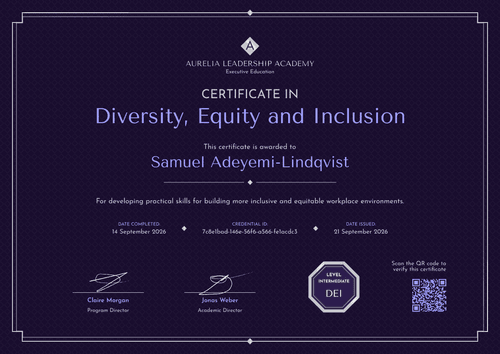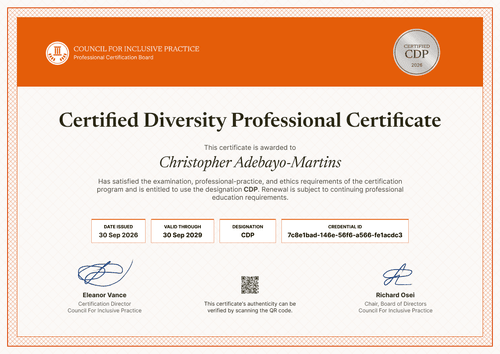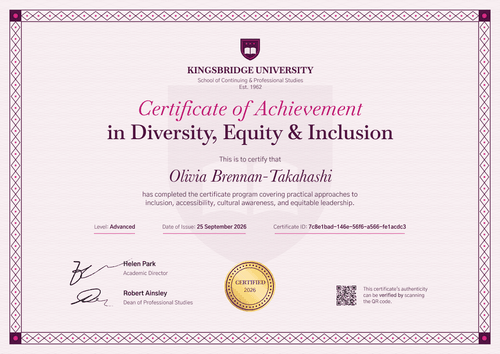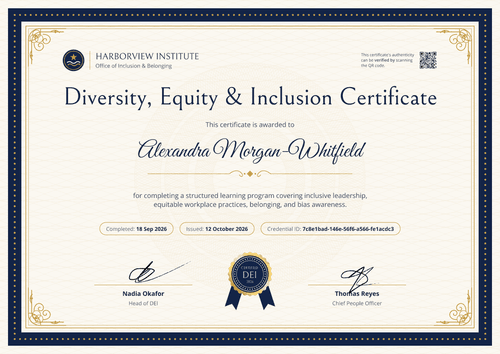

Diversity, Equity & Inclusion in the Workplace Certificate
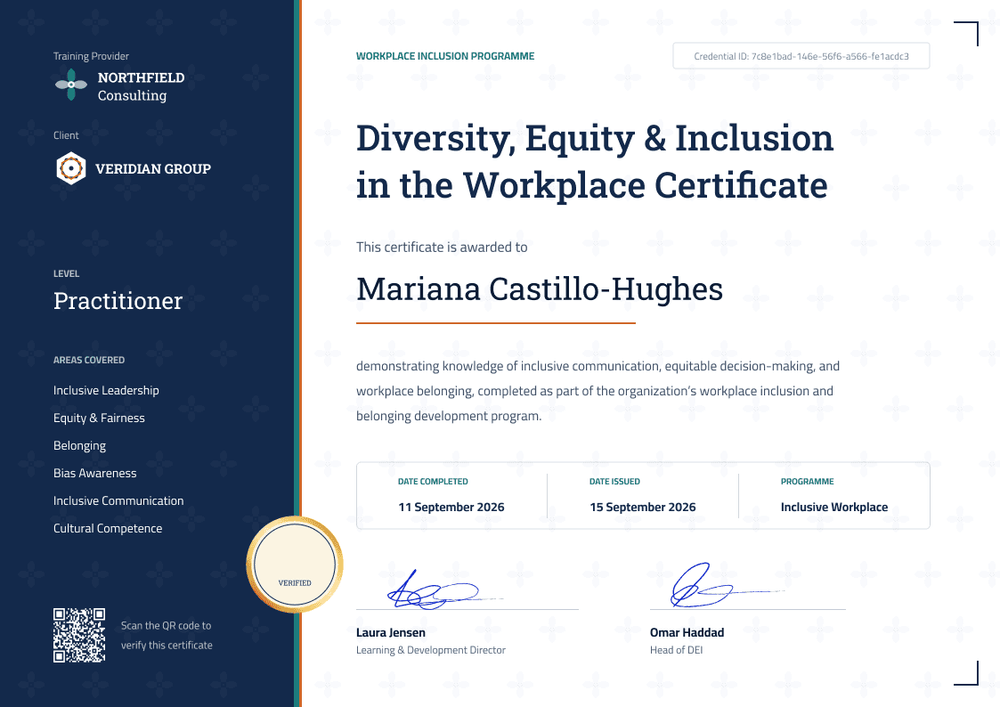
Deliver a workplace inclusion program for a client and issue certificates that carry both your name and theirs. A side panel lists the level and every area the course covered.
Customize this template for free
Email and export in bulk
Track recipient engagement
Download in
Don't have Certifier account? Sign up
Professional midnight blue workplace DEI certificate template
This free workplace DEI certificate confirms that an employee completed an inclusion program you delivered for their employer. It's made for DEI consultancies and training providers that run programs for client organizations and want each certificate to show both the provider and the client.
A midnight blue side panel on the left holds your logo, the client's logo, the level, a list of areas covered, and a QR code. A teal and orange stripe and a gold-ringed "Verified" seal mark the panel's edge, next to a white main area with a faint cross pattern and corner brackets. Below the bold navy blue slab-serif title come the recipient's name over an orange rule, a boxed row with the completion date, issue date, and program name, and two signature lines.
When a client program ends, upload the participant list or automate issuing with Zapier, and every participant gets a certificate and matching badge in one run. Each certificate links to a credential page the client's HR team can open on any plan.
What is a workplace DEI certificate?
A workplace DEI certificate shows that a named employee completed an inclusion program run for their organization. The course content is usually practical: inclusive communication, equitable decision-making, bias awareness, and belonging at work. Consultancies issue it so each participant has a record, and the client has proof the program was delivered.
The certificate records attendance and completion, however, it doesn't prove the client is compliant with any law.
This template is laid out on A4 landscape (29.7 x 21 cm). Sign up for a free Certifier account to set up your first client design.
What should a workplace DEI certificate include?
For client work, each certificate should name the provider, the client, the participant, and what the program covered.
Static fields
- Training provider block: Your logo and name (e.g., Northfield Consulting).
- Program label: The program line above the title (e.g., Workplace Inclusion Programme).
- Certificate title: (e.g., Diversity, Equity & Inclusion in the Workplace Certificate).
- Program description: What participants learned (e.g., inclusive communication, equitable decision-making, and workplace belonging).
- Signature and role areas: Two signature lines (e.g., Learning & Development Director and Head of DEI).
Dynamic fields (automatically populated by Certifier)
- Recipient name: The participant's full name (e.g., Mariana Castillo-Hughes).
- Client name: The organization you delivered for (e.g., Veridian Group). Swap the client logo in a copy of the design for each client.
- Level: (e.g., Practitioner).
- Areas covered: The topic list in the side panel (e.g., Inclusive Leadership, Equity & Fairness, Belonging, Bias Awareness, Inclusive Communication, Cultural Competence).
- Date completed and program name: (e.g., 11 September 2026, Inclusive Workplace).
For each client, change the panel topics or any other field in Certifier's design builder.
How to issue workplace DEI certificates for a client
- Duplicate the design for the client: Keep your logo, add the client's logo, and set the level and areas covered for this engagement.
- Upload the participant list: Import names, emails, and completion dates from the client's attendance sheet.
- Issue under both names: Certifier emails each participant a certificate that shows your consultancy as provider and the client by name.
- Report back to the client: Use the Credential Repository to show who received, opened, and shared their certificate, filtered to that client's group.
Available workplace DEI certificate template formats
Edit and issue online with Certifier
Keep one design per client in your account and issue each group from its own list.
Download in Microsoft Word
Enter your email to receive a ZIP with editable Word files.
PDF document export
Participants and the client's HR team can download print-ready PDFs from each credential page.
Who issues workplace DEI certificates?
DEI consultancies
Running inclusion programs for several client organizations calls for one branded design per client.
Corporate training companies
Wider leadership or management programs often gain a workplace inclusion module, and this certificate records its completion.
Freelance facilitators and coaches
Facilitators who deliver workshops under their own name want a certificate that looks as professional as a large provider's.
Frequently asked questions
Yes, you can customize this workplace DEI certificate on the free Starter plan, which allows up to 5 custom attributes. This template's custom fields (client name, level, areas covered, date completed, and program name) fit exactly within that limit. The QR code needs the Professional or Advanced plan.
Yes, by duplicating the workplace DEI certificate design for each client, adding their logo, and filling the client name field from your participant list. Your consultancy stays the issuer on the credential page, and each client's certificates stay grouped together. For a separate workspace per client, the Advanced plan offers multiple workspaces on request.
Change the wording in that client's copy of the design. The workplace DEI certificate title, program label, and areas covered are all editable, so one client's certificates can read Inclusive Workplace and another's Respectful Workplace. Other clients' designs keep their own wording.
Send them the verification links, or have them scan the QR code on paid plans. Each link opens a credential page showing your consultancy, the participant, the issue date, and the credential ID.
Certifier templates are provided for general informational and design purposes only. They do not constitute legal, regulatory, or compliance advice and are not guaranteed to satisfy the requirements of any regulator, auditor, standard, insurer, or jurisdiction. The issuing organization is responsible for the content of its training program and for verifying that its records meet the requirements that apply to it.