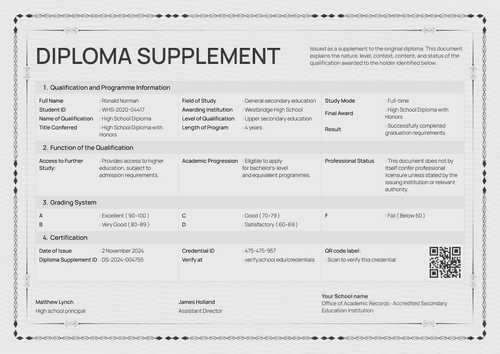
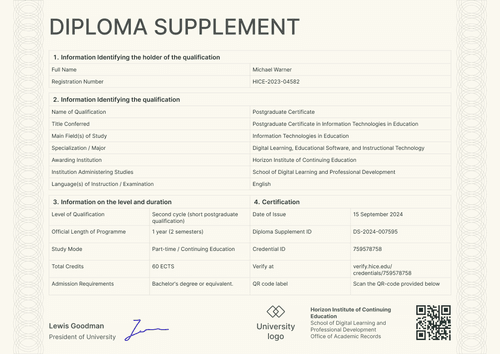
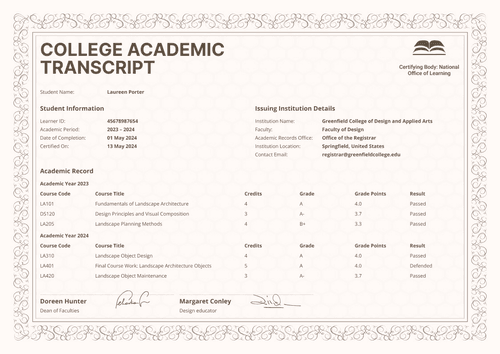
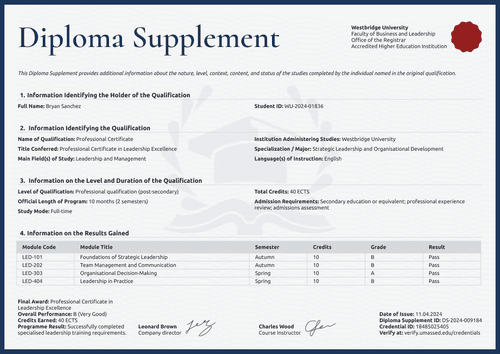
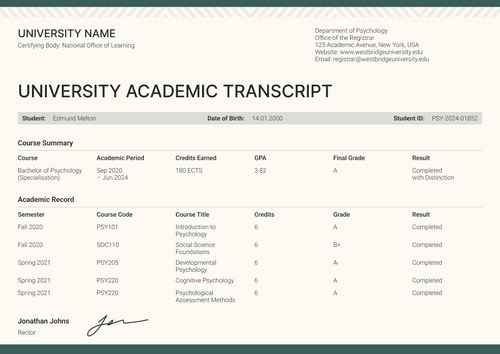
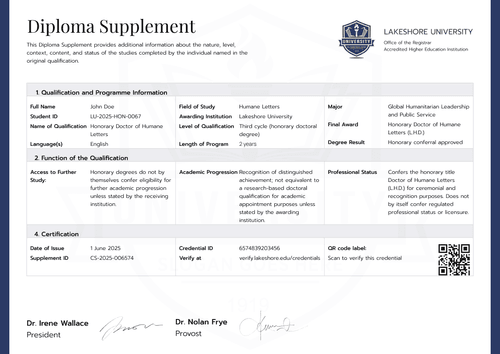
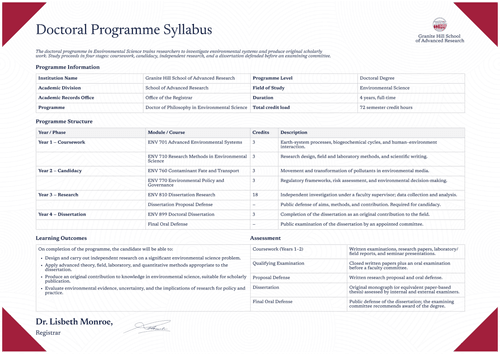
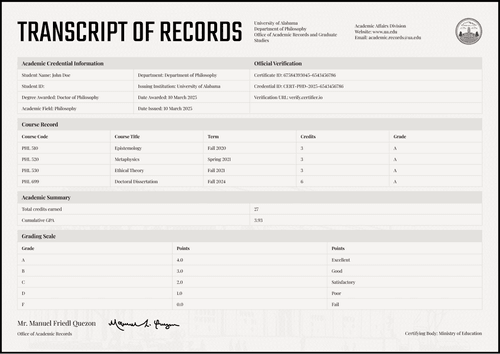
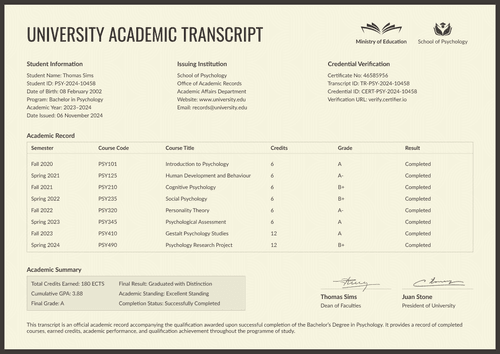
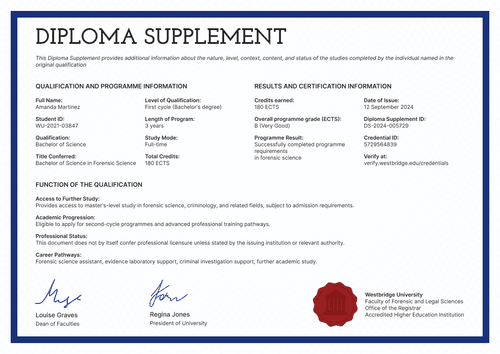
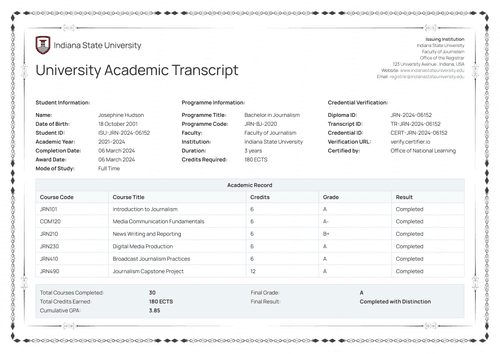
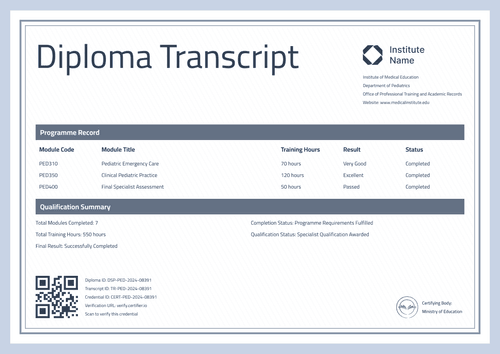
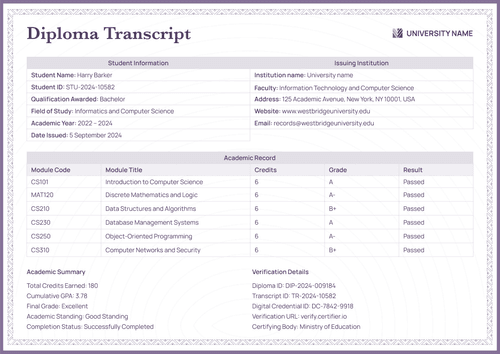
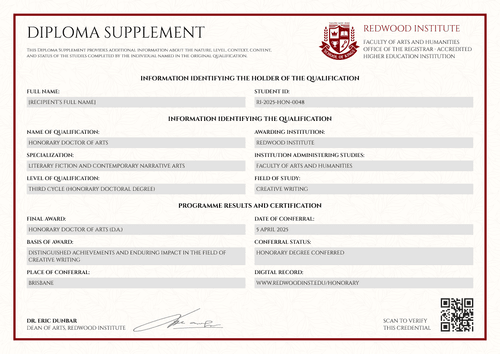
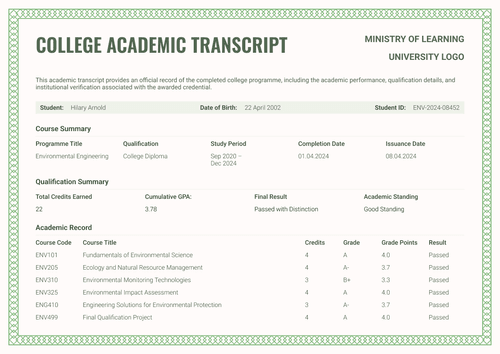
Formal blue college academic transcript template
Give every college graduate a module-by-module record with hours, results, and a clean summary block. Issue it with the matching college diploma as one credential.
Customize this template for free
Email and export in bulk
Track recipient engagement
Download in
Don't have Certifier account? Sign up
Free formal blue college academic transcript template
College programs are often measured in hours of studio, workshop, and classroom time. This free college academic transcript template respects that. Each module row carries its hours, result, and status, and the summary block totals the program with a final result that a reader can quote.
The design serves university registrars, college records offices, graduate schools, and authorized academic administrators. The template sample documents a creative arts program, yet the same fields can be used for any college discipline.
Powder-blue framing and a light serif title keep the document clean and official. A short statement box on the record itself confirms it’s an official academic record issued by the college, right where a reviewer looks for it.
Issuing for a whole studio cohort? Bring the module results in from a spreadsheet or connect your LMS so the transcripts are ready as the program ends. Each learner receives a personal verification link they can include in a portfolio or send to an employer.
What is a college academic transcript?
A college academic transcript is the module-level record of a completed college program. It shows what was studied, for how many hours, and with what result, under the name of the office that issued it.
This design keeps the whole record on one page, with the student block and identifiers at the top, the module table in the middle, and the summary and records-office details at the bottom. Both A4 (21 x 29.7 cm) and US Letter (8.5 x 11 in) sizes are available, in portrait and landscape.
Certifier issues the transcript and the college diploma as a single credential under a single verification link. Create a free account to open the design and start issuing college transcripts.
What should a college academic transcript include?
A reviewer should be able to quote your academic transcript without calling your records office. This design includes the following editable elements:
Static fields
- Module Table Headers: Column set for the record: module code, module title, hours, result, and status.
- Summary Panel Labels: Fixed labels for completed modules, total contact hours, final result, academic standing, and program status.
- Official Statement Box: Standing note that the transcript is an official academic record issued by the college.
- Logo Area & Certified-By Line: Your college mark and the external certifying office label (e.g., Office of National Learning).
- Records Office Block: Office name, address, website, and email lines.
Dynamic fields (automatically populated by Certifier)
- Student Name & Learner ID: Identity fields for the graduate (e.g., COA-2024-01852).
- Date of Birth: Labeled identity field (e.g., 12 May 2002).
- Program Title: Field naming the course of study (e.g., Creative Arts and Design Studies).
- Academic Year & Enrollment Period: Fields covering the study window (e.g., 2022–2024; September 2022 – January 2024).
- Certified On Date: Date field marking certification of the record (e.g., 17 January 2024).
- Module Code & Title: Row-level identifiers for each module (e.g., ART205, Digital Design Fundamentals).
- Hours per Module: Value field recording studio and classroom time (e.g., 60 hours).
- Result & Status per Module: Paired outcome fields per row (e.g., Excellent; Completed).
- Completed Modules & Total Hours: Summary counts for the program (e.g., 8 modules; 555 hours).
- Academic Standing: Status field confirming how the learner finished the program (e.g., Successfully Completed).
- Final Result & Program Status: Closing assessment fields (e.g., Completed with Distinction; Completed).
- Transcript ID & Credential ID: Verification tracking codes (e.g., CAT-2024-01852; CERT-2024-01852).
- Digital Credential ID & Verification URL: Unique live verification page link (e.g., DC-ART-2024-01852).
The list above describes the elements of the sample design, yet it isn’t a required format. Rename, add, or drop fields in Certifier's design builder to fit your approved record.
How to issue a college academic transcript
Follow these five steps to issue your academic transcripts using Certifier:
- Make the design your own — Set the size and orientation, then add your college logo, certified-by line, and signature. Choose the dynamic text blocks for student identity, module hours, and the summary panel.
- Bundle it with the matching college diploma — Link the transcript to the college diploma so that both documents are generated in one run.
- Upload learner data — Connect your records office system or use our native integrations with LMS apps like Canvas, Moodle, and LearnDash. Populating the design takes less than a minute.
- Issue, send, and verify — Certifier issues and emails every learner their personalized transcript automatically. Recipients can download the document or share it online through its verification link.
- Track engagement and fix errors — The Credential Repository reports email opens, credential views, downloads, and shares for each transcript. Amend a learner's details without reissuing and the public record will show the correction immediately.
Available college academic transcript template formats to customize
Edit and issue the template online with Certifier
Customize the design in Certifier and each learner receives their own data, an emailed document, and a live credential page that a reviewer can check at any time.
Download the college academic transcript template in Word
Rather build the record in your own files? Enter your email address to receive a ZIP file with the customizable Word documents in both portrait and landscape orientations, in A4 and US Letter sizes.
PDF document export
Every issued transcript is also a print-ready PDF that learners and coordinators can download directly from the delivery email or the credential page.
Who issues college academic transcripts?
College records offices
Records offices issue it as their working record for hour-based programs, where studio and workshop time is the honest measure of the training.
University registrars
Registrars managing college-level divisions use it to keep those records consistent with university-grade verification.
Graduate schools
Admissions teams receiving applications from college graduates receive the module details and totals in a single document.
Frequently asked questions
Yes. The table ships with an hours column, yet the design builder lets you add a credits column beside it or swap the header entirely. Colleges moving between hour-based and credit-based reporting often show both during the transition.
The designs attach to the same credential template, so each graduate's documents are generated together and share one verification link. Nobody needs to assemble pages by hand and nothing arrives separately.
Yes. Add a second hour column in the design builder and split the values per module or keep one total column and note the breakdown in the module title. Programs that report practical and theory time separately usually prefer two columns.
Yes, this is possible on the Professional plan and above, which supports static PDF attachments on the credential template. The attachment rides with every issued credential, so a reviewer can open the supporting work beside the record.
Yes. The program title, module rows, and summary values are all editable fields, so one design can carry your illustration program today and your photography program next term. Keep one design per program version so issued records stay tied to what was actually taught.
[a]Design changes:
1. Add grading legend/transcript key (static field).
Certifier templates are provided for general informational and design purposes only. They do not constitute legal, regulatory, accreditation, or academic-recognition advice and are not guaranteed to satisfy the requirements of any institution, recognition body, regulator, or jurisdiction. Using this template does not by itself make a document an official diploma supplement or prove a qualification. The issuing organization is responsible for verifying the content, authority, approvals, and suitability of every document before use. This template is not an official Europass document and does not guarantee recognition of a qualification.