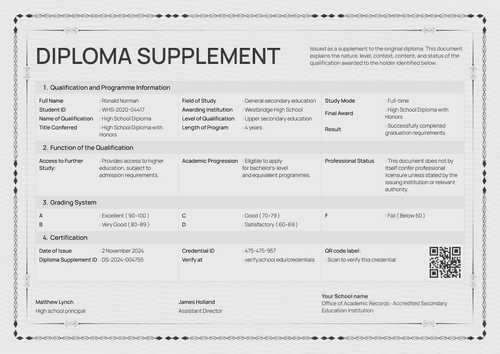
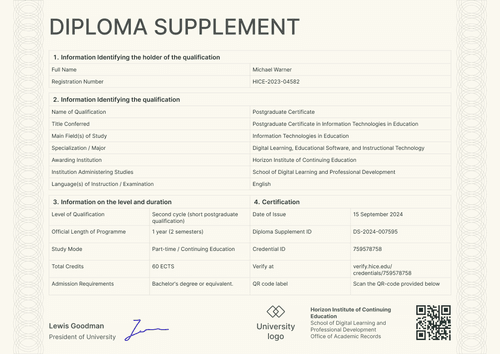
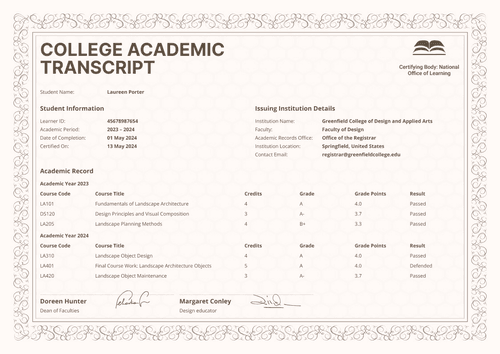
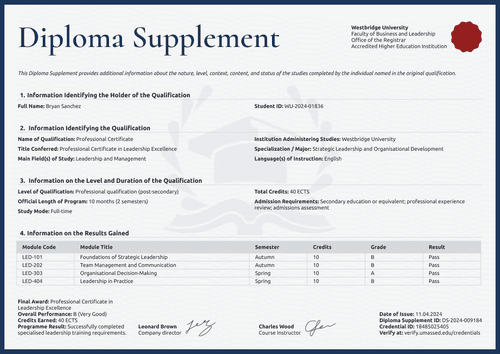
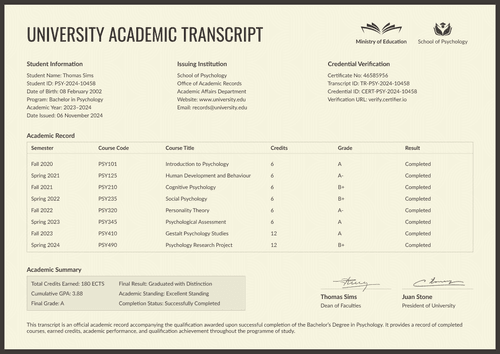
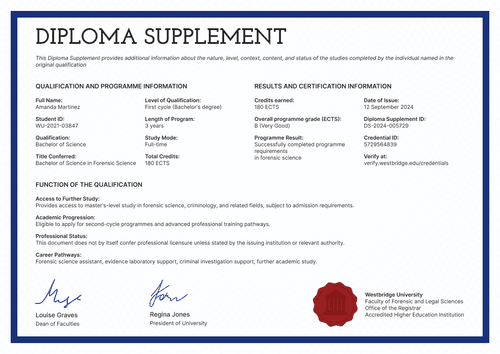
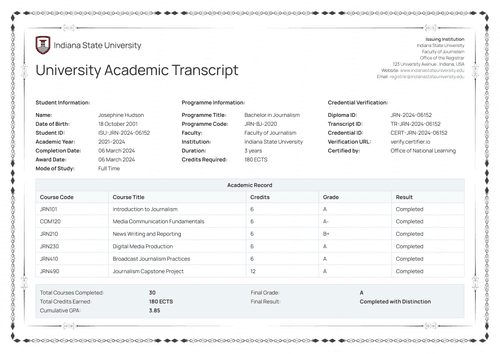
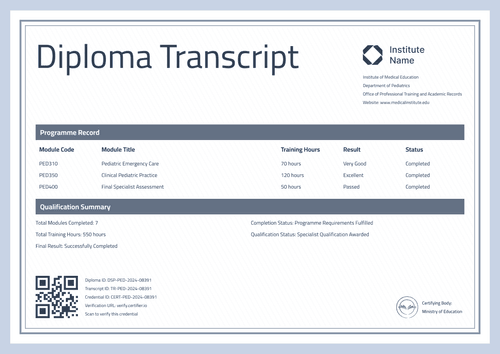
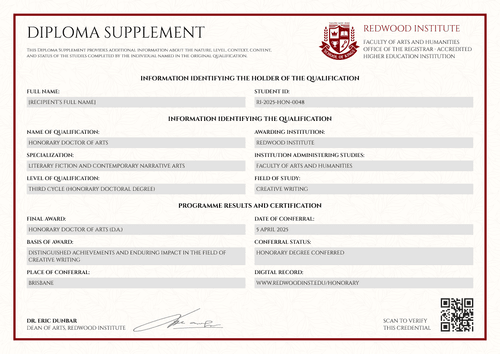
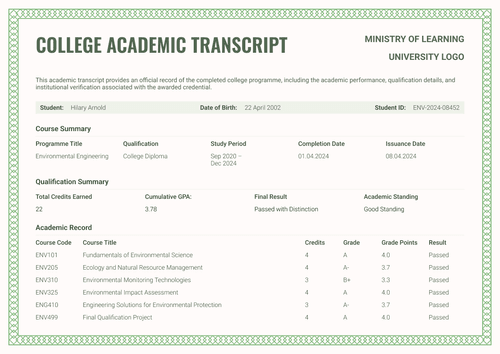
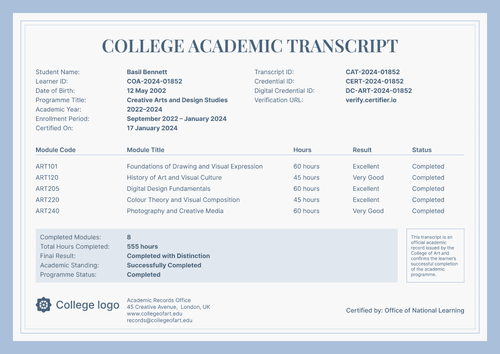
Formal violet diploma transcript template
Turn approved graduate records into a formal diploma transcript with the modules, credits, and grades on one page. Issue it with the matching bachelor's diploma as one credential set.
Customize this template for free
Email and export in bulk
Track recipient engagement
Download in
Don't have Certifier account? Sign up
Free formal violet diploma transcript template
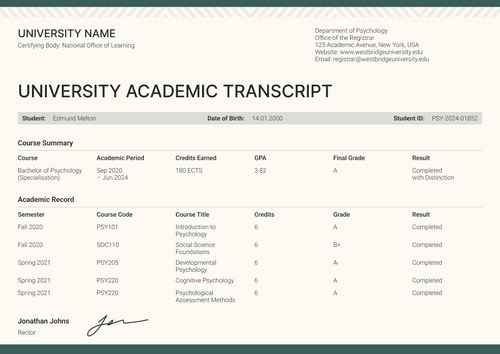
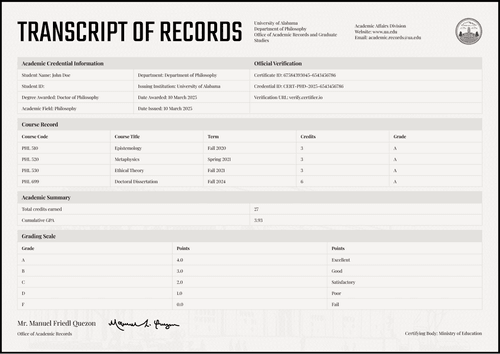
This free diploma transcript template turns an approved graduate record into a formal, verifiable document. It carries the student information, the qualification, and the full module table with credits and grades.
It is built for university registrars, college records offices, graduate schools, and authorized academic administrators who already own the record and need a clean way to present it.
Violet rules frame each page over a fine patterned border, while shaded bands keep the module rows easy to scan. The formal academic design looks clean and easy to read both in portrait and landscape orientations.
To issue diploma transcripts in bulk, upload your graduate records from a spreadsheet or connect your student system. Every document carries a unique verification link that students can share with other academic institutions or employers.
What is a diploma transcript?
A diploma transcript is the detailed record behind a diploma. It lists the modules a student completed, the credits and grades for each one, and the summary results. Another school or an employer can then see exactly what the qualification contains.
This design keeps the whole record on a single page, from student details through the module table to the summary. It comes in A4 (21 x 29.7 cm) and US Letter (8.5 x 11 in) sizes, in portrait and landscape orientations.
Issue it through Certifier, together with the matching bachelor's diploma, so the award and its record travel as a single credential and can be verified via a single link. Create a free Certifier account to customize the design and start issuing documents.
What should a diploma transcript include?
The rule for a transcript is simple: a reader should find any fact without calling your office. Every element on this design is editable in Certifier’s online builder:
Static fields
- Section Headings: Five labeled blocks that organize the record: student information, issuing institution, academic record, academic summary, and verification details.
- Academic Record Table Headers: The fixed column set for the module table: module code, module title, credits, grade, and result.
- Academic Summary Band: Fixed labels closing the record with total credits, GPA, final grade, and standing.
- Registrar Signature Area: Designated space for the registrar's signature and the date signed.
Dynamic fields (automatically populated by Certifier)
- Student Name & Student ID: Labeled fields holding the graduate's name and record number (e.g., STU-2024-10582).
- Qualification Awarded: Field naming the degree conferred (e.g., Bachelor).
- Field of Study: Text field for the discipline (e.g., Informatics and Computer Science).
- Academic Year & Date Issued: Paired date fields covering the study window and issue date (e.g., 2022–2024, 5 September 2024).
- Institution & Faculty: Fields naming the awarding institution and the faculty administering the studies.
- Institution Contact Details: Address, website, and records email for the issuing office.
- Module Code & Title: Row-level fields identifying each module studied (e.g., CS210, Data Structures and Algorithms).
- Credits & Grade per Module: Value fields recording the weight and mark of each module (e.g., 6 credits, B+).
- Module Result: Status field confirming the outcome of each row (e.g., Passed).
- Total Credits & Cumulative GPA: Summary values for the whole program (e.g., 180; 3.78).
- Final Grade & Academic Standing: Assessment fields closing the summary (e.g., Excellent, Good Standing).
- Diploma ID & Transcript ID: Verification tracking codes for the award and this record (e.g., DIP-2024-009184, TR-2024-10582).
- Credential ID & Verification URL: Unique live verification page link (e.g., DC-7842-9918).
- Certifying Body: Field naming the authority behind the qualification (e.g., Ministry of Education).
This list describes the template design, not a fixed standard. Rename, add, or remove fields in Certifier's design builder until the layout matches your record.
A field set this rich runs on custom attributes, which the free Starter plan caps at three text fields. Try out the Professional plan if you want to raise the limit to 10 dynamic fields across all types.
How to issue a diploma transcript
Follow these five steps to turn an approved record into a delivered transcript using Certifier:
- Edit the design to match your requirements — Set the right size and orientation, then upload your crest, seal, and registrar signature. Choose the dynamic text blocks on the design, including student names, module grades, and total credits.
- Bundle it with the matching bachelor's diploma — Link the transcript to the diploma certificate so that a graduate's award and its detailed record are generated in the same run.
- Upload graduate data — Whether you connect your student information system or use our native integrations with LMS apps like Canvas, Moodle, and LearnDash, filling the design with your data takes less than a minute.
- Issue, deliver, and verify — Certifier automatically issues and emails a personalized transcript to every graduate. Recipients can download their record or share it online through its verification link.
- Keep an eye on engagement and fix errors — Use the Credential Repository to monitor email opens, credential views, downloads, and shares for each diploma transcript. You can also correct a graduate's details without reissuing, with the change appearing on the public record right away.
Available diploma transcript template formats to customize
Edit and issue the template online with Certifier
Choose the online editor to automatically fill the transcript with graduate data, automate document delivery, and get a verifiable link for each transcript.
Download the diploma transcript template in Word
Leave your email address to receive the editable Word files in both sizes and orientations as a ZIP. This is suitable for records offices that prepare documents by hand.
PDF document export
Issued transcripts export as print-ready PDFs from the graduate's email or credential page, so a paper copy always matches the verified original.
Who issues diploma transcripts?
University registrars
Registrars issue this as the official record alongside the diploma, with every module, credit, and grade set out in a single readable table.
Graduate schools
Admissions teams read transcripts all day. This layout's summary block answers their first three questions at a glance: credits, GPA, and results.
College records offices
Records offices use it as an editable academic transcript for programs that require module-level detail with built-in verification.
Frequently asked questions
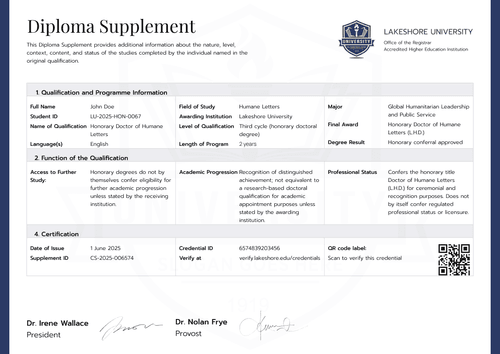
A transcript lists the modules, credits, and grades, while a supplement explains the qualification itself, including its level, workload, and status. Many institutions issue both. This design is the transcript side and it carries its own grading scale on page two.
Yes. Add a row for each transferred course and use the result field to mark it as transferred or exempted. Whether those credits count toward the total is your institution's academic policy.
Add or remove rows in the design builder until the table matches your program. If a long record no longer fits comfortably, adjust the layout before issuing. How much detail appears in the transcript is your records policy, not the template's.
Yes. The certifying body line is an ordinary editable field. Enter your accreditor, your institution, or remove the line.
No. Each graduate receives the transcript by email with free login access, a hosted credential page, and a PDF download. Anyone checking the record uses the verification link, with no account needed on either side.
[a]Design changes:
1. Add grading legend/transcript key (static field).
Certifier templates are provided for general informational and design purposes only. They do not constitute legal, regulatory, accreditation, or academic-recognition advice and are not guaranteed to satisfy the requirements of any institution, recognition body, regulator, or jurisdiction. Using this template does not by itself make a document an official diploma supplement or prove a qualification. The issuing organization is responsible for verifying the content, authority, approvals, and suitability of every document before use. This template is not an official Europass document and does not guarantee recognition of a qualification.