
AI Governance Associate Certificate
Show which role or AI system each person was trained on. This AI governance certificate has four topic chips you can change for each team, and every certificate has a verification link.
Customize this template for free
Email and export in bulk
Track recipient engagement
Download in
Don't have Certifier account? Sign up
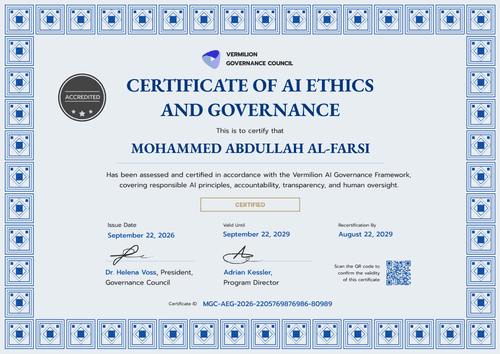
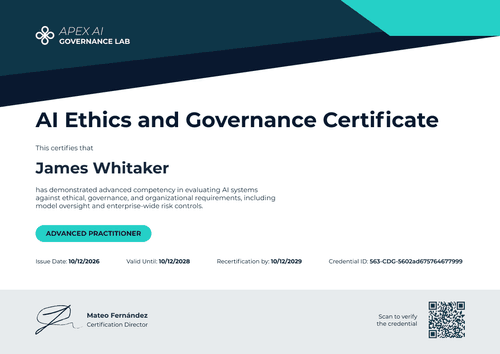
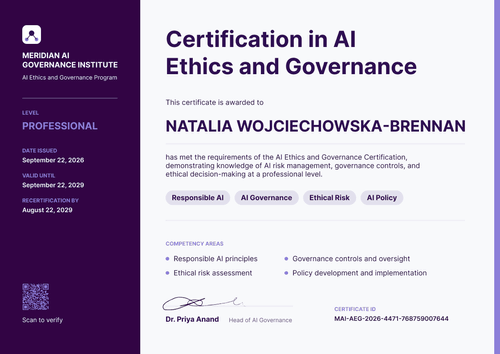
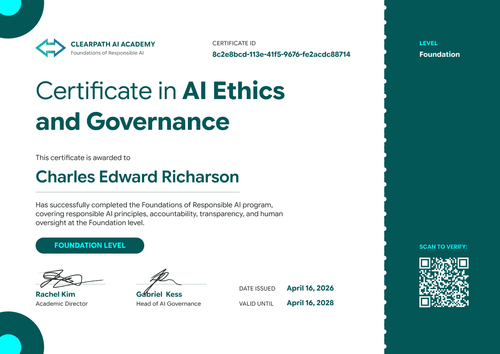
Professional bright blue AI governance associate certificate template
This free AI governance associate certificate confirms that a person passed an assessment on responsible AI and governance basics at associate level. It suits IT, AI governance, and GRC teams that train staff before they use or manage a specific AI system. Course providers that run assessed associate programs can use it too.
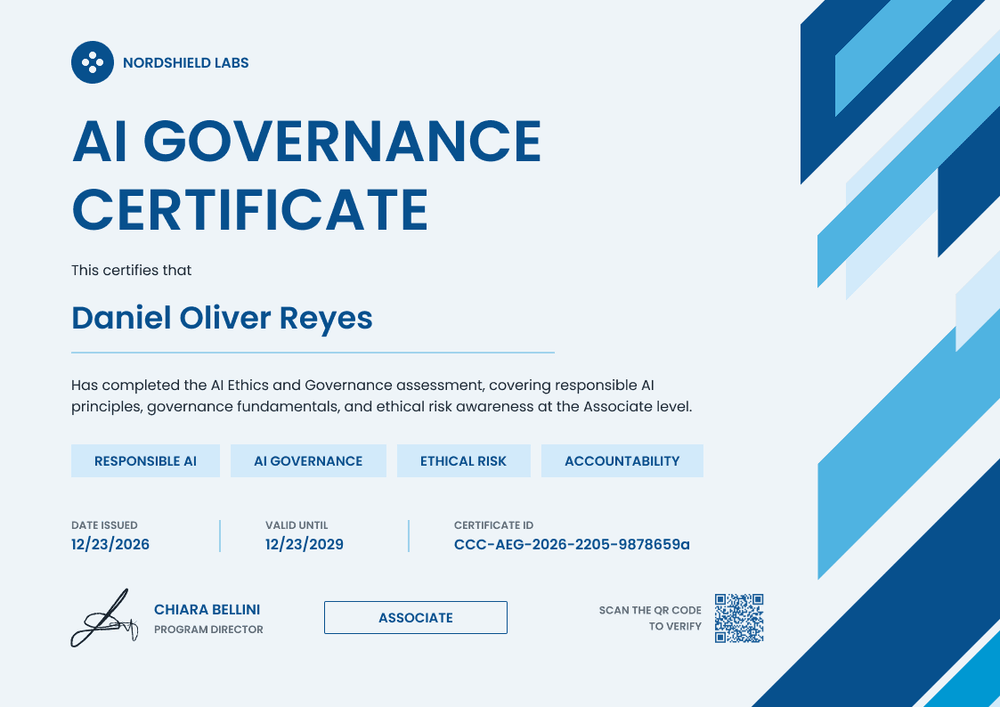
Bold blue capitals spell out the title on a pale blue background, and layered diagonal stripes in navy, bright blue, and light blue run down the right edge. Four rounded chips under the description list the topics covered, and a row below shows the issue date, the "valid until" date, and the certificate ID. The bottom row holds one signature, an outlined "Associate" level box, and a QR code.
Export results from your assessment tool to a spreadsheet, add a column for each person's role or AI system, and upload it. You can also automate issuing with Zapier, so a certificate goes out as soon as someone passes. Each certificate's verification link works on every plan, while the QR code needs Professional or Advanced.
What is an AI governance associate certificate?
An AI governance associate certificate shows that a named person passed an assessment on AI governance basics at associate level. It's often tied to the role they hold or the AI systems they work with. Teams use it to show who was trained before they got access to an AI tool or took on a governance task.
The NIST AI Risk Management Framework covers this in its GOVERN function. Under GOVERN 2.2, an organization's personnel and partners should get AI risk management training. When each certificate names the role or system covered, you can see at a glance which training each person received.
A certificate records that someone passed your assessment. However, it doesn't confirm that your AI risk program follows the NIST AI RMF.
This template is laid out on A4 landscape (29.7 x 21 cm). Sign up for a free Certifier account to set your topics and start issuing.
What should an AI governance associate certificate include?
Role-based training needs one more answer than a general course: trained for what?
Static fields
- Organization name and logo: Your logo and name at the top left (e.g., Nordshield Labs).
- Certificate title: The award name in large capitals (e.g., AI Governance Certificate).
- Level box: The level of the assessment (e.g., Associate).
- Signature area: One signature line with name and role (e.g., Chiara Bellini, Program Director).
Dynamic fields (automatically populated by Certifier)
- Recipient name: The person's full name (e.g., Daniel Oliver Reyes).
- Assessment description: What the assessment covered (e.g., responsible AI principles, governance fundamentals, and ethical risk awareness).
- Topic chips: Four short topic labels you can change for each team or module (e.g., Responsible AI, AI Governance, Ethical Risk, Accountability).
- Date issued: The date the person passed (e.g., 12/23/2026).
- Valid until (optional, Professional and Advanced): The expiry date (e.g., 12/23/2029).
- Certificate ID and verification link: A unique ID (e.g., CCC-AEG-2026-2205-9878659a) and a verification link, on every plan.
Add or rename fields in Certifier's design builder to match how your teams and systems are named.
How to issue AI governance certificates by role or AI system
- Set up the design: Upload your logo and signature, and keep the four topic chips as fields so each team's modules can show on its own certificates.
- Add role and system columns: In your results spreadsheet, add columns for the role or AI system and for each topic. Match them to the certificate fields.
- Issue per team: Upload each team's list, or connect your assessment tool through Zapier so certificates go out when people pass. You can also issue credentials from ChatGPT or Claude for a small group.
- Check who's covered: Use the Credential Repository to see who received, opened, and shared their certificate, and fix any field without reissuing.
Available AI governance associate certificate template formats
Edit and issue online with Certifier
Edit the design in your browser, import results from a spreadsheet, and send every certificate from one place. Each person gets a credential page anyone can use to verify it.
Download in Microsoft Word
Enter your email address to receive a ZIP file with editable Word files.
PDF document export
Staff can download a print-ready PDF from the credential page linked in their email.
Who issues AI governance associate certificates?
IT and AI governance teams
Before staff get access to an AI tool, IT and AI governance teams train them, then keep a record of who passed for each system.
GRC and risk teams
Running an AI risk program on a framework like the NIST AI RMF means keeping training records by role.
AI course providers
Providers running assessed associate-level modules issue a certificate and matching badge to everyone who passes.
Frequently asked questions
Yes. You can customize the design on the free Starter plan, but this template's 6 custom fields (assessment description, four topic chips, and role or AI system) exceed Starter's 5. Remove one on Starter, or use the Professional plan, which supports up to 25 custom attributes and adds the QR code and "valid until" date.
Yes. Keep the four topic chips as fields, and each row in your spreadsheet can list different topics. The finance team's certificates then show the modules they took, the engineering team's show theirs, and one design covers every team.
Add a "Role or AI system" field to the design and a matching column to your spreadsheet. The value prints on the certificate, so anyone reviewing it can see what the training covered.
Issue a new certificate for the training linked to the new role. The earlier certificate stays on record with its original date.
No. The AI governance associate certificate records that one person passed your assessment. Your AI risk program, policies, and other records show how you apply the framework.
Certifier templates are provided for general informational and design purposes only. They do not constitute legal, regulatory, or compliance advice and are not guaranteed to satisfy the requirements of any regulator, auditor, standard, insurer, or jurisdiction. The issuing organization is responsible for the content of its training program and for verifying that its records meet the requirements that apply to it.